

The Ultimate Guide to Capacity Planning Tools
Why Every Manufacturing Operation Needs a Capacity Planning Tool
A capacity planning tool is software that helps organizations forecast demand, match available resources to upcoming work, and prevent the overload — or idle time — that kills productivity and profit.
If you're trying to figure out which tool fits your shop floor, here's the short version:
What You Need What to Look For See who's available and when Real-time workload visibility Avoid overloading your team Utilization tracking and alerts Plan ahead for demand spikes Demand forecasting features Connect to your existing systems ERP and MES integrations Get your team to actually use it Simple, mobile-friendly interface
Here's the reality on most shop floors: capacity planning still happens in spreadsheets, whiteboard schedules, or someone's head. And by Thursday, whatever plan existed on Monday is already wrong.
The cost of that gap is real. A 2025 report from Runn found that 9 in 10 leaders consider capacity planning critical to organizational success — yet only two-thirds actually do it with any regularity. Meanwhile, a 2025 Robert Half survey found 36% of employees feel burned out, with a third saying it's gotten worse in the past year. Overloaded teams, missed deadlines, and reactive firefighting aren't bad luck — they're what happens when you don't have a clear picture of who's doing what, and how much runway is left.
For manufacturing operations managers, this isn't abstract. It shows up as unplanned downtime, labor bottlenecks, late orders, and the constant scramble to figure out why the plan fell apart again. When capacity is managed on gut feel instead of data, the whole operation runs reactively — and reactive is expensive.
The good news: the right capacity planning tool changes that equation entirely. It gives you visibility before problems happen, not after.
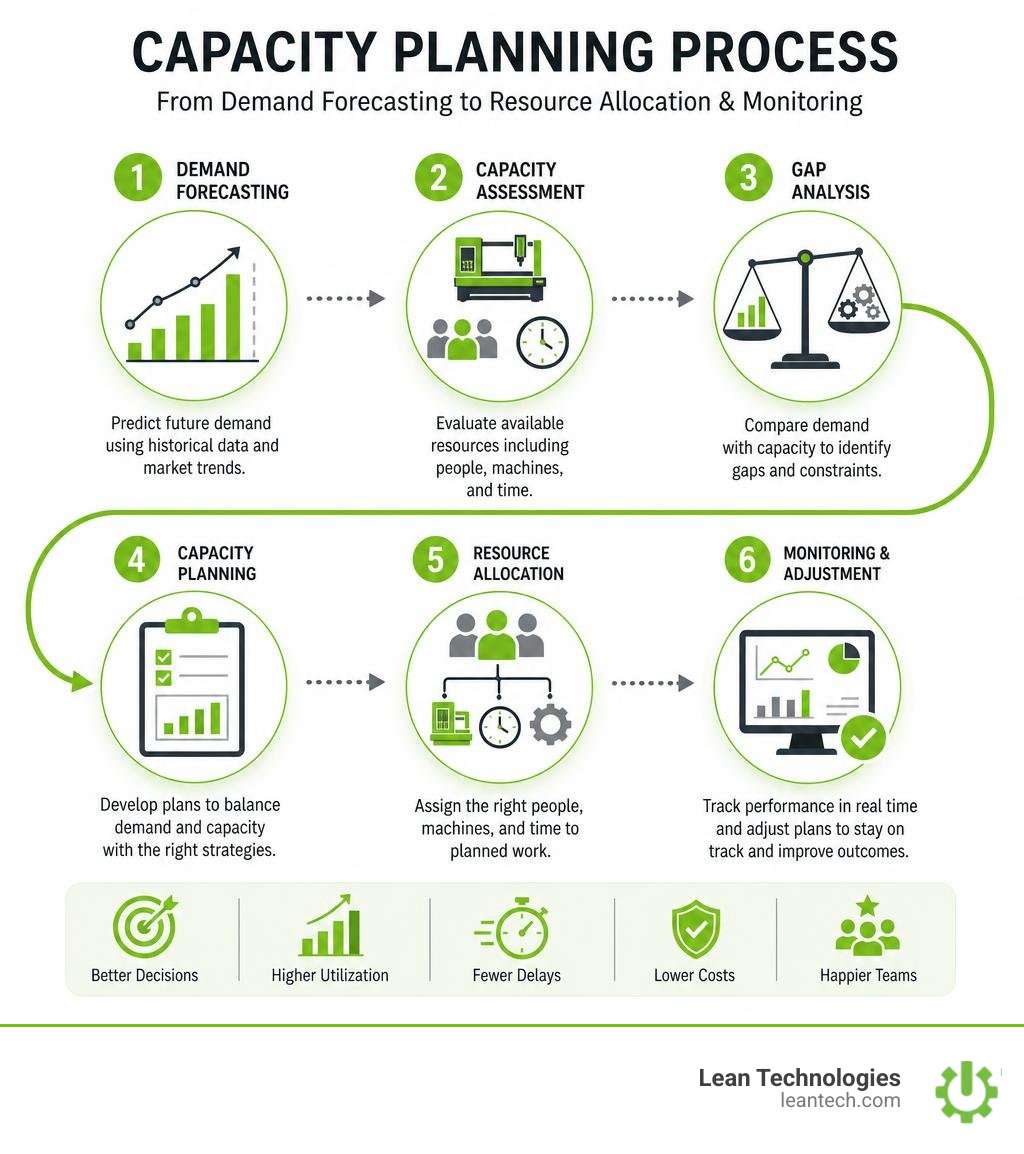
What is Capacity Planning and Why Does It Matter?
At its core, capacity planning is the process of matching your production demand with your actual supply of labor, machinery, and time. It is the difference between a smooth-running operation and total shop floor chaos.
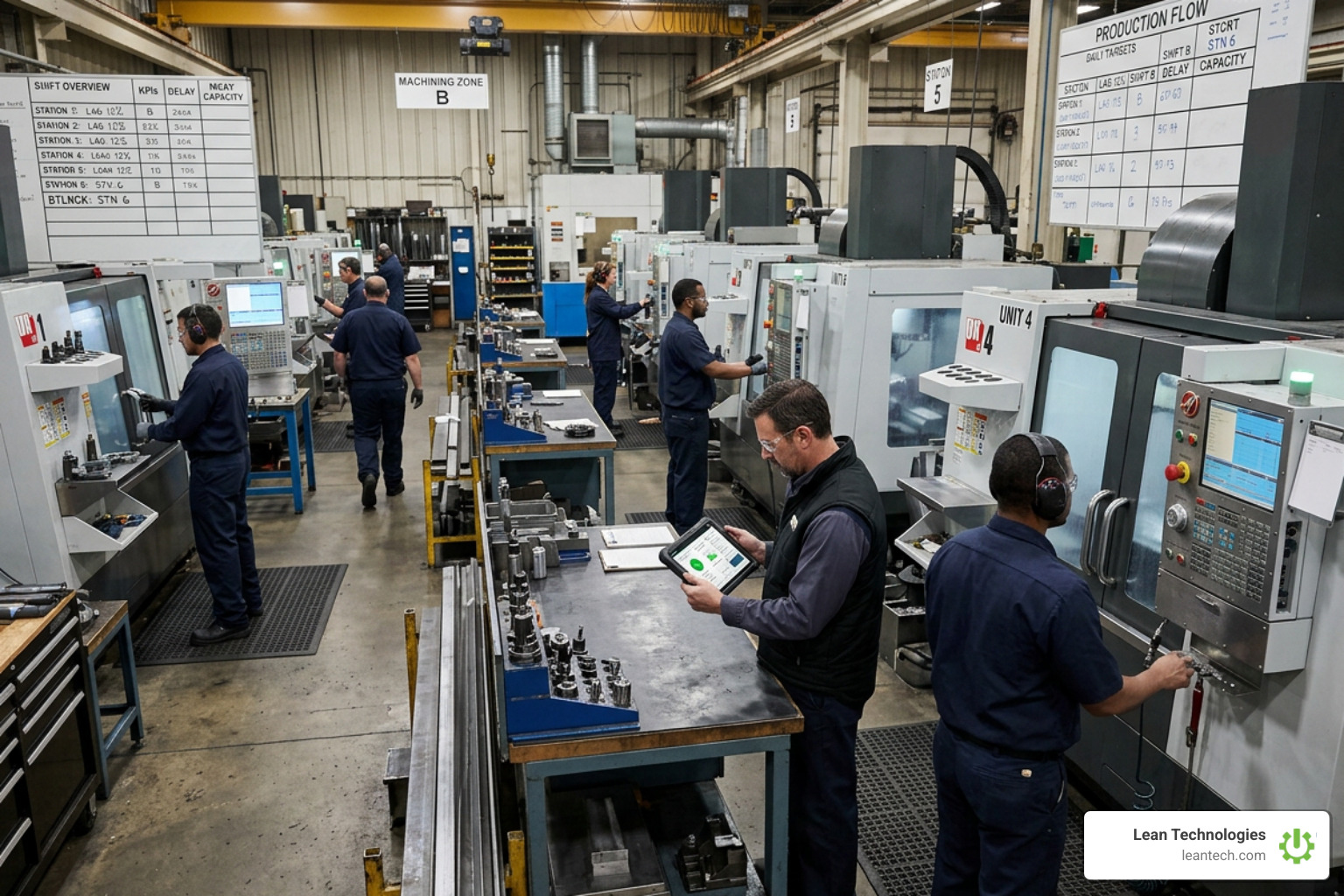
When you do not use a dedicated capacity planning tool, you are playing a guessing game. You accept new orders or schedule maintenance runs based on "historical averages" that do not reflect today's reality. If two of your senior operators are out on vacation, or a key CNC machine is scheduled for preventive maintenance, your actual capacity drops. Without real-time visibility, you will commit to deadlines you cannot possibly meet.
This is where strategic Project Management comes into play. According to Atlassian data, teams that are aligned on the actual end goal of a project are 4.9 times more likely to hit key deadlines. But alignment is impossible if your team is working past their limits.
Proper capacity planning helps you:
Avoid Team Burnout: Spot overallocation before operators hit their breaking point.
Set Realistic Deadlines: Stop quoting lead times based on "best-case scenarios."
Identify Skills Shortages: Know exactly when you need to cross-train or hire before a bottleneck halts production.
For a deeper dive into the fundamentals of matching demand with team supply, check out Atlassian's comprehensive resource, What is Capacity Planning? A Project Management Guide. On the shop floor, this translates directly to knowing your labor hours, machine availability, and tooling constraints before you release work orders.
Capacity Planning vs. Resource Planning vs. Capacity Management
It is easy to get lost in the sea of operational jargon. To choose the right capacity planning tool, you must first understand how capacity planning differs from resource planning and capacity management.
Feature / Scope Capacity Planning Resource Planning Capacity Management Primary Focus People, hours, and skillsets Budgets, physical assets, and materials Broad strategic alignment and IT infrastructure Time Horizon Mid-to-long term forecasting Short-term day-to-day allocation Long-term organizational scalability Key Metric Full-Time Equivalents (FTE) & utilization rates Inventory levels, machine hours, and cash flow Total system throughput and scalability limits
Let's break these down:
Capacity Planning
This is laser-focused on your people and their availability. Can your assembly team handle a 20% spike in volume next month? Do you have enough certified welding hours to complete the pipeline? It is about workforce optimization and skills allocation.
Resource Planning
This is the tactical allocation of specific assets. Once you know you have the capacity, resource planning determines which shift gets the high-speed stamping press, how much raw steel is allocated to Line 2, and what budget is assigned to the run. You can track these granular details using a dedicated Project Tracking system to ensure assets are not left sitting idle.
Capacity Management
This is the broader, high-level umbrella. It looks at the entire organization's capability, often bridging the gap between physical operations and IT infrastructure.
For instance, enterprise organizations utilize tools like Workday Workforce Capacity Planning to model long-term talent demand, adjust built-in drivers, and run scenario-based models across multiple production sites. While capacity planning tells you if you can handle next Tuesday’s workload, capacity management tells you if your entire business model is scalable for the next three years.
Choosing the Right Capacity Planning Tool for Your Operations
Selecting software for a manufacturing environment is vastly different than picking a tool for a software development team. On the shop floor, your tool must bridge the gap between high-level scheduling and real-time physical constraints.
When conducting your software evaluation, you will encounter a wide range of options. If you look at mainstream reviews like The Digital Project Manager's List of Capacity Planning Tools, you will see platforms designed for agencies, IT teams, and professional services. Some teams try to stretch engineering-focused tools like Tempo's Capacity Planner for Jira to fit production environments.
While those tools work great for tracking software developers or managing digital projects, they often fall flat on a fast-moving shop floor. For manufacturing, you need a tool that handles the realities of physical labor, machine downtime, and variable shift patterns.
Core Features of a Modern Capacity Planning Tool
When evaluating software, look for these non-negotiable capabilities:
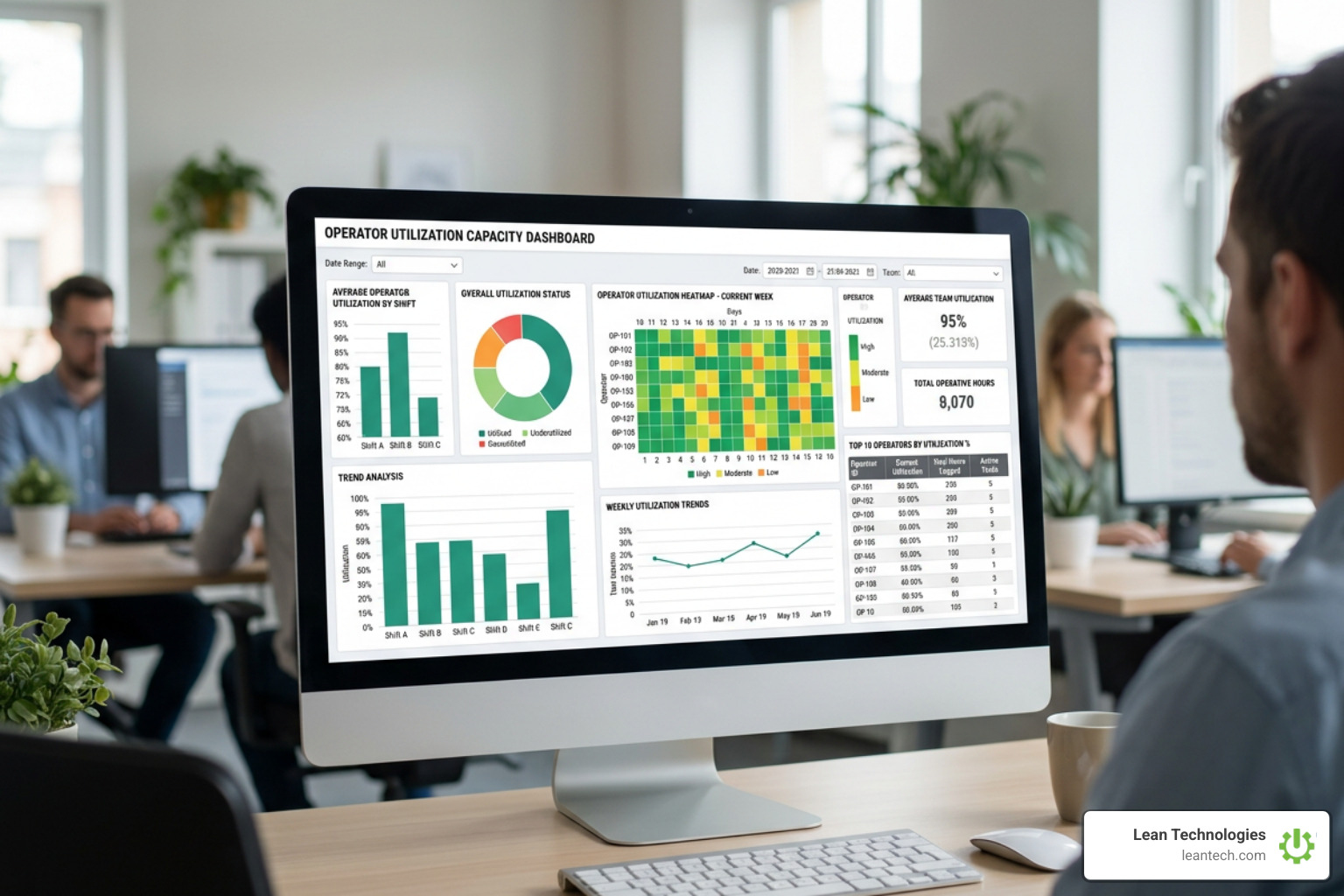
Visual Scheduling: Drag-and-drop interfaces that let supervisors rebalance workloads in seconds when an operator calls in sick.
Skills Matrices: The ability to tag team members with specific certifications (e.g., CNC Level II, Hazmat, Precision Welding) so you don't accidentally schedule a run without the required expertise.
Real-Time Tracking: A system that lets you view actual hours worked versus planned capacity. This requires a strong Workflow Tracking process where data is captured directly at the source.
How to Implement a Capacity Planning Tool on the Shop Floor
A tool is only as good as the data inside it. To ensure successful user adoption and high data accuracy, follow these three implementation rules:
Get Operators Involved Early: If your operators feel like the tool is just a digital whip to track their every second, they will resist it. Show them how proper capacity planning prevents them from being forced into unexpected, exhausting overtime.
Standardize the Inputs: Create clear guidelines for how tasks, downtime, and labor hours are logged. Use Leader Standard Work templates to make capacity checks a routine part of every supervisor’s shift change.
Keep It Simple: Avoid overly complex setups. If a supervisor has to click through five screens to reassign a task, they will go back to using a dry-erase board.
Overcoming Common Capacity Challenges in Manufacturing
Every plant manager faces the same operational headache: the schedule looks perfect on paper, but reality has other plans. Unplanned downtime, sudden labor shortages, and unexpected material delays constantly threaten to derail your throughput.
In technical environments, engineers use advanced mathematical modeling to prevent system overloads. For example:
IT infrastructure teams use the ITRS Capacity Planner to run "what-if" scenario modeling and avoid server outages.
Systems architects use open-source queueing tools like belizar/animus to mathematically analyze bottleneck points using queueing theory before deploying code.
Cloud-native operations deploy Pepperdata Capacity Optimizer to automatically pack Kubernetes nodes, or leverage Google Cloud Capacity Planner to track compute usage.
High-growth tech companies even use predictive tools like Fluxforce AI Capacity Planner to eliminate cloud overprovisioning waste by up to 40%.
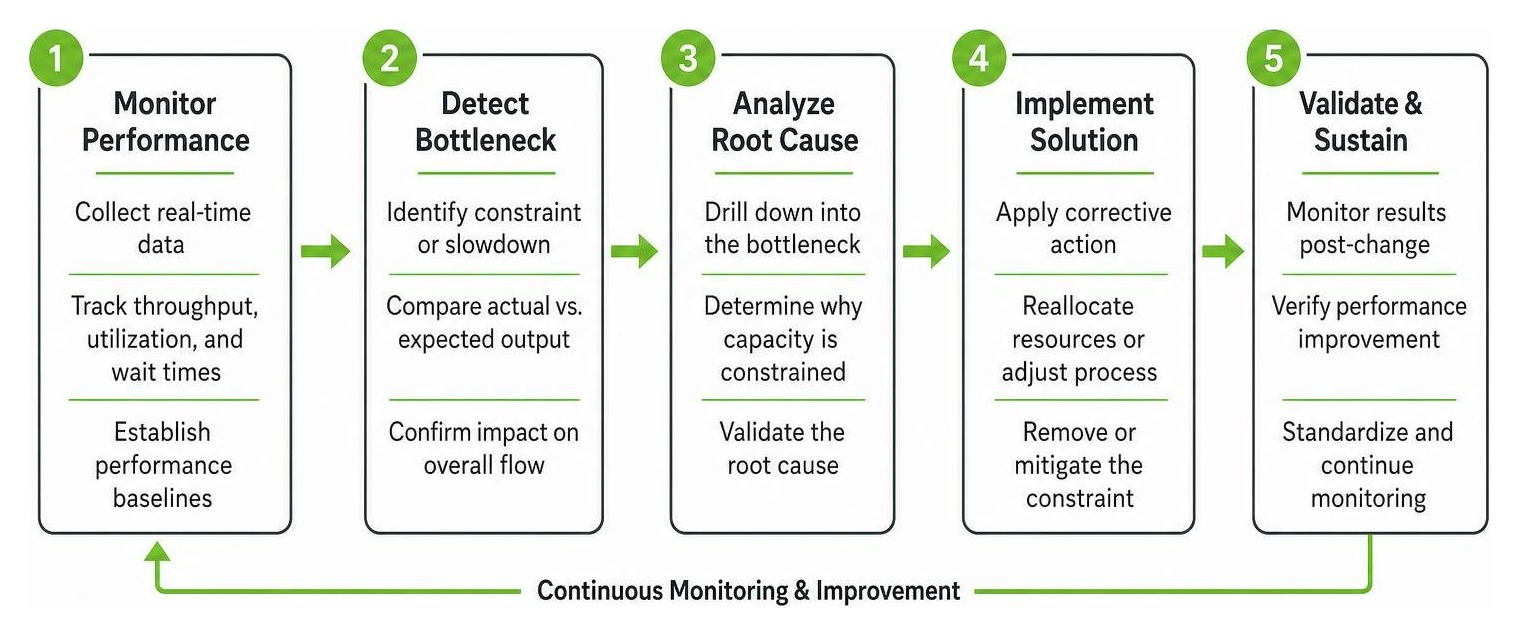
While your shop floor isn't running Kubernetes clusters, you face the exact same mathematical problem: bottlenecks and resource constraints.
When a critical machine goes down, your capacity drops instantly. If your work requests are sitting in a disorganized pile, you cannot pivot quickly. By routing all maintenance and operational issues through a centralized Work Request Queue, you gain immediate visibility into what is broken, who is working on it, and how it impacts your total production capacity.
Frequently Asked Questions about Capacity Planning
What is the difference between capacity planning and scheduling?
Capacity planning looks at the mid-to-long-term horizon (weeks, months, or quarters) to determine if you have enough total labor, machine hours, and skills to meet projected demand. Scheduling is the short-term operational execution (days or shifts) that assigns specific jobs to specific machines and people. Capacity planning ensures you have the fuel; scheduling maps the exact route.
How does real-time data improve capacity forecasting?
Traditional forecasting relies on historical averages, which are often outdated or inaccurate. Real-time data captures actual performance, current machine speeds, and live attendance. By feeding these live demand signals and actual run times back into your planning model, your future forecasts become incredibly accurate, preventing both overpromising to customers and costly underutilization of your team.
Can we use a lightweight tool instead of a complex ERP module?
Yes. Traditional ERP capacity planning modules are notoriously rigid, expensive, and difficult for shop floor operators to use. This leads to poor data entry and outdated plans. A lightweight, flexible digital tool focuses on ease of use and rapid implementation, allowing supervisors to manage daily capacity visually without the heavy administrative overhead of an ERP.
Stop Managing Your Shop Floor Through Spreadsheets
Whiteboards get erased. Excel files suffer from version control issues. And manual planning means you are always finding out about capacity bottlenecks when it is already too late to fix them.
Lean Technologies offers Thrive, an all-in-one, customizable shop floor software built by manufacturing experts who know exactly what it's like to run a plant. Thrive isn't a bloated ERP or a rigid MES. Instead, it is a flexible digital toolbox designed to help your operators and supervisors log issues, track actions, and drive continuous improvement in real time.
With Thrive Project Management, you can finally ditch the paper workarounds and get clear, immediate visibility into your shop floor operations. When data is entered at the source on mobile devices or tablets, you get the real-time insights you need to balance workloads, optimize your labor efficiency, and protect your bottom line.
Stop managing your shop floor through spreadsheets and wishful thinking. Let your team run lean — with real-time visibility and fewer workarounds.





