
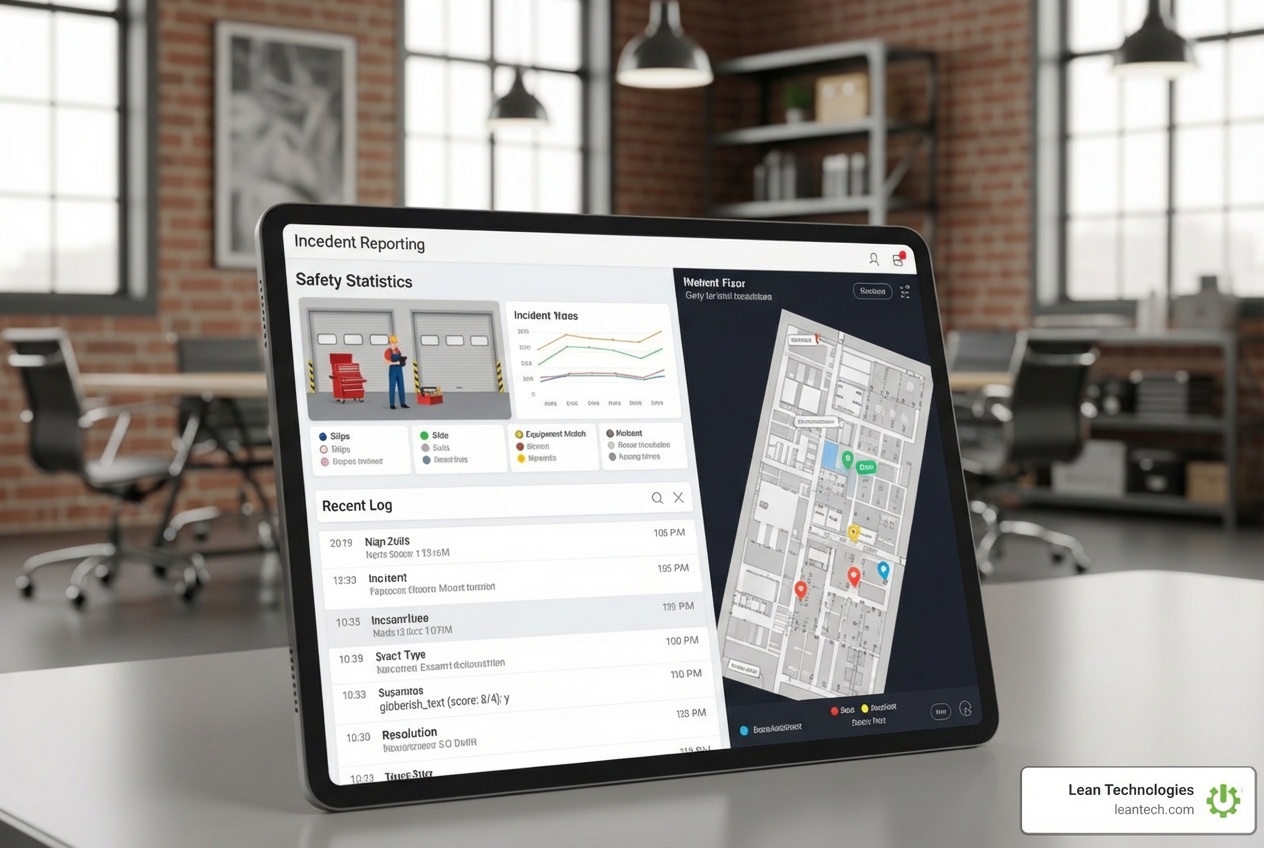
Reporting Made Easy: Essential Injury and Incident Software Solutions
Why Paper-Based Injury Reporting Fails on the Shop Floor
Injury reporting software helps manufacturers capture, track, and analyze workplace incidents in real time—from near misses to recordable injuries. Instead of chasing paper forms and spreadsheets, teams use mobile apps and centralized dashboards to log events, assign investigations, and stay OSHA-compliant.
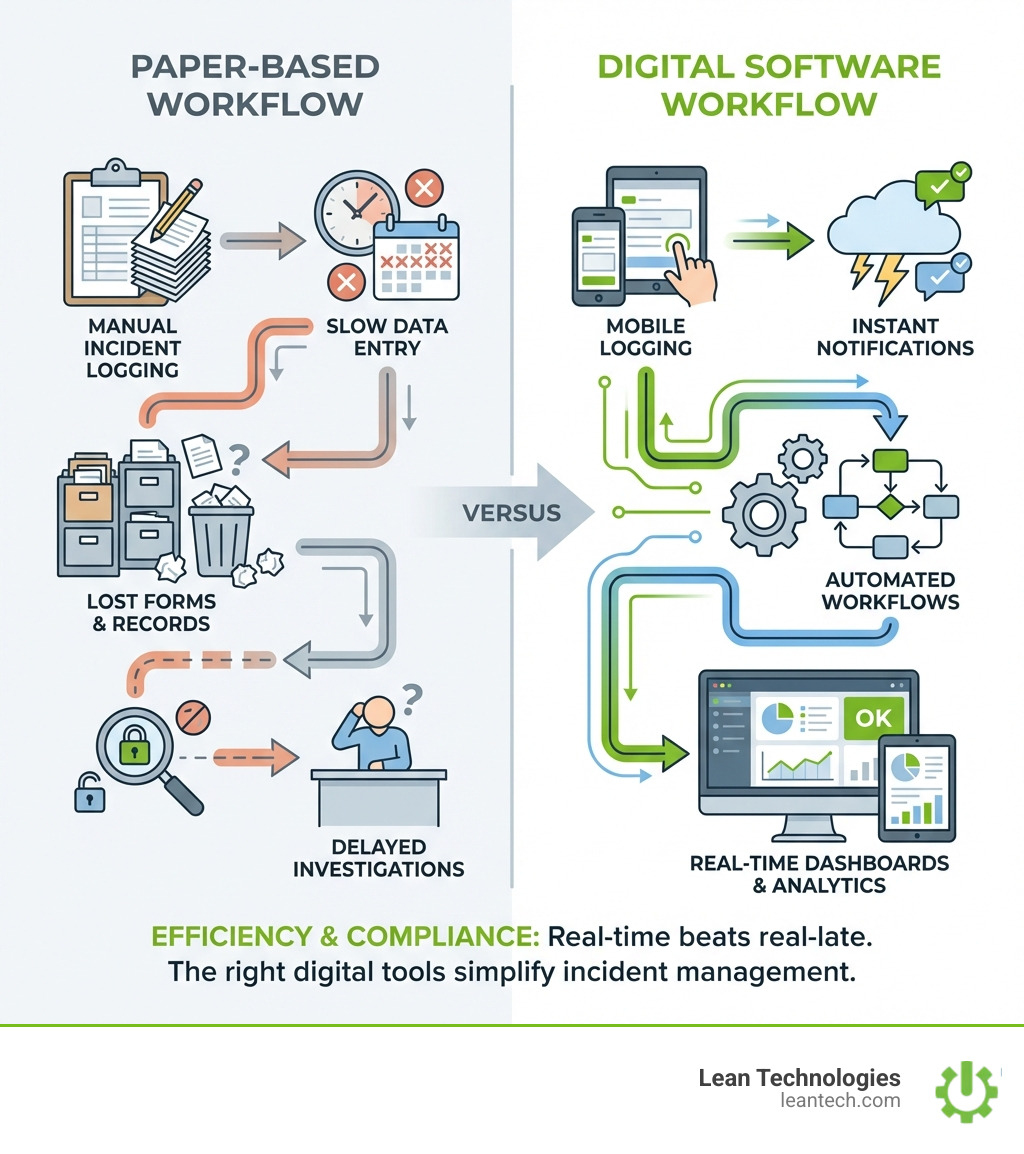
Paper forms get lost. Data entry happens days—or weeks—late. Root causes never get tracked. And when OSHA shows up for an audit, you're scrambling to prove compliance.
Here's the reality: Most manufacturers still rely on paper logbooks, clipboards, and spreadsheets to track workplace injuries. The result? Incomplete records, missed trends, and zero real-time visibility into what's actually happening on the floor.
Paper-based forms are often a monster to manage—a catch-all sheet in small text with ten folds, creating a huge barrier to accurate data. After switching to digital, teams can save hours per incident and cut close-out cycles in half.
The cost of staying analog is real:
Delayed investigations mean injuries repeat themselves
Missing data leads to OSHA fines and failed audits
Manual entry wastes admin time and introduces errors
No trend analysis means you can't prevent what you can't see
Meanwhile, 74% of safety concerns are now reported via mobile. Digital injury reporting isn't a nice-to-have anymore—it's how teams stay compliant, close incidents faster, and actually reduce injuries over time.
If your team is still entering incident data at the end of the shift or hunting down signatures on paper forms, you're already behind. Real-time beats real-late. And the right software makes real-time simple.
What Modern Injury Reporting Software Must Deliver
Centralized data. Mobile-first access. Automated workflows. Actionable dashboards. These aren't just buzzwords; they're the pillars of effective incident management. If it’s not easy, your team won’t use it. For Operations Managers, Quality Assurance Managers, and Safety Managers, this means a system that works with the team, not against it.
Real-Time Reporting and Data Capture—Right at the Source
Imagine an operator on the shop floor spotting a hazard or experiencing a near-miss. With traditional methods, that information might sit on a clipboard for hours, or even days. Modern injury reporting software changes that.
Mobile app reporting (no more “I’ll enter it later”): Mobile accessibility is crucial. Over 74% of concerns are reported via mobile, highlighting the shift towards on-the-go data capture. This allows for immediate logging of incidents, ensuring details are fresh and accurate. For instance, a mobile-first app allows reports from anywhere, while electronic forms can embed mandatory fields, date/time stamps, GPS, and photo/video uploads, validating data instantly to stop incomplete submissions.
Offline access for the plant floor or remote sites: What happens when Wi-Fi drops? The best systems cache forms and photos offline, syncing automatically when connectivity returns. This ensures that field crews or shop floor teams in dead zones never lose data.
Photo/video uploads for evidence: A picture is worth a thousand words, especially in an incident report. Uploading visual evidence provides critical context for investigations, capturing the scene as it happened.
GPS/location stamping: Automatically tagging the exact location of an incident helps pinpoint hazardous areas and track patterns across different zones of your facility.
Mandatory fields to prevent missing info: No more guessing games. Digital forms can enforce completion of critical data points, ensuring every report is comprehensive.
Near-miss and hazard reporting: It's not just about injuries. Tracking near misses—like a tool almost hitting a worker or an employee nearly falling—provides invaluable data to prevent future, more serious incidents. These are opportunities to investigate, assess, and improve, as one source notes, providing insight into unsafe practices.

Investigation and Root Cause Analysis—No More Guesswork
Collecting data is just the first step. The real value of injury reporting software comes from its ability to facilitate thorough investigations and pinpoint root causes. This is where Continuous Improvement Managers and Safety Managers find their stride.
Automated triggers for investigations: When an incident is logged, the system can automatically notify relevant personnel and initiate an investigation workflow. This instant alert ensures swift response and effective case management.
Assign tasks and owners instantly: No more wondering who's responsible. The software allows assigning specific tasks—like interviewing witnesses or reviewing safety protocols—with deadlines, driving accountability.
Track corrective actions (CAPA) to closure: Identifying a problem isn't enough; you need to fix it. Digital systems track corrective and preventive actions (CAPA) from assignment to verification, ensuring deficiencies are addressed. This is critical for preventing recurrence.
Digital forms for compliance (OSHA 301, internal templates): Software often includes templates for required forms, such as the OSHA 301 form, simplifying recordkeeping and ensuring compliance with regulatory standards. This is built around enabling a company to stay OSHA compliant.
Root cause tagging for trend analysis: Incidents rarely have a single cause. Software helps categorize root causes into "Immediate" or "System" types, further broken down into "Actions," "Conditions," and "Personal Factors." This detailed tagging allows for robust analysis, helping identify recurring systemic issues rather than just surface-level problems.
Compliance and Analytics Dashboards—Stay Audit-Ready
For Production Managers and Safety Managers, staying ahead of compliance and understanding safety trends is paramount. Modern injury reporting software transforms raw data into actionable insights, making you audit-ready at all times.
OSHA log generation and digital recordkeeping: OSHA's reporting of workplace illnesses and injuries switched to a digital format in 2018. If your organization is still using old methods, you risk fines and will eventually have no choice but to conform. Digital software auto-generates logs and maintains a five-year history, ensuring you have records at your fingertips for auditors.
Full audit trails (who did what, when): Transparency is key. Digital systems record every action taken within a report—who accessed it, who made changes, and when. This provides an irrefutable audit trail, crucial for demonstrating due diligence.
Trend analysis and injury summaries: With the help of dashboards, companies can reveal their most common injury, down to the type and time of day. This level of detail allows for targeted interventions. You can analyze companywide trends in incident frequency, time lost, and associated costs.
Custom reports for leadership and audits: Generate meaningful reports and dashboards for informed decision-making. This helps leaders see the impact of safety initiatives and provides auditors with comprehensive, easy-to-access data.
The Business Case: Why Ditching Paper and Spreadsheets Pays Off
Stop burning time and money on admin work. Start driving real safety improvements. For Operations Managers and Continuous Improvement Managers, the shift to digital injury reporting software isn't just about compliance—it's about the bottom line.
Cut Admin Costs and Boost Efficiency
The administrative burden of paper-based incident reporting is staggering. Digital solutions offer immediate relief and significant savings.
Less paperwork, fewer manual errors: Eliminating physical forms means no more illegible handwriting, lost documents, or transcription errors. This frees up administrative staff for higher-value tasks.
Faster close-out cycles for incidents: Integrated incident investigation software auto-links findings to CAPA tasks, tracking status and reminding owners until each action is verified. This can cut close-out cycles by up to 50%.
Streamlined workflows—no more chasing signatures: Automated workflows ensure that reports move efficiently through the necessary approval and action stages, reducing delays and communication breakdowns.
Real-world results: teams save hours per week and see faster maintenance response: One company estimated saving over $100,000 on admin time, paperwork, personnel, and training processes within the first year of switching to a digital system. Beyond safety, the broader application of digital tools, like CMMS (Computerized Maintenance Management Systems), shows maintenance productivity increases of 28.3%, downtime reductions of 20.1%, and MRO inventory cost reductions of 17.8%. While CMMS is broader than just injury reporting, it highlights the efficiency gains across maintenance and operations when processes are digitized.
Improve Safety and Reduce Incidents—With Data You Can Trust
The ultimate goal of injury reporting software is to make your workplace safer. By providing reliable data, these systems empower proactive safety measures.
Spot trends before they become problems: When you can analyze data on near misses, incident types, locations, and times, you gain predictive power. This allows you to identify recurring hazards and address them proactively. For example, a renewed focus based on data insights can lead to a 22.5% decrease in a common injury type.
Targeted training and prevention: If data reveals that most slips occur in a particular area during a specific shift, you can implement targeted training or engineering controls for that precise scenario. This is far more effective than generic safety briefings.
Build a proactive safety culture: When employees see that their reported concerns are acted upon, it fosters a culture where safety is everyone's responsibility. It signals that employee safety is vital, boosting morale, loyalty, and pride. By making reporting easy and transparent, you encourage greater participation and engagement from the entire team.
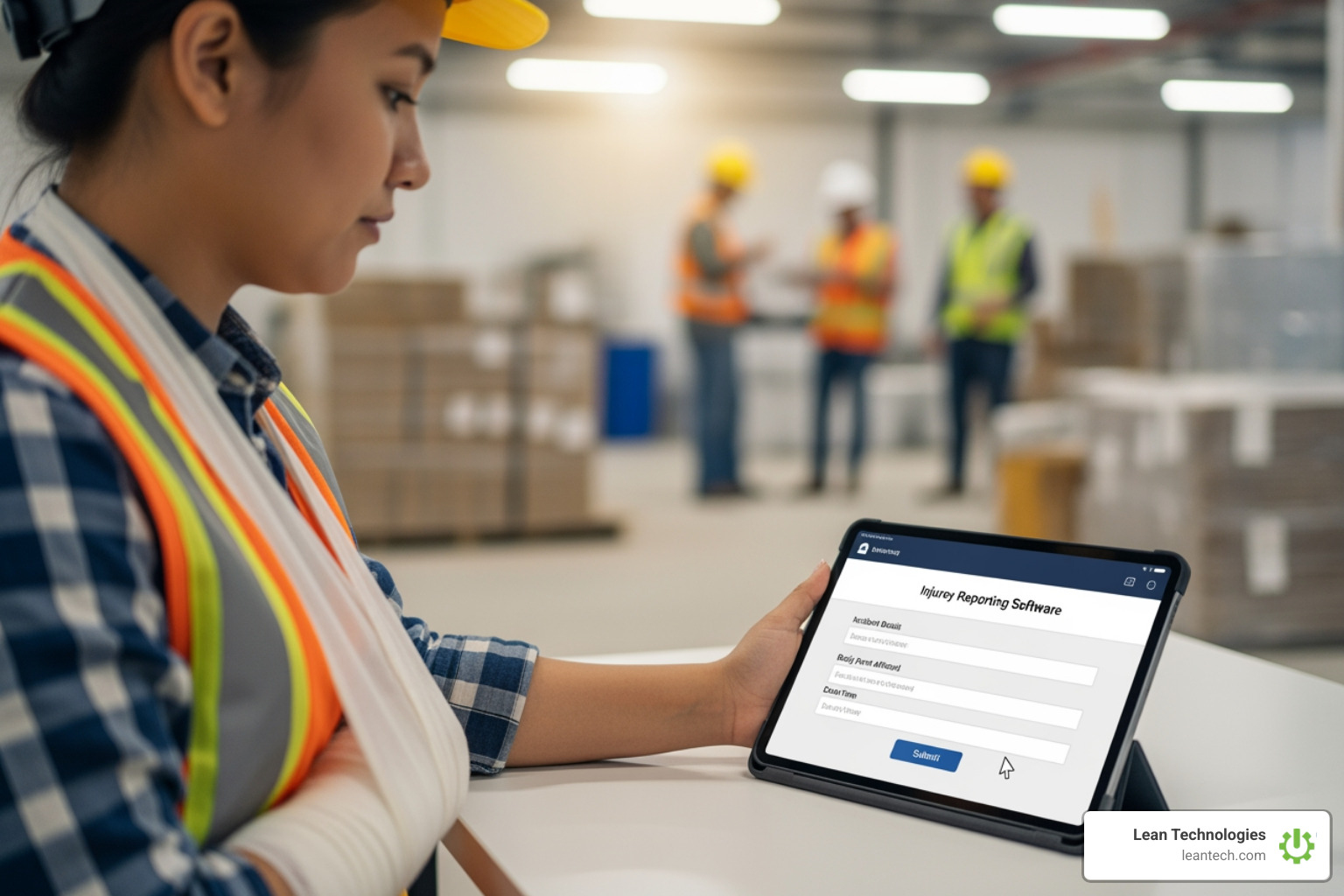
Streamline Compliance and Investigations with Digital Injury Reporting
OSHA wants digital. Auditors want digital. Your team needs digital. For Safety Managers and Quality Assurance Managers, digital injury reporting software isn't just about convenience; it's a necessity for regulatory adherence and robust incident management.
Stay OSHA-Compliant with Digital Records
OSHA compliance is non-negotiable. Digital tools simplify the process and minimize risk.
OSHA’s digital reporting requirements: OSHA's move to digital reporting means many employers are now required to submit injury and illness data online. Organizations sticking to paper methods are at risk of fines.
Avoid penalties and missing logs: Digital systems auto-generate OSHA logs from a single entry, keeping a five-year history and alerting you if fields are incomplete. This reduces the risk of misplacing documentation, which can lead to citations.
5-year record history at your fingertips: During an audit, an inspector will check for violations. Having a complete, easily accessible digital history proves your compliance and corrective actions.
Common OSHA violations that digital reporting helps prevent: Digital audit trails provide peace of mind regarding common citations such as:
Fall Protection: Falls from significant heights are a leading cause of fines.
Hazard Communication Standard: Ensuring employees are aware of chemical hazards.
Control of Hazardous Energy (Lockout/Tagout): Proper procedures for machinery maintenance.
Respiratory Protection: Mandates for specific high-risk environments.
Machinery and Machine Guarding: Protecting workers from moving parts.
Make Investigations and Root Cause Analysis Fast and Accountable
Effective investigations go beyond simply documenting an incident. They uncover why it happened and how to prevent it from happening again.
Structured workflows for every incident: Digital tools route each report into a structured workflow, including evidence upload, investigation checklists, cause coding, and sign-off. This ensures consistency and thoroughness.
Attach evidence, assign actions, track progress: From photos and videos to witness statements and medical reports, all relevant information can be centralized. Tasks are assigned, progress is tracked, and reminders are sent until completion.
Link reports to CAPA tasks for full accountability: Incident management system software links every report to investigation steps and corrective action tasks. This creates a clear line of sight from incident to resolution, ensuring no issue falls through the cracks.
Faster resolution, less finger-pointing: With clear data, assigned responsibilities, and transparent progress tracking, investigations become objective and efficient, fostering a culture of learning rather than blame.
How to Choose and Roll Out the Right Injury Reporting Solution
Don’t get stuck with clunky software or half-baked apps. For IT Managers and Project Managers, selecting and implementing the right injury reporting software is a strategic decision that impacts the entire organization.
What to Look for in Injury Reporting Software
Choosing the right tool is crucial for success.
Simple, mobile-first design: If the software isn't intuitive and easy to use, especially on a mobile device, adoption will suffer. Look for systems designed for frontline teams.
Configurable to your process (not the other way around): Your manufacturing process is unique. The software should adapt to your specific workflows, forms, and roles, not force you into a rigid template.
Secure (SOC 2, user permissions): Employee health data is sensitive. Ensure the software offers robust data security, advanced encryption, and accreditations like SOC 2 Type II and ISO 27001 compliance. Strict permissions should safeguard information.
Scalable as your team grows: As your operations expand, your software should be able to handle increased data volume and user numbers without breaking a sweat.
Responsive vendor support: When issues arise, you need a vendor who can assist quickly. Look for companies with a reputation for strong customer support.
Why Integration and Mobile Access Matter
In a manufacturing environment, disconnected systems create inefficiencies. Thrive, for instance, focuses on integrating seamlessly.
Mobile = real-time data, right from the floor: Mobile access empowers operators and supervisors to log issues, track actions, and report incidents as they happen. This real-time data is critical for immediate response and preventing minor issues from escalating.
Connects with your HR, payroll, maintenance, and ERP systems: The most powerful injury reporting software doesn't operate in a silo. It integrates with other essential business systems. For example, connecting with HR allows for seamless employee data management, while integration with maintenance software (CMMS) can link incidents directly to equipment repair orders. Integration with payroll can help calculate lost time for compensation, and ERP integration provides a holistic view of operational impact.
Thrive acts as your single source of truth—no more double entry: By centralizing data and integrating with existing systems, Thrive eliminates the need for redundant data entry, reducing errors and saving valuable time across departments.
Overcoming Implementation Roadblocks
Even the best software can fail if implementation isn't handled correctly. Some experts estimate 80% of plant maintenance management system implementations fail, often due to common pitfalls.
Common pitfalls: lack of buy-in, poor adoption, overcomplicated tools: If leadership doesn't fully support the initiative, if the team finds the software too complicated, or if they don't see the benefit, adoption will stall.
Solutions: phased rollout, hands-on training, clear ROI tracking:
Phased Rollout: Start small, perhaps with one department or a pilot group, to iron out kinks before a wider launch.
Hands-on Training: Provide practical, on-the-job training, especially for mobile applications. Make sure employees understand how to use it and why it benefits them.
Clear ROI Tracking: Demonstrate the value by tracking key metrics like reduction in incident rates, faster investigation times, and administrative cost savings. Showing tangible results helps build confidence and secure ongoing buy-in.
User-Friendly Design: Choose a system that is intuitive and requires minimal training, like Thrive, which is designed to be picked up and used without extensive instruction.
Frequently Asked Questions about Injury Reporting Software
Do I still need to fill out paper forms if I use software?
No, the goal of injury reporting software is to eliminate paper-based systems entirely. Manual systems are unlikely to keep up with modern health and safety laws. Digital platforms create a comprehensive digital trail for compliance and can usually generate printable records if needed.
How much does injury and incident reporting software cost?
Costs vary widely depending on features, number of users, and vendor. Some solutions may offer per-user pricing, while others are priced as a platform. When evaluating cost, consider the potential savings from reduced admin time, fewer incidents, and avoided fines, which can quickly offset the software investment.
What’s the difference between injury reporting and a full EHS or CMMS platform?
Injury reporting software specifically focuses on documenting, investigating, and analyzing workplace injuries and near misses. An EHS (Environmental Health & Safety) platform is broader, encompassing injury reporting along with environmental compliance, risk management, safety audits, and more. A CMMS (Computerized Maintenance Management System) primarily manages equipment maintenance, though some modern CMMS solutions may include basic incident logging related to equipment failures. Thrive offers an integrated solution that supports various modules, including safety, quality, and maintenance, providing a holistic view without replacing your core ERP or MES.
Can Thrive connect with my existing ERP or HR system?
Yes, Thrive is designed to be a flexible digital toolbox that integrates with your existing technology stack, including ERP and HR systems. This ensures seamless data exchange, prevents double entry, and provides a centralized source of truth for your manufacturing operations.
How do I get my team to actually use the software?
User adoption is key. Focus on simplicity, training, ad demonstrating value. Choose software with a mobile-first, intuitive design. Provide hands-on training and explain how the software makes their jobs easier and safer. Involve them in the selection and rollout process to foster ownership. When operators see that their feedback is valued and the tools genuinely help them, adoption naturally increases.
What to Do Next
Still using spreadsheets or chasing late reports? Get real-time visibility. Build a proactive safety culture. Digitizing your injury reporting software with Thrive means your data is clear, your team is accountable, and your plant runs lean.





