
Are Manufacturing Mobile Audits the Secret Managers Need?
You already know audits are not optional in a manufacturing environment. Maintenance, safety, and quality all live or die on how well you inspect, document, and follow up on what is really happening on the shop floor. The problem is, traditional audit processes often work against you instead of for you, lacking efficiency, whereas digital lean is more efficient and effective.
That is where mobile audits come in.
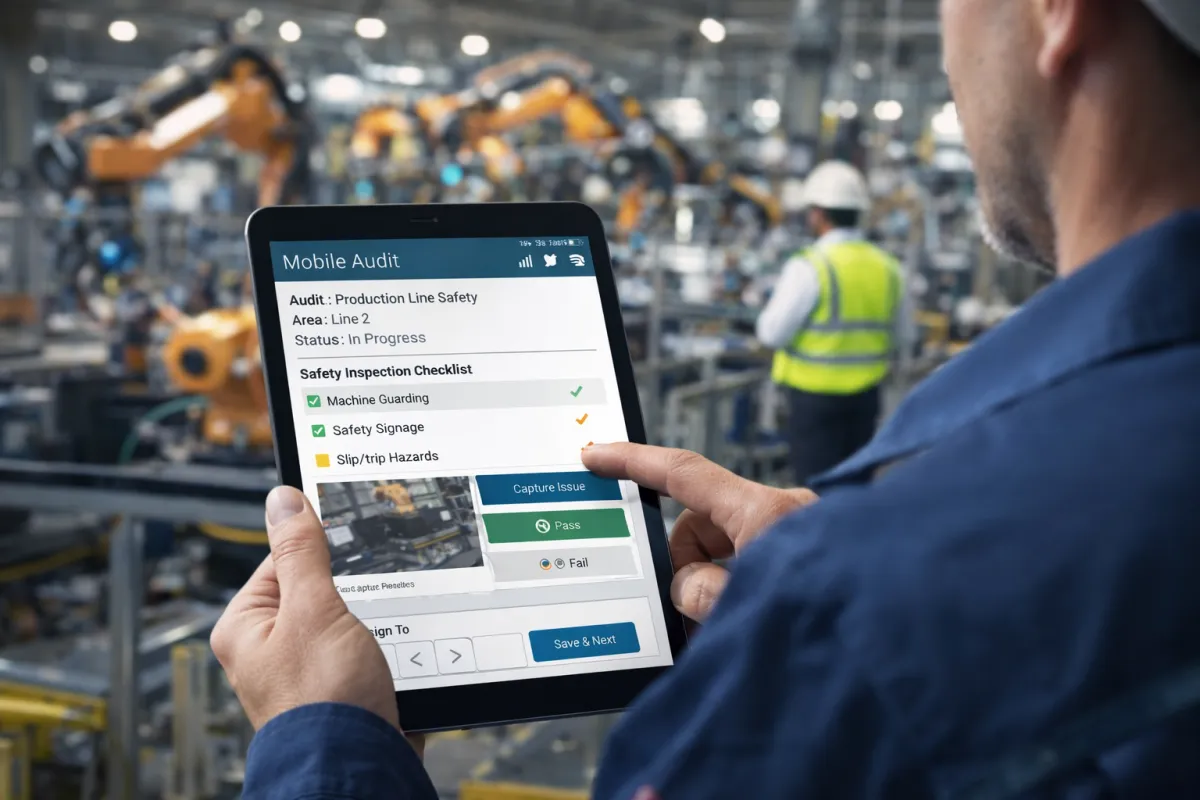
Mobile audits are audits you perform and manage directly on phones, tablets, or other handheld devices, instead of on clipboards, spreadsheets, or static desktop forms. You capture findings at the point of work, not later at a desk. Photos, notes, checklists, signatures, and follow-up actions all live in a single digital workflow that your team can access in real time.
For manufacturing maintenance managers, safety managers, CI managers, and quality managers, mobile audits are no longer a nice-to-have tool. They are quickly becoming the backbone of how high-performing plants keep equipment running, people safe, and product within spec.

Why Traditional Audit Processes Hold You Back
If your audits still rely on paper forms or disconnected spreadsheets, you are fighting problems that have nothing to do with your actual job. You are not struggling because you do not care about audits. You are struggling because the process is working against you.
Common audit headaches you probably recognize
Scattered information
Audit notes live in binders, folders, email attachments, and random shared drives. When someone asks for proof of a completed inspection or a corrective action, you dig through files instead of getting actual work done.Delayed data entry
Audits get done on paper on the floor, then typed into a system later. That delay invites errors, missing details, and incomplete records. By the time the data is in a usable format, the situation may already have changed.Inconsistent checklists
Teams use outdated forms or their own versions of checklists. Different lines or sites interpret the same requirement in different ways. That inconsistency makes it hard to compare performance or prove compliance.Poor follow-through on findings
Corrective actions from audits disappear into email threads or sticky notes. You lose track of who owns what, what is overdue, and what was closed without any proof that the issue was actually fixed.No real-time visibility
Supervisors and managers find out about problems at the end of the shift, or at the end of the month, or during a customer or regulatory visit. By that point, you are in reactive mode, not control.Audit fatigue on the floor
Operators and technicians see audits as extra paperwork instead of helpful tools. When the process is slow and clunky, people rush it or pencil-whip it. That kills the value of your audits before you even look at the data.
Manual audits do not fail because of your people. They fail because the tools are slow, disconnected, and hard to maintain.
What Mobile Audits Actually Change On The Shop Floor
Mobile audits replace that mess of paper, spreadsheets, and manual follow-up with a connected workflow that runs where the work happens, not only where the computers sit.
One device, one workflow, one source of truth
With mobile audits, your technicians, operators, and supervisors use a phone or tablet to:
Open assigned inspections or audits for their area or equipment.
Setup reminders and escalations if they aren’t being done.
Follow a standardized checklist guided by your maintenance, safety, or quality requirements.
Capture photos, comments, and severity levels on the spot.
Flag nonconformances or hazards as you find them.
Trigger corrective actions and assign owners directly from the audit screen.
Sync data back to your central system without extra typing or duplicate entry.
Instead of a form that goes into a stack, every audit becomes live data you can actually act on.
Why maintenance managers care
For maintenance, mobile audits support:
Faster identification of equipment issues, since techs log conditions and faults as they stand in front of the asset.
Cleaner records for preventive maintenance, with standardized checks tied to specific assets and tasks.
Better follow up on findings, because inspections can create work orders or maintenance requests immediately, not after someone retypes notes at the end of the shift.
You get fewer missed defects, fewer surprises, and a clearer picture of equipment health.
Why safety managers care
For safety, mobile audits make it easier to:
Spot and document hazards in real time, including exact locations and photos that show the condition.
Standardize safety walks and inspections, so each inspector follows the same criteria, and you can compare areas or departments using the same checklist.
Track corrective actions for unsafe conditions, and actually verify that guards, signage, or procedures have been fixed and documented.
The result is fewer blind spots and a tighter link between what people see on the floor and the actions your safety program takes.
Why quality managers care
For quality, mobile audits help you:
Run consistent product and process inspections, with configurable checklists matched to work instructions and standards that aid in your compliance standards.
Record defects and deviations as they occur, instead of waiting for end-of-shift reporting or manual log reviews.
Connect findings to corrective and preventive actions, so audits feed directly into your quality system, not a pile of disconnected notes.
This supports stronger compliance, less rework, and faster feedback into your continuous improvement efforts.
Why Mobile Audits Matter Now In Manufacturing
Manufacturing plants are under pressure from safety regulations, customer requirements, and internal performance targets. At the same time, teams are lean, equipment is complex, and downtime or quality escapes hurt more than ever.
Mobile audits matter because they cut out the friction between seeing an issue and doing something about it. They:
Speed up the entire audit cycle, from inspection to follow-up.
Reduce manual, low-value tasks, like double entry, formatting reports, or chasing missing paperwork.
Give you real-time visibility into what is being inspected, what is failing, and where your risks sit across maintenance, safety, and quality.
Help standardize best practice across shifts, lines, and sites, using the same mobile checklists and workflows.
When audits move to mobile, they stop being a compliance chore and start acting like a live control system for your plant.
As you look at your own operation, the key question is not whether you need audits. You already do them. The real question is whether your current audit process gives you fast, reliable, and actionable information, or if you are stuck in paperwork while real risks and failures slip through. Mobile audits exist to fix that gap.
Understanding the Roles Of Maintenance, Safety, And Quality Managers In Manufacturing Audits
You, the people who own maintenance, safety, and quality, live in the same plant but fight very different battles. Audits sit at the center of each of your worlds, just with different goals and headaches.
If you treat audits as one generic process, you end up with bloated checklists, frustrated teams, and data that no one trusts. When you tailor mobile audits to each role, the process gets sharper, faster, and far more useful.
What Maintenance Managers Need From Audits
Maintenance audits exist to protect reliability, uptime, and asset health. Your audits are not about paperwork; they are about preventing that next failure that wrecks your schedule.
Typical maintenance audit responsibilities
Defining inspection standards for critical assets, utilities, and supporting equipment.
Making sure preventive and predictive checks are actually completed on time.
Reviewing findings, trends, and recurring issues to refine maintenance strategies.
Coordinating with operations when audits identify risks that affect throughput or quality.
Documenting compliance with internal maintenance procedures and external requirements.
Maintenance audit pain points you probably recognize
Inconsistent asset checks
Different techs inspect the same asset in different ways. One person is detail-heavy, another checks only the obvious. You lose consistency and struggle to compare data across shifts.Missed or rushed inspections
When schedules live on whiteboards or spreadsheets, inspections slip or get pencil-whipped when the line is screaming for uptime.Poor traceability of corrective work
A checklist notes a problem, then the note sits in a binder or inbox. You cannot easily prove that the issue became a work order, got priority, and was closed correctly.Slow feedback loops
You see audit findings weekly or monthly, not in near real time. By the time you notice a pattern, you already have breakdowns and emergency calls.
How mobile audits help maintenance managers
Standardized, asset-specific checklists
You push the same inspection template to every tech for that asset, with clear steps and criteria. No one is guessing what “inspect motor” means.Scheduled inspections on mobile devices
Techs see their assigned audits when they log in. Overdue inspections are obvious, and you get a real view of compliance, not a guessed one.Instant conversion of findings into work
A failed inspection item can trigger a work request or task directly from the mobile app. No retyping, no side emails, no lost notes.Faster trend visibility
Because everything is digital and time-stamped, you can quickly review patterns such as repeat failures, frequent lubrication issues, or repeated misalignment on a specific asset.
Your goal in maintenance is simple: keep assets reliable and predictable. Mobile audits give you cleaner data, better compliance, and faster reaction time when equipment starts to drift.
What Safety Managers Need From Audits
Safety audits exist to protect people, not just pass inspections. Your focus is on conditions, behaviors, and controls that prevent injuries and exposures.
Typical safety audit responsibilities
Planning and executing safety walks, inspections, and behavioral observations.
Verifying compliance with regulatory standards and internal safety rules.
Documenting hazards, near misses, and corrective actions.
Engaging supervisors and employees in safety conversations during audits.
Preparing documentation for internal reviews, external regulators, or customers.
Safety audit pain points you probably recognize
Inconsistent inspection coverage
Some areas get heavy attention while others are rarely visited. Without a clear, digital plan, gaps appear, and blind spots grow.Weak documentation of hazards
Paper forms and vague notes like “housekeeping issue” do not tell the full story. You lack photos, exact locations, and clear severity ratings.Slow corrective action follow-up
You log a hazard, assign it to a manager, then chase it through email or hallway conversations. You never feel fully confident that items are closed correctly.Low engagement from the floor
Workers see audits as something done “to them” instead of “with them”. When the process is slow or confusing, they check out.
How mobile audits help safety managers
Structured, repeatable safety routes
You define which areas must be inspected, how often, and by whom. Inspectors follow predefined routes and checklists on their devices, so nothing gets skipped.Rich hazard documentation
Inspectors capture photos, annotations, exact location tags, and severity classifications in the moment. You have clear evidence and context when you review.Closed-loop corrective actions
Each hazard can generate a task with an owner, deadline, and verification step. You can see which actions are open, overdue, or verified in one place.Simpler participation for supervisors and employees
Short, focused mobile checklists make safety walks less painful. You can also create quick checks that line leaders or team members can complete without a long learning curve.
Your goal in safety is straightforward remove hazards and reinforce safe behaviors before someone gets hurt. Mobile audits make hazards visible, trackable, and harder to ignore.
What Quality Managers Need From Audits
Quality audits protect your product, your customers, and your brand. You are trying to catch variation and nonconformance early, before they escape the plant or cause scrap and rework.
Typical quality audit responsibilities
Defining product and process inspection requirements throughout the production flow.
Verifying compliance with standards, work instructions, and customer specifications.
Recording nonconformances, defects, and deviations with traceability to batches, lots, or orders.
Driving corrective and preventive actions tied to audit findings.
Preparing evidence for customer audits and regulatory reviews.
Quality audit pain points you probably recognize
Fragmented inspection data
Different lines or products use different forms or spreadsheets. Pulling a clean picture of performance across the plant is a manual, painful effort.Late detection of issues
When inspections are logged after the fact, you find problems after multiple batches or lots have already run, which inflates scrap and rework.Weak linkage between findings and CAPA
Nonconformances recorded on paper do not always flow into your corrective and preventive action process. Issues repeat because they are not formally addressed.Audit readiness stress
When a customer or regulator visits, you scramble to assemble scattered records, prove that procedures are followed, and show consistent adherence to specs.
How mobile audits help quality managers
Consistent checklists aligned to standards
You build mobile checklists that reflect your documented procedures and specifications. Inspectors follow the same steps, using the same acceptance criteria, wherever they work.Real-time defect capture
Inspectors log defects as they see them, including photos, defect categories, and links to product identifiers. You can react faster, contain issues, and protect customers.Built in CAPA connections
Nonconformances can initiate corrective and preventive actions directly from the audit record, with owners and due dates. You get traceability from finding to fix.Cleaner evidence for external reviews
Because data is digital and structured, it is easier to pull records by product, date, line, or inspector when a customer or regulator asks for proof.
Your goal in quality is clear: keep the product within spec and prevent repeat issues. Mobile audits give you timely, structured data so your quality system is proactive, not just reactive.
Why You Need Role-Specific Mobile Audit Design
Maintenance, safety, and quality share the same shop floor, but your audit needs are not identical. If you try to jam everything into one generic mobile checklist, you get long forms, bored inspectors, and shallow data.
Design mobile audits around each role
For maintenance, focus on assets, failure modes, and conditions that tie directly to reliability and downtime.
For safety, focus on hazards, controls, behaviors, and regulatory criteria that affect people and safe operation.
For quality, focus on specs, tolerances, process parameters, and visible defects tied to products or lots.
When you respect these differences, mobile audits stop feeling like extra work and start matching the way your teams actually think and operate.
The real win is that each function gets the focused data it needs, in real time, while you still maintain a shared digital trail across maintenance, safety, and quality. That is where mobile audits start to support the whole plant, not just one department.
Key Components And Features Of Mobile Audit Solutions For Manufacturing
On the surface, most mobile audit tools look similar. A checklist on a tablet, a few photos, and a report at the end. For a plant environment, that is not enough. You need features that hold up under noise, dirt, tight schedules, and constant pressure on uptime, safety, and quality.
This section breaks down the core components that actually matter on the shop floor, and how to judge whether a solution is built for real manufacturing work or just office inspections.
Real-Time Data Capture That Matches How The Floor Works
Real-time data is not a buzzword in a plant; it is how you stay ahead of breakdowns, incidents, and defects.
Key capabilities to look for
Instant sync when connectivity exists
As soon as a device has a signal, audit data should sync to the central system without manual steps. That includes checklist results, photos, comments, signatures, and corrective actions.Time and user-stamped records
Every finding should carry who did it, when they did it, and where they did it. That traceability supports compliance and gives you confidence in the data when things go wrong.Trigger-based alerts
The system should be able to notify the right people when high-severity items, repeat failures, or critical safety hazards get logged. No one should wait for a weekly report to hear about a serious issue.Photo and annotation tools
Inspectors need to capture conditions visually, zoom in, and mark what matters on the image. That makes maintenance troubleshooting, safety reviews, and quality analysis much faster.
Practical test if someone records a serious issue in the field, ask yourself how long it takes for you to see it and act on it. If the answer is “later today” or “at the end of the week”, your real-time capability is weak.
Offline Functionality Built For Harsh Environments
You already know many plant areas have poor Wi Fi or cellular coverage. A mobile audit tool that breaks when the signal drops is useless where you need it most.
Non-negotiable offline features
Full checklist access offline
Inspectors should be able to open assigned audits, see asset information, and run through every checklist item without a connection.Offline media capture
Photos, comments, signatures, and corrective action assignments must save locally on the device until sync is possible. No lost data if someone walks through a dead zone.Automatic sync logic
As soon as the device reconnects, data should push up quietly in the background. Operators should not have to remember to hit a special button or plug into a workstation.Conflict handling
The system should handle cases where two people work on the same area offline, then sync later. You need clear rules for which record wins, or how the system flags conflicts.
Plant-specific check walk to your worst connectivity area mentally, such as basements, remote utility buildings, or heavy metal structures. If your chosen tool cannot operate there, it is not plant-ready.
User-Friendly Interfaces For Real People In PPE
Audit software fails quickly if it ignores the reality of gloves, noise, small screens, and varying tech comfort levels. If it is clumsy, your team will tap the minimum required and move on.
Interface elements that make a difference
Large, clear buttons and text
People use these tools with gloves and sometimes in poor lighting. Tiny tap targets or dense screens slow them down and cause errors.Simple, linear flows
The app should guide users step by step without forcing them to jump around through complex menus. For example, open audit, complete items, add evidence, submit, create actions.Role-based views
Maintenance techs, safety specialists, and quality inspectors should see only the audits, assets, and actions that matter to them. That keeps screens clean and reduces training time.Minimal typing
Use dropdowns, predefined responses, and rating scales wherever you can. Long free-text fields slow audits and open the door to inconsistent wording.Fast photo capture
The camera should open from inside the checklist with one tap, attach images automatically, and return the user to the exact same place in the audit.
Reality check: hand the tool to your least tech-savvy operator and your busiest maintenance tech. If both can complete a basic audit without a long explanation, the interface is in a good place.
Automated Reporting That Does The Admin Work For You
You do not have time to babysit spreadsheets or format reports by hand. A solid mobile audit platform does the heavy lifting and gives you views that support decisions.
Core reporting capabilities to expect
Instant audit reports
As soon as someone submits an audit, the system should generate a structured record with findings, photos, and actions. No separate data entry step.Configurable summaries
You should be able to see summaries by area, line, asset, auditor, and time range. That applies across maintenance, safety, and quality work.Trend and repeat issue views
The tool should highlight recurring issues, frequently failed items, and overdue actions. You should not have to export raw data to find patterns.Scheduled report delivery
Regular summaries should arrive in inboxes for supervisors, managers, and leadership, without manual preparation. That keeps everyone aligned without extra effort from you.Export options that match your environment
You may need exports in formats such as PDF or CSV to feed other systems or meet documentation needs. The tool should support that without extra work.
Management sanity test: ask yourself how quickly you can answer questions like “Where are our top safety risks right now?” or “Which assets failed audits most often this period?”. If the answer involves manual data crunching, your reporting is not automated enough.
Integration With Existing Manufacturing Systems
Mobile audits get powerful when they connect to the tools you already use, such as CMMS, EHS, and QMS platforms. If your audit solution is a standalone island, you just created another silo.
Key integration points for a manufacturing environment
CMMS integration for maintenance
Failed inspection items should create or update work orders, asset histories, and maintenance plans. Techs should not retype findings into a separate maintenance system.EHS system integration for safety
Hazards, incidents, and corrective actions from safety audits should flow into your EHS platform, so your risk registers and action logs stay current.QMS integration for quality
Nonconformances and related actions should link to your quality records, such as CAPA modules, change controls, or deviation logs.User and role synchronization
The audit tool should pull user accounts and roles from your existing directories, so you avoid manually managing separate user lists.Data integration options
You need clear methods to exchange data, such as APIs, flat file transfers, or other structured methods. Your IT team should understand how data moves, where it lives, and how it is secured.
Integration check: trace a single high-priority finding from an audit all the way through to completion in your maintenance, safety, or quality systems. If that journey crosses multiple tools with manual re-entry, your integration is weak.
Design Details That Matter On The Plant And Shop Floor
Plant environments are not offices. Temperature swings, dust, vibration, and tight spaces all influence how people use mobile tech. A solution that ignores those realities will look fine in a demo room and fail in production.
Physical and environmental considerations
Device choice and durability
Decide whether you expect staff to use rugged devices, standard tablets with cases, or shared stations. Your app must run reliably across those choices without odd behavior.Glove and PPE compatibility
Interfaces must support gloved use and avoid reliance on fine gestures. Text must remain legible through safety glasses and in varying lighting.Short, focused audits for high noise areas
In loud or high-risk zones, inspectors should not spend long periods staring at screens. Design shorter checklists or segment larger audits into logical chunks.Clear indication of completion status
On a busy floor, people get interrupted constantly. The app should make it obvious which audits are in progress, paused, or completed, and allow easy resumption.
Operational and process considerations
Standardization with flexibility
You need global checklists for consistency, with controlled room for local additions, for example, site-specific hazards or equipment.Role-based permissions
Not everyone should edit checklists or close actions. The tool must reflect your approval levels for maintenance, safety, and quality.Audit scheduling and reminders
The system should schedule recurring audits and remind owners before items become overdue. That reduces dependence on memory and manual calendars.Training-friendly design
You do not have time for long training sessions. Look for interfaces and workflows that supervisors can explain quickly using real tasks, not theory.
Plant fit test. Imagine the worst time to run an audit, such as during a changeover, after a small incident, or during a rush order. If your solution still feels usable and reliable in that moment, it is likely a good fit for your floor.
When you combine these features, you get more than a digital clipboard. You get a practical system that fits into the way your teams already work, captures what matters without slowing them down, and feeds maintenance, safety, and quality decisions with solid, timely data.
Conducting Maintenance Audits With Mobile Tools
Maintenance audits are only valuable if they are consistent, fast to complete, and tightly connected to real corrective work. Mobile tools give you the structure to do that, but you still need a clear approach. If you just copy your paper forms into an app, you will carry all the old problems into a new format.
This section walks through how to design and run maintenance audits on mobile, so you actually improve reliability and cut downtime, instead of just collecting cleaner paperwork.
Start With Smart, Asset-Focused Checklist Design
Your checklists are the core of your maintenance audits. On mobile, you have the chance to make them sharper and more useful, not just digitized.
Build asset-specific templates, not one giant form
Create different checklists by asset type, such as rotating equipment, utilities, material handling, or safety-critical systems. Each template should focus on the failure modes and conditions that matter most for that group.
Link each template to the specific assets it belongs to in your asset register. On the device, techs should simply pick the asset and see the right checklist, not dig through a long list of forms.
Use clear, observable criteria for each item. For example, instead of “Check motor”, break it into items such as vibration, abnormal noise, temperature, leaks, or loose mounting, each with pass or fail options and guidance.
Standardize responses to keep data clean
Rely on structured fields such as pass or fail, OK or not OK, severity rating, condition codes, or predefined comments. That keeps your data consistent and makes trends far easier to see later.
Reserve free-text notes for clarifying details, not as the primary way to capture findings. Long free-text fields are hard to analyze and compare across techs.
Use required fields where you truly need them, such as severity on failed items. Avoid forcing extra typing for every line, or your team will rush.
Keep the checklist as short as it can be, and no shorter
Break long audits into logical sections, such as drive system, electrical, lubrication, guards, and controls. That helps techs keep their place and makes partial completion more manageable.
Remove items that never fail or never drive action. If a checklist item never changes decisions, consider whether it belongs there.
Use conditional questions where appropriate. For example, if a guard is missing, reveal follow-up fields for photos and mitigation steps, instead of showing them every time.
Key point: A good mobile checklist feels like a guided inspection of the asset, not a random set of questions someone typed into a form years ago.
Use Scheduling To Protect Inspections From Production Pressure
Most missed or pencil-whipped inspections come from one reason: production always wins unless you design the process so audits are visible, assigned, and tracked.
Put the schedule in the system, not on a wall
Set up recurring maintenance audits based on time, usage, or both. For example, audits might be triggered by a fixed interval or by run hours if your systems can share that data.
Assign each audit to a specific role or technician group. On their mobile device, they should see a clear list of upcoming and overdue inspections with due dates.
Use notifications and reminders to warn when an audit is coming due, and escalate when it is overdue. Supervisors should see the same view, so they can help prioritize.
Balance audit frequency with reality on the floor
Avoid scheduling too many inspections during peak production windows, or you invite shortcuts. Stagger audits around known bottlenecks or heavy changeover periods.
Consider short, high-frequency checks for critical equipment and more detailed, lower-frequency audits for less risky assets. Mobile tools make it easier to manage layered schedules.
Use data from your mobile audits to refine intervals. For example, if a check never finds issues, you may extend it. If failures appear often, you may tighten the interval or expand the scope.
Protect time for audits like you protect time for production
Make audit completion a visible performance expectation for maintenance and operations leaders. If it matters only when something goes wrong, completion will lag.
Use mobile audit reports in routine meetings, such as maintenance huddles or production reviews, to keep the schedule real, not theoretical.
Bottom line: if audits are not clearly scheduled, assigned, and reviewed, they will lose every time to urgent production demands.
Record Maintenance Issues At The Point Of Work
One big advantage of mobile tools is that techs can capture real conditions at the asset instead of relying on memory later. If you design this well, you get much richer, more reliable data.
Make failure recording fast and structured
When a checklist item fails, have the app automatically open a finding screen with required fields such as condition, severity, and immediate risk level.
Use predefined failure codes that line up with your CMMS or maintenance taxonomy, such as mechanical, electrical, alignment, contamination, or guarding. This keeps your data consistent across systems.
Require a severity or criticality rating that reflects impact on safety, production, and quality. This field helps you prioritize work later.
Lean hard on photos and visual proof
Encourage techs to attach photos for all failed items or at least for those above a certain severity. A picture cuts down on back-and-forth questions later.
Use the app’s annotation features to highlight specific issues in photos, such as cracks, leaks, or missing fasteners. This helps planners and supervisors understand the problem without another trip to the floor.
Capture context shots and close-ups when practical. For example, a wide shot of the area and a close shot of the actual defect.
Capture interim controls and immediate actions
If a tech applies a temporary fix or takes a piece of equipment out of service, record that in the mobile finding screen, including who did it and when.
Use a specific field for immediate risk controls, such as lockout, temporary guard installation, or operator warning. This shows that you did not just log the issue; you controlled it.
Key takeaway: The more accurately you capture the condition at the moment of the audit, the easier it becomes to plan, prioritize, and verify real corrective work.
Turn Audit Findings Into Trackable Corrective Actions
If findings do not become actual work, your audits are just documentation. Mobile tools make it possible to close that loop directly from the inspection, without extra admin work.
Connect audits to work management in one step
Configure the mobile app so that failed items can create a corrective action or work request immediately. The tech should not need to retype anything.
Map the fields from the audit to your CMMS or maintenance planning system, including asset, failure description, photos, severity, and requested completion date.
Allow techs to flag issues as either urgent work or planned work, which supports better scheduling and avoids everything being marked “emergency”.
Make ownership and deadlines non-negotiable
Every corrective action should have a named owner, a target date, and a clear status, such as open, in progress, or closed.
Use role-based assignments when possible, such as an electrical team or a mechanical team, but always ensure a specific person or supervisor sees that item as theirs.
Use automatic notifications for overdue actions, and display those overdue items prominently on dashboards. If something is late, it should be obvious.
Require verification before closure
Do not let actions close without a verification step. Ideally, a different person from the one who performed the work confirms that the issue is resolved.
Use the mobile tool to capture after photos or confirmation readings as part of closure. That gives you proof that the condition changed.
Link closed actions back to the original audit record, so anyone can open the audit later and see what was done about each finding.
Important point: a maintenance audit is only as strong as the corrective actions it feeds. If the loop from finding to fixing is weak, you will keep seeing the same failures.
Use Mobile Audit Data To Strengthen Reliability And Reduce Downtime
Once your audits, findings, and corrective actions all live in a mobile workflow, you can start using that data to refine your maintenance strategy, not just react to issues.
Look for repeat offenders and failure patterns
Use mobile reports to identify assets with frequent failed audit items. These are your repeat offenders that drive unplanned downtime.
Look at common failure codes and conditions across assets. For example, if many audits flag lubrication issues, you may need to revise lubrication routes or training.
Pay attention to near misses and emerging issues, not just completed breakdowns. Mobile audits catch early warning signs that never appear in your breakdown logs.
Feed audit insights into your maintenance plans
Adjust your preventive maintenance tasks to focus on the conditions that keep failing in audits. That is targeted improvement, not guesswork.
Use audit severity and frequency data to prioritize reliability projects, such as redesigns, upgrades, or spare part strategy changes.
Refine inspection intervals based on actual data. If an asset shows stable conditions for multiple intervals, consider optimizing the schedule. If it deteriorates fast, shorten the gap between checks.
Make the data visible to both maintenance and operations
Share simple dashboards with operations leaders that show overdue audits, frequent failures by area, and open corrective actions tied to their lines.
Use mobile audit data in joint meetings between maintenance and production, so both sides see the same facts about asset health and risks.
Recognize teams that show strong audit completion and low repeat findings. When people see the connection between their audits and better uptime, buy-in improves.
End goal: Your maintenance audits should function as an early warning system and a feedback loop into your reliability strategy. Mobile tools give you the structure, but how you design checklists, schedule work, capture findings, and track actions decides whether you get fewer breakdowns and smoother production, or just prettier records.
Enhancing Safety Audits Through Mobile Technology
If you own safety in a manufacturing plant, you already know the tension. You need disciplined safety audits, but the floor hates slow, paper-heavy processes. Mobile technology gives you a way to tighten hazard control, improve compliance, and involve your people, without adding more friction to their day.
This section focuses on how to use mobile tools to run sharper safety audits, from hazard identification and compliance checks to incident tracking and workforce engagement.
Turn Safety Walks Into Real Hazard Identification
Traditional safety walks often turn into quick visual tours with vague notes. Mobile audits change that if you design them intentionally.
Use structured checklists that match real risks
Build safety audit templates around areas and activities, such as production lines, maintenance zones, loading docks, and chemical storage. Each checklist should reflect the specific physical, ergonomic, and process risks in that space.
Group items by risk category, for example, machine guarding, lockout or tagout, material handling, housekeeping, PPE, chemical control, and emergency equipment. That keeps inspections focused and consistent from one inspector to the next.
For each item, define clear pass or fail criteria. Instead of “Guarding OK”, spell it out as “All moving parts guarded, guards in place, no signs of bypass or tampering”. Mobile tools make it easy to embed this detail without cluttering the page.
Make hazard logging fast and precise
When something fails, the app should open a hazard record screen right away, with fields for location, category, severity, and immediate risk level. Less hunting through menus, more time observing the floor.
Use standard hazard categories in dropdowns, such as pinch point, slip or trip, fall from height, struck by, exposure, or ergonomic. Standard naming lets you compare risks across departments and time periods.
Let inspectors tag the exact location using area codes, equipment IDs, or mapped zones. “Near line [insert line ID] at discharge end” is far more useful than “in production”.
Lean on photos and annotations
Encourage inspectors to attach at least one photo for any medium or high severity hazard. Visual proof cuts down on “that does not look too bad” debates later.
Use annotation tools to circle or highlight the hazard on the image, such as a missing guard, blocked egress, or leaking container. That clarity speeds up corrective planning and approval.
Where possible, capture both context and detail, one picture that shows the area and another that zooms in on the issue.
The key idea of a mobile safety audit should capture hazards in a way that any supervisor, engineer, or regulator can understand later, without standing at the exact spot on the floor.
Run Consistent Safety Compliance Checks
Compliance inspections often fail because forms are outdated, inspectors interpret rules differently, or evidence is weak. Mobile tools help you tighten that up.
Keep checklists aligned with your standards
Build mobile checklists directly from your written procedures and regulatory requirements. Each checklist item should trace to a specific standard or internal rule, with that reference visible in the app.
Version control your templates, and push updated checklists automatically to all devices when rules change. That eliminates old paper forms that never quite get replaced.
Use conditional logic to show relevant questions only when needed. For example, if a process involves confined space entry, reveal the confined space questions. That keeps audits lean while still thorough.
Capture compliance evidence in real time
When an inspector marks “Compliant”, give them the option, or require them for high-risk items, to attach supporting photos or notes. That becomes valuable evidence when anyone questions whether a check really occurred.
For required inspections on equipment, such as eyewash stations or fire extinguishers, store device identifiers and last inspection timestamps in the mobile tool so proof is always at hand.
Use signatures or digital acknowledgements at the end of audits, both for the inspector and, where relevant, the area supervisor. This shows shared ownership, not a one-person policing exercise.
Spot compliance gaps early
Use dashboard views to see failed items by standard, area, or inspector. That helps you understand if an issue is local behavior, a training gap, or a broader control problem.
Monitor overdue safety audits, such as emergency equipment inspections or regulated area checks. Overdue compliance checks should stand out clearly to you and to plant leadership.
Review trends during routine safety meetings, not just yearly reviews. Mobile audit data should actively shape your compliance planning.
The goal is simple: safety compliance checks should be consistent, traceable, and defensible, without forcing you to babysit piles of paper.
Use Mobile Tools To Strengthen Incident And Near Miss Tracking
Incidents and near misses are often underreported or poorly documented because the process is painful. Mobile technology can fix that if you design for speed and clarity.
Make reporting painless for everyone
Set up simple mobile forms that any worker, supervisor, or safety rep can use to log an incident or near miss. Prioritize quick capture of what happened, where, when, and who was involved.
Allow reports to start with a photo and a couple of fields, then add detail later. The important part is that the event enters the system while memories are fresh.
Give workers the option to report using shared devices or supervisor-led entries if personal device use is limited or not allowed on the floor.
Standardize how you classify events
Use consistent incident types and severity levels in dropdowns, such as first aid, medical treatment, property damage, environmental, or near miss. This keeps your data usable across different sites or shifts.
Include clear fields for body part, equipment involved, and task type. These details feed better trend analysis and targeted prevention later.
Link incidents or near misses to related hazards or audit findings when applicable. For example, if a previously logged housekeeping hazard led to a slip, connect the dots in the system.
Route events into investigation and corrective workflows
Configure the mobile platform so that certain severity levels automatically trigger formal investigations. The system should assign an owner, set due dates, and define the steps required.
Use the same tool to document root cause analysis, contributing factors, and corrective actions. Avoid spreading this across separate forms and spreadsheets.
Capture verification of actions, including photos of corrected conditions and confirmation from responsible leaders, all attached to the incident record.
Real benefit when incident and near miss reporting lives in the same mobile ecosystem as your audits, patterns become obvious. Repeated hazards are harder to ignore, and you spend less time chasing missing details.
Engage The Workforce In Safety, Not Just Inspect Them
If safety audits feel like a top-down policing exercise, people do the bare minimum. Mobile tools give you a chance to pull workers into the process and make safety more collaborative.
Give supervisors and operators simple safety checks
Create short, routine mobile checklists that line leaders or operators complete at the start of a shift, at changeover, or before high-risk tasks. These might cover guards, emergency stops, housekeeping, and PPE availability.
If they take too long, they will turn into pencil whipping. The objective is to build a safety habit, not a burdensome inspection.
Make the results visible to both safety and operations, so leaders see which teams consistently complete checks and which areas lag.
Use mobile tools to capture employee input
Add an easy option in the mobile app for workers or supervisors to submit safety observations or improvement ideas. Treat this as a structured suggestion box focused on risk reduction.
Allow people to tag whether an observation is positive behavior or an at-risk condition. Celebrate what is going right, not only what is wrong.
Route ideas into a review and feedback loop. People stop sharing when suggestions disappear into a black hole. Use the tool to show status, such as under review, approved, or implemented.
Close the loop with communication and recognition
Use mobile audit dashboards in toolbox talks or shift huddles. Share simple visuals of common hazards found, corrected items, and improved areas. Keep it practical, not theoretical.
Highlight teams or individuals who consistently complete safety checks, report near misses, or correct hazards quickly. Recognition from local leadership matters more than posters on the wall.
Share specific “before and after” stories in meetings using audit photos and action records, without tying them to personal identities. This shows that the system does more than collect data, it leads to real change.
Key point: Workforce engagement does not mean big campaigns. It means making it easy for people to see hazards, say something, and see that what they said actually mattered.
Use Mobile Safety Data To Drive Proactive Risk Management
Once your hazards, compliance checks, incidents, and corrective actions live in one mobile system, you can stop guessing and start managing risk more proactively.
Identify patterns before they become serious incidents
Review clusters of similar hazards by area, task, or equipment. For instance, repeated housekeeping issues around a specific line indicate a design, layout, or workflow problem, not lazy people.
Track repeat findings where the same item fails audits repeatedly. That tells you controls are weak, misunderstood, or inconvenient to use.
Look for links between near misses and audit data. When an area with many medium-severity hazards also shows more near misses, you have a clear priority zone.
Feed insights back into your safety program
Use mobile audit reports to focus training, engineering reviews, or procedural changes on the areas that actually drive risk, not just the loudest complaints.
Adjust audit frequency and scope based on findings. High-risk areas may need more frequent or more detailed checks, while stable areas can move to a lighter cadence.
Involve maintenance, operations, and quality when trends cross their boundaries. For example, recurring guarding issues often need engineering or production input, not only safety conversations.
Make leadership visibility non-negotiable
Provide plant and corporate leaders with simple safety dashboards that show open hazards, overdue actions, and high-risk areas at a glance.
Use these views in regular leadership reviews, so safety performance is backed by actual audit data, not just summary opinions.
Push for decisions and resources using patterns from the mobile data. It is harder to ignore a repeated hazard that appears clearly across multiple audits and incidents.
End result: mobile safety audits move you from chasing paper after an incident to actively shaping conditions and behaviors before someone gets hurt. You capture what matters at the point of risk, route it straight into action, and keep everyone, from operators to leadership, working from the same set of facts.
Optimizing Quality Audits Via Mobile Platforms
If you own quality in a manufacturing plant, you live in the space between what the line actually produces and what your customers expect. Quality audits are your main control tool, but on paper or scattered spreadsheets, they slow you down and hide the full picture. Mobile platforms change that by turning every quality check into live, structured data that you can act on immediately.
This section walks through how mobile audits streamline quality control, sharpen inspections, tighten defect tracking, support standards compliance, and feed a real continuous improvement loop.
Streamlining Quality Control Processes With Mobile Audits
Quality control only works if your checks are consistent, traceable, and tightly connected to your standards. Mobile audits help you build that discipline without burying inspectors in busywork.
Turn your procedures into living, mobile checklists
Build process-specific audit templates that mirror your work instructions and control plans. Each checklist should follow the actual production sequence, from incoming material through in-process checks to final inspection.
Use clear acceptance criteria for each item, such as go or no-go conditions, visual standards, or measurement ranges. Put that detail directly into the mobile checklist so inspectors do not have to guess or flip through binders.
Segment checklists by product family, line, or operation, so inspectors only see relevant questions. A single generic form for every product drags quality down and encourages shortcuts.
Make inspections fast enough to keep up with the line
Use structured fields like pass or fail, defect category, and measurement ranges, instead of long open comment boxes. The less free typing, the more consistent your data.
Set up short, high-frequency audits where you need tight control, such as start-up verifications, first article checks, and critical feature confirmations. Mobile tools handle many small audits better than one massive form.
Support quick repeat entries for common checks, such as multiple samples in a row, so inspectors do not have to rebuild the context every time.
Orchestrate QC work from a single schedule
Use the mobile platform to schedule required inspections by shift, batch, or production step, and assign them to specific inspectors or roles.
Make upcoming and overdue audits visible on each inspector’s device and on supervisor dashboards. If an inspection is missed, you should see it that same shift, not at the end of the month.
Align QC audit schedules with production planning, so checks appear when the line actually runs, not when it is down or idle.
Core idea: your quality control process should feel like a guided path that inspectors follow on mobile devices, not a collection of static forms that people interpret differently every time.
Running Effective Quality Inspections On Mobile
A mobile checklist on its own is not enough. You need to design the inspection experience so inspectors can capture reality as it is, in real time, while the product is in front of them.
Anchor every inspection to traceable identifiers
Require inspectors to link each audit to specific identifiers, such as batch, lot, order, line, and time window. Use dropdowns, barcode, or QR scanning where possible to avoid manual entry errors.
Include fields for revision levels and version codes, so you know exactly which spec or drawing was applied at the time of inspection.
Time-stamp each record automatically, with user ID and location or area tags. This is your base for traceability when something goes wrong later.
Make visual and dimensional checks practical on the floor
For dimensional checks, design input screens that mirror the control plan, with labeled measurement fields and target ranges visible on the same screen. That reduces transcription mistakes and misread specs.
For visual criteria, store reference images or descriptions inside the mobile checklist, such as acceptable cosmetic variation or weld quality guidelines. Inspectors should not rely solely on memory.
Require inspectors to log sample size and sampling frequency fields so you can later confirm that your sampling plan was followed, not guessed.
Use photos to lock in what “good” and “bad” look like
When a defect appears, prompt inspectors to capture a photo from within the audit record, so the image is automatically tied to the correct item and lot.
Encourage inspectors to take before and after photos when adjustments or rework occur, especially for complex or subjective criteria. This gives you a visual trail if questions arise later.
Also, use photos to document borderline conditions, so quality and engineering can decide if they count as defects or normal variation. Those decisions can then be fed back into the checklist as clarified criteria.
Key point: an effective mobile inspection process removes ambiguity. Inspectors know exactly what to check, how to record it, and how to show what they saw.
Defect Tracking That Actually Helps You Control Quality
Defect tracking is where most manual systems fall apart. People write vague notes, codes vary by inspector, and you cannot see patterns until you already have customer complaints or piles of scrap. Mobile defect tracking fixes that if you enforce structure.
Standardize how you describe defects
Build a controlled defect catalog in the mobile system, with codes and names that match your quality language, such as dimensional out of spec, surface damage, contamination, wrong component, or assembly error.
Organize defects into logical groups, such as appearance, function, labeling, packaging, and process. This makes it easier to filter and analyze later.
Require inspectors to choose a primary defect code from a dropdown, with an optional secondary code if needed. Avoid open text labels for the main classification.
Tie the defects to where and how they occurred
Include fields for process step, machine, or station so you can trace where the defect appeared in the flow, not just where it was caught.
Capture defect location in the product, such as side, section, or feature. Use predefined location tags, not only text.
Log whether the defect was found in the process inspection, final inspection, or at another checkpoint. This shows whether your current control points are doing their job.
Connect defects to disposition and cost impact
Within the mobile record, a disposition decision is required for nonconforming product, such as scrap, rework, regrade, or conditional use. This can be an initial decision subject to later review.
Capture basic quantity fields, such as number of pieces affected or estimated volume impacted, using neutral placeholders where detailed counts are not available on the spot, for example, [insert count] units.
Flag defects that trigger customer impact risk, so you can quickly see which issues might require communication, containment, or special review.
Important idea: defect tracking on mobile should give you rich, structured data tied to process, product, and impact, not only a checkmark that something went wrong.
Standard Compliance Verification With Mobile Audits
Quality managers spend a lot of time proving that procedures, specs, and standards are followed. Mobile audits make that proof much easier to generate and maintain.
Build checklists that map directly to your standards
For each quality standard or customer requirement, create linked checklist sections in your mobile audits, with each item pointing to a specific clause or internal document reference.
Include read-only reference text where needed, such as sampling rules or packaging requirements, so inspectors see the requirement in context while they evaluate compliance.
Maintain version control on all templates, and use the system to push updates when standards change, so you do not have multiple versions floating around.
Capture objective evidence at the point of inspection
For high-priority or regulated requirements, require supporting evidence for a “Compliant” answer, such as photos, attached files, or confirmation of document numbers.
Document who verified which clause by storing user identity and timestamps for each section, not only for the overall audit.
When nonconformances appear, let the inspector link the finding directly to the requirement they believe is violated. This structure makes later reviews faster and less subjective.
Stay ready for external audits without a scramble
Use the mobile platform’s reporting to pull audit histories by standard, product, or customer. You should be able to show when checks were done, what was found, and how issues were addressed.
Maintain a digital trail of approvals for revised checklists and procedures, so you can show how changes were reviewed and released.
Run internal pre-audits using mobile tools before formal external visits. This lets you test your compliance story using the same structure and evidence that others will see.
Bottom line standard compliance verification through mobile audits turns your quality system from static documentation into a visible, active process.
Using Mobile Quality Audits To Drive Continuous Improvement
Quality audits only reach full value when they feed continuous improvement, not just pass or fail scores. Mobile platforms are ideal for that because all your inspections, defects, and actions live in one data set.
Turn raw audit data into quality insights
Use mobile reports to review defect patterns over time by product, line, shift, and process step. Look for clusters that keep showing up across audits.
Track repeat nonconformances where the same checklist item fails across multiple audits, even if short-term fixes occur. This indicates weak controls or incomplete root cause work.
Analyze where in the process defects are detected compared to where they likely occur. If many issues show up late, you may need earlier inspection points or improved process controls.
Connect audit findings to corrective and preventive actions
Configure the mobile system so that significant findings automatically start corrective action records, with pre-filled data from the audit and assigned owners.
Use structured fields for root cause categories and contributing factors, so you can later see which types of causes dominate, such as training, procedure, design, or supplier issues.
Require verification steps and effectiveness checks before closing actions. Use follow-up mobile audits to confirm that changes hold over time.
Feed insights back into your standards and processes
When audit trends highlight weaknesses, modify work instructions, training content, or process controls, and update the corresponding mobile checklists at the same time.
Use audit data to focus continuous improvement projects on the highest impact product lines or failure modes, rather than spreading efforts thin across everything.
Track whether projects and changes actually reduce related findings in later audits. If not, refine your approach instead of assuming the problem is solved.
Engage operations with clear, visible quality data
Share simple, role-based dashboards with production leaders that show audit completion, defect rates by line, and open corrective actions tied to their areas.
Use mobile audit results in daily or weekly production meetings, not just quality reviews. When operations sees the same data you use, conversations shift from blame to problem-solving.
Recognize teams that consistently pass audits and reduce repeat findings. Connect that recognition to concrete improvements, such as fewer changeovers due to rework or smoother customer feedback.
Key takeaway: When your quality audits run on mobile, every inspection and every defect becomes a data point in your improvement engine. You stop chasing paperwork and start steering quality performance in real time.
Implementation Considerations And Best Practices For Mobile Audits On The Shop Floor
Choosing a mobile audit tool is the easy part. Getting it to actually work in your plant, with your people, under your conditions, is where most projects stumble. If you want mobile audits to stick in maintenance, safety, and quality, you need to treat implementation like any other operational change, with clear criteria, practical training, and a plan for how the work will run day to day.
Selecting The Right Mobile Audit Software For Your Plant
Do not start with a feature checklist from a brochure. Start with how your plant runs, and work backward.
Use operational criteria, not just IT preferences
Shop floor usability
Put the tool in the hands of technicians, inspectors, and supervisors, not only IT. Ask them to complete a real maintenance, safety, and quality audit on a demo device. If they struggle, it will not survive rollout.Support for your three core functions
Confirm the tool can handle maintenance, safety, and quality audits with separate templates, roles, and reports. If it only handles one discipline cleanly, you will end up with parallel systems.Plant environment reality
Make sure the software runs well on the device types you actually plan to use, in gloves, in noisy and dusty areas, with intermittent connectivity.
Align with your systems and security requirements
Integration readiness
Validate that the tool can integrate with your CMMS, EHS, and QMS platforms using standard methods such as APIs or structured file transfers. Have your IT team review how audit data will flow into those systems.Authentication and user management
Check whether the tool supports your preferred identity approach, such as single sign-on or directory-based roles. You do not want a separate user list that someone updates by hand.Security posture
Review how data is encrypted in transit and at rest, what logging exists, and how admin rights are controlled. Your IT or security team should walk through these points before you commit.
Think long term, not just pilot comfort
Scalability across sites
If you have multiple plants, check whether the tool can handle multiple locations, with site-specific templates and shared corporate standards.Configuration, not constant customization
Focus on tools you can configure within app settings, such as templates, roles, and workflows, not ones that require frequent custom development.Vendor support and update habits
Confirm how updates are delivered, how often they occur, and how they are tested. You do not want surprise changes that break your checklists during production.
Simple rule: if a tool does not work cleanly for real operators during a practical test, no amount of features will save it.
Preparing Staff For Technology Adoption
Mobile audits fail most often because people feel the system was dumped on them, not built with them. You can avoid that by involving the right people early and training with real work, not theory.
Involve floor leaders from day one
Build a small implementation team with maintenance, safety, quality, operations, and IT represented. Give them clear ownership of how mobile audits will run.
Use working supervisors and senior technicians as pilot users and template reviewers. They know which questions make sense and which ones will be ignored.
Let this group decide how mobile audits fit into existing routines, such as start-up checks, safety walks, and preventive maintenance routes.
Train using real audits, not generic demos
Run short sessions on the floor where people complete actual audits on real equipment or areas. Avoid conference room training with fake scenarios.
Keep each session focused on [insert training objective], for example, completing a checklist, attaching photos, and creating corrective actions. Do not overload people with every feature at once.
Provide simple, quick reference guides with screenshots and steps for the most common tasks. Store them where people can grab them fast, both digitally and physically, if needed.
Support the first weeks aggressively
Identify a few go-to people on each shift who can answer basic questions, reset passwords, and show others how to use the app.
Set up a feedback loop where users can report confusing screens, slow steps, or checklist problems. Review that feedback weekly, and adjust templates or workflows quickly.
Use early wins in meetings, such as hazards fixed faster or repeat failures caught earlier, to show workers that the tool is helping them, not just watching them.
Key principle: if people see the mobile tool as another compliance burden, they will click the bare minimum. If they see it remove friction and protect them, they will engage.
Ensuring Data Security And Device Control
Mobile audits put plant data in people’s hands. That brings risk if you do not set clear rules and controls. You can handle this with a straightforward approach.
Define who uses which devices
Decide whether you will use company-owned shared devices, individually assigned company devices, or a mix. Avoid personal devices unless your policies, unions, and IT teams agree.
Standardize on a small set of device models that you know work reliably with your chosen app, network, and protective cases.
Assign responsibility for charging, storage, and basic care of devices by area, such as line supervisors or a designated equipment cabinet.
Lock down access and data where it matters
Work with IT to set authentication rules, such as password complexity, timeout duration, and options like biometric login if your environment allows it.
Ensure the app supports remote wipe or access removal for lost or stolen devices. Test this process before wide rollout.
Confirm that data stored locally during offline use is encrypted, and that sync follows your network and firewall rules.
Set clear usage and privacy expectations
Write and communicate simple usage guidelines, such as what photos are appropriate, how to handle images with people in them, and what should never be captured.
Explain who can see audit results and how the data is used. People should understand that you are targeting equipment, conditions, and processes, not building surveillance files on individuals.
Reinforce that incident and hazard reporting aims to fix problems, not punish honest reporting. If people assume otherwise, they will work around the system.
Bottom line, robust security does not need to be complicated, but it does need to be intentional and visible, so IT and the workforce both trust the setup.
Customizing Workflows For Maintenance, Safety, And Quality
Mobile audits fail when you try to run maintenance, safety, and quality through one generic process. Get specific about how each discipline works, then configure the tool accordingly.
Define role-specific workflows
Maintenance
Map the flow from scheduled inspection to finding, to work request, to closure, and to verification. Configure the app so that a failed item can trigger a work request that lands in your CMMS with no retyping.Safety
Design the path from safety walk or hazard observation to corrective action, to verification, and to trend review. Make it easy to categorize hazards and assign actions to area leaders.Quality
Build workflows that connect inspections to nonconformance records, to disposition decisions, to corrective and preventive actions. Make sure each step shows who owns it and by when.
Control who can do what
Use role-based permissions to limit who can edit checklists, who can close corrective actions, and who can change asset or area settings.
Allow operators and line leaders to run frontline checks and start findings, while reserving workflow design and template management for maintenance, safety, and quality leaders.
Give supervisors dashboards that show only their area, so they do not hunt through plant-wide lists to find their actions.
Keep workflows simple enough to use under pressure
Count the number of taps from a failed checklist item to a created action. If it takes more than a few quick steps, simplify the flow.
For each role, define the minimum required data to create a useful action, such as location, severity, short description, and owner. Avoid mandatory fields that do not change decisions.
Test workflows during realistic conditions, such as during changeovers or while alarms are sounding. If the process feels too slow or complicated, refine it.
Key idea: mobile audit workflows should mirror how your teams actually handle problems, just with less friction and clearer visibility.
Maintaining Audit Consistency Across Teams And Shifts
One big benefit of mobile audits is consistency. You only get that benefit if you actively manage templates, training, and review, instead of letting every area go its own way.
Standardize core templates, allow controlled local tailoring
Create plant-wide master templates for common inspections, such as critical equipment audits, safety walks, and key quality checks.
Allow sites or areas to add local sections or questions for specific risks, assets, or customer requirements, without touching the master sections.
Assign clear ownership for each template so someone is accountable for reviewing, updating, and communicating changes.
Use the system to enforce version control
Retire old versions in the system so they cannot be used by mistake. People on the floor should only see the current approved template.
Log changes with date, owner, and reason, so you can trace why the criteria shifted and when.
Notify users when major checklist changes go live, especially when acceptance criteria or required evidence change.
Audit the audits
Spot check submitted audits across shifts to see whether people are using checklists as intended, attaching evidence where expected, and creating actions when they should.
Look for patterns such as all perfect scores from a single inspector, very few findings in a known rough area, or missing photos where they are required. These flags suggest pencil whipping or misunderstanding.
Use those findings as coaching opportunities, not only as compliance failures. Show teams what a strong audit looks like and why it matters.
Keep communication and feedback continuous
Review mobile audit performance in regular maintenance, safety, and quality meetings. Share completion rates, common findings, and open actions.
Invite feedback on template clarity, user interface pain points, and workflow friction. Make practical adjustments, then close the loop by telling users what changed because of their input.
Recognize teams that consistently complete audits on time with meaningful findings and low repeat issues. That reinforces the behavior you want.
Core message: You do not get consistent, high-quality audits by accident. You get them by designing smart templates, coaching real behavior, tracking how the system is used, and adjusting as you go.
When you choose the right software, prepare your people properly, secure and manage devices carefully, customize workflows around how maintenance, safety, and quality really operate, and actively maintain consistency, mobile audits become part of how the plant runs, not just another initiative that fades after the pilot.
Integration Of Mobile Audits With Manufacturing Operations And Compliance
Mobile audits are powerful on their own, but they reach full value when they plug into the rest of your manufacturing systems and your compliance program. If your audit app sits off to the side, you just built another silo. The goal is simple: audits should feed maintenance, safety, and quality workflows automatically, and they should back up your regulatory story with clean, traceable data.
Aligning Mobile Audits With Regulatory And Internal Compliance
Regulators and customers do not only care that you ran inspections. They care that you can prove what you checked, what you found, and what you did about it. Mobile audits give you that structure if you design them to mirror your compliance framework.
Map every checklist to a requirement or internal rule
For each audit type, link questions to specific standards or procedures. Store those references in the checklist itself.
Use consistent naming for requirements across maintenance, safety, and quality so you can search and report by those references, not only by area or asset.
Include short guidance text in the mobile checklist for high-risk items, such as what “compliant” means, acceptable ranges, and when to escalate.
Capture a complete audit trail automatically
Ensure each audit record holds who performed it, when, where, and on what, with timestamps and unique IDs. That becomes your backbone for traceability during audits and investigations.
Require signoff steps where needed, for example, inspector signoff and area supervisor acknowledgment. Digital signatures and identity stamping give you verifiable records.
Keep all edits and updates under change history, so you can see when findings or actions were modified, and by whom.
Link findings tightly to corrective and preventive action
Configure the system so that nonconformances or hazards from mobile audits create structured actions with owners, due dates, and status. Do not rely on side emails or manual task lists.
Attach evidence of closure, such as photos, readings, or verification audits, to the same record that logged the issue. This gives you a complete story from detection to resolution.
Use standardized root cause and action categories that align with your compliance processes, such as CAPA for quality or corrective measures for safety, so your reports match how you already talk about risk.
Compliance payoff when inspectors or auditors ask for proof, you pull a structured record that shows requirement, inspection, finding, action, and verification in one chain, instead of a stack of loose papers and spreadsheets.
Integrating Mobile Audits With CMMS For Maintenance
If you run maintenance audits without connecting them to your CMMS, you end up retyping data and losing issues in translation. Integration closes that gap and turns inspections into live maintenance input.
Connect assets and checklists to your CMMS master data
Use the CMMS as your source of truth for asset IDs, locations, and hierarchies. Sync that list into the mobile audit platform so techs pick from real assets, not free text.
Link each audit template to either specific assets or asset classes, so the right checklist appears when a tech selects that equipment on their device.
Keep asset status changes, such as retired or moved, in sync between CMMS and the audit tool so you do not inspect ghost equipment.
Turn failed audit items into work orders without retyping
Set up a direct link where failed checklist items create CMMS work orders or work requests, with asset, location, failure description, photos, and severity pre-filled.
Use common failure codes and condition codes between the mobile app and CMMS. That makes your history reports and reliability analysis consistent.
Allow maintenance planners to review and triage incoming audit-driven requests inside the CMMS, not via email. They should see the original audit details when they decide on priority and scheduling.
Feed audit results into maintenance history and planning
Push inspection results back into the CMMS as part of the asset history, so when you look at an asset record, you see not only failures and repairs, but also inspection checks and their outcomes.
Use integrated data to adjust preventive maintenance frequencies and scopes. Frequent audit findings on a component should influence your PM plans directly.
Support condition-based maintenance by linking repeated failed conditions or degrading scores from audits to trigger extra work in the CMMS.
Maintenance benefits your techs record issues once, in context, and your CMMS picks up the rest. No double entry, no missed work orders, and a much clearer picture of asset health over time.
Integrating Mobile Audits With EHS Systems For Safety
Safety audit findings, hazards, and incidents often need to live in your EHS platform for reporting, risk registers, and regulatory documentation. Integration keeps safety data consistent and actionable.
Align hazard and incident structures
Match hazard categories, risk ratings, and incident types in the mobile audit tool with the taxonomy you use in EHS. That way, data flows cleanly without recoding fields.
Sync locations, departments, and area codes between systems so a hazard logged on the floor lines up with the same area in your EHS reports.
Standardize severity scales and likelihood ratings so that risk scores calculated in the mobile app make sense inside your EHS risk matrices.
Feed audits and observations into EHS workflows
Configure integrations so that hazards or medium and high severity findings from mobile safety audits become records in the EHS system, for example, risk register entries or corrective action items.
Send incident reports and near-miss details from the mobile tool into the EHS incident module, including photos, witness details, and immediate actions taken.
Keep status synchronized so that when a corrective action closes in EHS, the mobile record reflects that closure, and vice versa.
Support regulatory and corporate safety reporting
Use the combined data set to report on hazards identified, actions closed, and incident trends, by site, department, or risk category, directly from the EHS system.
Make sure your mobile audit timestamps and signatures meet the documentation expectations for safety regulators and corporate standards.
Align training and communication plans with patterns seen in both systems, such as repeated hazards or similar near misses across multiple plants.
Safety benefit, you do not have “audit data” and “EHS data” as two worlds. You have one safety picture that runs from shop floor checks to corporate reporting without manual stitching.
Integrating Mobile Audits With QMS For Quality
Quality audits, inspections, and nonconformances belong inside your QMS structure. Integration keeps your production reality tied to your formal quality system, instead of floating in separate spreadsheets.
Link inspections and findings to QMS records
Map mobile audit data fields, such as lot or batch IDs, product codes, defect codes, and process steps, to the corresponding fields in your QMS modules.
Configure the system so that significant nonconformances logged on mobile can start QMS records, such as deviations, nonconforming material reports, or CAPA items.
Attach audit checklists or inspection summaries as supporting records inside the QMS for specific products, changes, or complaints.
Keep CAPA and audit workflows connected
Ensure that CAPA actions from your QMS flow back into the mobile platform when they involve checks on the floor, such as verification audits, temporary controls, or revised inspection steps.
Use mobile audits to verify CAPA effectiveness. For example, update checklists to include targeted checks that confirm the issue no longer appears, and feed those results back into the QMS record.
Maintain a traceable link from each CAPA to the original audit or inspection that triggered it, with both sides seeing the same data.
Support customer and standard-driven documentation
Use QMS reports, fed by mobile audit data, to show inspection coverage, defect trends, and corrective actions during customer or certification audits.
Align QMS document control with your mobile checklists. When you revise a work instruction or specification, update the linked mobile templates in step with the QMS version change.
Store mobile audit histories so that QMS users can pull inspection records by product, date, or process without logging into a separate interface, if your integration model supports that.
Quality benefits your QMS reflects how the plant actually runs, because inspections and nonconformances from the floor feed directly into the same system that manages procedures, changes, and CAPA.
Operational Integration Across Maintenance, Safety, And Quality
Beyond each system on its own, mobile audits can create a shared view across maintenance, safety, and quality. Many problems cut across these lines, and integration helps you see the full picture.
Use shared structures for locations and equipment
Standardize location codes, line names, and equipment identifiers across CMMS, EHS, QMS, and the mobile audit platform. This lets you combine data from different domains by area or asset.
Make sure your master data governance covers how new lines, areas, or assets are added, so every system uses the same identifiers from day one.
Train users to pick from dropdowns or scanned IDs, not free text, so integration has clean keys to work with.
Design cross-functional workflows for certain findings
Define what happens when an audit finding affects more than one function, for example, a guarding issue that hits both safety and maintenance, or a contamination risk that touches quality and operations.
Allow the mobile app to tag findings with multiple domains. That way, a single issue can push actions into both CMMS and EHS, or QMS and maintenance planning, with shared context.
Use joint review routines where maintenance, safety, and quality look at the same mobile audit dashboards, so you do not solve the same underlying problem three different ways.
Build integrated dashboards for plant leadership
Work with IT or analytics teams to combine audit data from CMMS, EHS, and QMS into simple views by area, line, or asset. For example, a single screen that shows open maintenance actions, safety hazards, and quality nonconformances for a specific line.
Highlight repeat problem spots where multiple functions report issues, such as a line that appears often in breakdown logs, safety hazards, and defects.
Use those views in leadership and operational meetings so decisions on staffing, capital, and improvement projects use cross-functional data, not isolated reports.
Plant level payoff instead of three separate audit systems fighting for attention, you get one integrated picture of risk and performance, fed by mobile data and organized through your existing CMMS, EHS, and QMS platforms.
Practical Steps To Make Integration Work
Integration sounds technical, but the real challenge is clarity. You need to decide what data moves, when, and who owns it. Without that, even the best technical integration will frustrate your teams.
Define integration goals before you connect systems
Write down, in plain language, the top [insert number] workflows you want to support, for example, “failed maintenance audit item creates CMMS work order” or “high severity safety hazard appears in EHS risk register automatically”.
For each workflow, list the data fields that must move, such as asset ID, location, severity, photos, and timestamps.
Agree on the direction of data flow, for example, which system is the master for users, assets, locations, and which is the master for corrective actions.
Work closely with IT, but drive from operations
Have maintenance, safety, and quality leaders sit with IT to walk through real scenarios using test data. Do not rely only on interface specifications.
Ask IT to explain integration choices in operational terms, such as how often data syncs, what happens if a sync fails, and how conflicts are resolved.
Document simple support procedures, such as what to do if a work order does not appear after an audit, or if user roles do not sync correctly.
Pilot, adjust, then expand
Start integration with a limited scope, such as one area, one asset group, or one type of safety walk, before turning it on plant-wide.
Collect feedback from the people who use it every day, such as “too many fields mapped”, “not enough context in the work order”, or “hazards not classified correctly in EHS”.
Refine your mappings and workflows, then roll out to more lines or plants once the process feels smooth under real conditions.
Key message integration is not only about connecting software. It is about connecting your audit work to the systems that actually drive maintenance, safety, and quality decisions. When you get that right, mobile audits stop being an extra task and start acting like the front end of your entire operational and compliance engine.
Common Challenges And Solutions In Deploying Mobile Audits In Manufacturing Plants
Rolling out mobile audits sounds simple on paper. Load checklists on tablets, send people out, and watch the data flow. In a real plant, it rarely goes that smoothly. Connectivity gaps, skeptical crews, messy data, and half-baked setups can turn a good idea into another abandoned app.
This section walks through the common problems you will hit with mobile audits, and how to deal with them in a practical way so the system actually sticks on your shop floor.
Challenge 1: Connectivity Problems On The Shop Floor
Most plants have dead zones. Basements, utility corridors, heavy metal structures, remote yards, or older buildings make wireless coverage unreliable. If your audit tool depends on constant connectivity, it will fail exactly where you need it most.
What typically goes wrong
Audits crash or hang when the signal drops.
Inspectors lose data if sync fails mid audit.
People delay inspections until they are back near Wi Fi, which defeats the point of work data capture.
Teams blame the app and drift back to paper “for reliability”.
Practical solutions
Pick tools that actually work offline
Before rollout, test whether the app can run full audits with no connection. You should be able to open checklists, enter findings, attach photos, and create actions while offline, with everything saved locally until sync.Define a clear sync routine
Show users when and where to sync, for example, at shift start and end in an area with strong coverage. The app should sync automatically once it sees a connection, not require complex steps.Map your weak coverage areas
Work with IT to identify dead zones. For high-value areas, improve access points if possible. For remote or harsh locations, make sure your process explicitly assumes offline use.Set expectations about “no signal” behavior
Train people that a lost signal is not a reason to stop the audit. If they know their entries are safe on the device and will sync later, they will keep using the system with confidence.
Key takeaway: design your mobile audit process as if you will not have connectivity, then treat any signal you get as a bonus.
Challenge 2: User Resistance And Low Adoption
If the floor sees mobile audits as one more monitoring tool from the office, you will get resistance, pencil whipping, or quiet workarounds. Adoption is rarely a technical problem. It is a people and process problem.
What resistance looks like
“The app is slow, paper is faster.”
Supervisors “forget” to assign or review audits.
Inspectors tap everything as a pass to get through the checklist.
People hide behind connectivity excuses to avoid using the tool.
Practical solutions
Involve frontline users in the setup
Pull in technicians, operators, and safety or quality reps when you design checklists and workflows. If they help shape the process, they are far more likely to own it.Show personal wins, not just management benefits
Point out how mobile audits cut double entry, reduce chasing signatures, provide better photos for troubleshooting, and make findings harder to ignore. Make it clear that the tool makes their work easier, not just your reporting nicer.Train in short, practical sessions
Replace long classroom training with quick, on floor coaching. For example, “Here is how you do your daily line check on the app” or “Here is how you turn a failed item into a work request.” Keep it tight and relevant.Back the system with leadership behavior
When leaders review mobile audit data in meetings, follow up on findings, and recognize good use, people notice. When leaders ignore the system, everyone else will too.Start small and prove it works
Pilot with one area, show that issues are fixed faster and data is actually used, then expand. Word of mouth from peers sells the system better than any memo.
Important point: if you cannot explain to a technician in [insert brief time frame] why the app helps them, you will struggle with sustained adoption.
Challenge 3: Poor Data Quality And Inconsistent Entries
Bad data kills the value of mobile audits. If fields are vague, codes are inconsistent, or inspectors skip details, you get noisy dashboards that no one trusts. At that point, people stop using the data, and the system becomes a check-the-box exercise.
What bad data looks like
Free text entries like “OK” or “same as usual” in critical fields.
Different names for the same defect or hazard across teams.
Checklists where everything always passes, even in known rough areas.
Missing photos where visual proof would help.
Practical solutions
Use structured fields by default
Rely on dropdowns, pass or fail options, severity scales, defect or hazard codes, and predefined comments. Keep free text for extra context, not as the main way to capture information.Standardize your taxonomies
Align maintenance failure codes, safety hazard categories, and quality defect codes with what your CMMS, EHS, and QMS already use. Publish simple reference sheets so people speak the same language.Make key fields mandatory but limited
Require entries for a small set of critical fields, such as severity, location, and category, whenever a finding is recorded. Avoid turning every optional detail into a required field, or users will push back.Coach on what “good” looks like
Review a handful of real audits with the team. Show side by side how a detailed, useful record looks compared to a vague one. This works better than generic “enter better data” messages.Audit the audits regularly
Spot check audits for patterns like 100 percent pass rates, no photos on high-risk items, or repeated use of “miscellaneous” codes. Use that to trigger targeted retraining or checklist fixes.
Key takeaway: good data is a design choice, not luck. The way you set up fields, codes, and coaching decides whether your data is usable.
Challenge 4: Clunky Checklists And Slow Workflows
A mobile app will not save a bad checklist. If you simply copy bloated paper forms into a screen, your inspectors will hate the process and rush through it. The plant pace will always win over a slow tool.
What “clunky” looks like
Endless scrolling through irrelevant questions.
Repeated entry of the same information on multiple screens.
Too many taps just to add a photo or log a finding.
Checklists that mix maintenance, safety, and quality in one huge form.
Practical solutions
Split giant forms into targeted templates
Create separate checklists by line, area, asset type, and role. A mechanic doing a lubrication route needs a different flow than a safety specialist or a quality inspector.Keep only items that drive action
If a checklist item never changes a decision, remove it. Focus on conditions, behaviors, and parameters that actually lead to work orders, corrective actions, or process changes.Use conditional logic
Show follow-up questions only when needed. For instance, if an item fails, reveal fields for photos, severity, and corrective steps. If it passes, do not clutter the screen with extra inputs.Streamline the “finding to action” path
Measure the number of taps from a failed item to a created action or work request. If the sequence feels longer than necessary, rework the flow. People will not use a process that takes too long when alarms are sounding.Test under real conditions
Have users run checklists during real shifts, wearing PPE, in noise, and with typical interruptions. A form that feels fine in the office can feel painful on the line.
Important point: mobile checklists should feel lighter than paper, not heavier. If they do not, go back and cut.
Challenge 5: Weak Follow Through On Findings
Mobile audits can make it very easy to record problems and just as easy to ignore them. If findings do not trigger visible action, people stop taking the audits seriously. You end up with digital proof that you saw issues and did nothing about them.
What weak follow-through looks like
Long lists of open actions with no clear owners.
Overdue corrective actions that no one reviews.
The same issues appear in audit after audit.
Supervisors who never open dashboards or action lists.
Practical solutions
Make ownership non-negotiable
Configure the system so every corrective action has a single owner, a due date, and a status. Do not allow actions without an assigned person, and make sure area leaders see what they own.Integrate with work management systems
Connect audit findings to your CMMS, EHS, or QMS so actions live where people already manage their work. If actions sit only inside the audit tool, they will be easy to ignore.Use dashboards in routine meetings
Review open and overdue actions in daily or weekly huddles for maintenance, safety, and quality. When people know their actions will show up in front of their peers, they are less likely to let them sit.Require verification before closure
Do not let actions close without a verification step, ideally by someone other than the person who did the work. Ask for photos or quick follow-up checks as part of closure.Track repeat findings
Use reports to see where the same item fails multiple audits despite “closed” actions. Treat these as higher-level problems that may need redesign, training, or procedure changes.
Key takeaway: if the loop from finding to fix is weak, your mobile audits become documentation of risk, not control of risk.
Challenge 6: Device Management And Physical Realities
Plants are hard on hardware. Dust, vibration, temperature swings, and constant motion can wreck unplanned device setups. If devices are always dead, lost, or damaged, the best app in the world will not help.
What poor device management looks like
Dead batteries by mid shift.
Devices “disappearing” into toolboxes or lockers.
Screens cracked or unreadable through safety glasses.
Shared logins where no one knows who entered what.
Practical solutions
Standardize on a simple device strategy
Decide which devices you will use, who owns them, and where they live when not in use. Avoid random mixes of old tablets and phones that no one supports.Plan for charging and storage
Set specific charging points and routines. For example, dock devices at control rooms or supervisor stations at shift end, and make someone accountable for checking charge levels.Protect devices physically
Use rugged cases, screen protectors, and straps or holsters suitable for PPE. Test visibility with safety glasses, in bright and low light, before you buy at scale.Assign user identities, not shared generic logins
Each person should log in with their own ID so you can trace who did what. If you must share devices, keep logins personal and quick, such as through a central authentication method that your IT team supports.Set clear rules for care and loss
Communicate what to do when a device is damaged or missing, how to report it, and how IT will handle data protection. Avoid vague “just tell someone” instructions.
Important point: your device plan is part of your audit process. Treat it with the same discipline you bring to tools and measuring equipment.
Challenge 7: Overcomplicated Rollouts And Scope Creep
Some plants try to implement every feature of a mobile audit platform at once. They design advanced workflows, heavy integrations, and complex templates right from day one. The result is confusion, delays, and burnout.
What overreach looks like
Long configuration cycles with no real audits happening.
Endless debates over fields and screens while the floor waits.
Pilots that never end because the tool “is not perfect yet”.
Teams that give up before they see any benefit.
Practical solutions
Start with your highest value use cases
Pick a small set of audit types that matter most, for example, critical equipment inspections, key safety walks, or start-up quality checks. Implement those first and keep them simple.Phase in advanced features
Get basic checklists, findings, and actions working before you turn on complex scoring models, detailed integrations, or advanced analytics. People need to see basic value quickly.Set clear milestones
Define what success looks like for each phase, such as “[insert target percentage] of scheduled audits completed on mobile with usable data for [insert time frame].” Once you hit that, add the next feature.Protect the core process from constant change
Avoid weekly checklist redesigns based on every small request. Bundle non-critical changes into periodic updates so the floor is not chasing a moving target.
Key takeaway: A simple, working mobile audit process beats a perfect design that never leaves the project room.
Challenge 8: Misalignment Across Maintenance, Safety, And Quality
If each function configures mobile audits in isolation, you end up with three different systems on one app. Different naming, different locations, different ways to log actions. That kills any chance of shared visibility.
What misalignment looks like
Different names for the same line or area across teams.
Three separate action lists for one physical issue.
Confusion over who owns cross-functional problems.
Hard to compare risks or findings across disciplines.
Practical solutions
Agree on shared master data
Maintenance, safety, and quality should use the same location codes, line names, and asset identifiers. Decide this early and lock it in across templates.Define cross-functional rules
Clarify how you handle issues that impact more than one area. For example, a guarding problem might generate both a maintenance task and a safety action, with a single source record and coordinated owners.Create a joint governance group
Assign one small team from maintenance, safety, quality, and IT to own templates, workflows, and major changes to the mobile audit system. This group keeps structure aligned across functions.Share dashboards across disciplines
Use role-based views to show each group its own details, but keep a plant-level view that covers all findings by area. That view should be the reference point in leadership and cross-functional meetings.
Important point: mobile audits are a shared infrastructure. Treat them that way, or you will recreate silos on a smaller screen.
When you address these challenges up front, mobile audits stop feeling like just another app and start becoming the default way your plant sees, records, and fixes what is really happening in maintenance, safety, and quality.
Future Trends In Mobile Audits For Manufacturing
Mobile audits already cut a lot of paper and delay out of your process. The next wave is about turning that live data into smarter decisions, clearer guidance on the floor, and fewer surprises in maintenance, safety, and quality. You do not need to chase every new technology, but you should understand where things are headed so your current choices do not box you in later.
AI-Driven Audit Insights You Can Actually Use
Right now, most plants use mobile audits for basic visibility and traceability. Data flows, dashboards update, and you see findings more quickly. The next step is using artificial intelligence to sift through that growing pile of audit records and highlight what matters without you living in spreadsheets.
Pattern detection across maintenance, safety, and quality
Recurring issues across assets or lines
AI tools can scan thousands of audit records and flag patterns such as repeated failures of the same checklist item, certain failure codes that cluster around one line, or hazards that show up across similar areas. Instead of you hunting for trends, the system puts likely hotspots in front of you.Cross-functional risk signals
When your mobile audits feed maintenance, safety, and quality in one data set, AI can surface areas where all three functions are seeing trouble. For example, an asset with frequent failed maintenance checks, more safety observations, and rising defect findings. Those are places you should review before a serious event or customer issue hits.Anomaly detection on the fly
As audits come in, AI can learn what “normal” looks like for a line, shift, or product, then flag unusual spikes in findings, near misses, or severity ratings. That helps you react to emerging problems earlier, instead of waiting for monthly reviews.
Smarter prioritization of corrective actions
AI can score corrective actions based on severity, recurrence, location, and impact history, then help you stack your backlog in a more rational way. Instead of a long list sorted by whoever shouts loudest, you get a ranked view of which actions cut the most risk.
Over time, the system can learn which types of actions actually prevent repeat issues, and which ones only patch symptoms. That helps you choose better fixes and invest time where it pays off.
You can also use AI to suggest estimated completion times or workloads based on past actions with similar characteristics, which helps planning teams keep promises realistic.
Guided insights instead of raw dashboards
Instead of just showing charts, AI-assisted tools can generate plain language summaries of your audit data, such as “Top [insert number] recurring maintenance findings this period” or “Areas with increasing safety hazard severity.” That saves you from manually mining every report.
These summaries can feed standard meetings, so maintenance huddles, safety reviews, and quality standups start with the same AI-distilled picture instead of whoever had time to build a slide deck.
For plants with multiple sites, AI can help compare relative performance using consistent criteria, highlighting which locations handle certain risks more effectively so you can share practices.
Key point: AI does not replace your judgment. It gives you a faster way to see where to focus that judgment, using the data you are already capturing through mobile audits.
Augmented Reality To Guide Auditors On The Floor
Augmented reality, or AR, overlays digital information on the real world through tablets, phones, or smart glasses. Used well, AR can make inspections more accurate and less dependent on personal memory, which matters when you have turnover or complex equipment.
Step-by-step guidance at the asset
Instead of reading a checklist and then mentally mapping it onto the equipment, AR can visually highlight each inspection point on the asset itself, one item at a time. The device camera sees the machine, and the app shows where to look and what to check.
For complex assets, AR can show exploded views, hidden components, or safe access paths, which reduces the chance that someone skips hard-to-see checks or opens panels unnecessarily.
New technicians or auditors can follow guided sequences that combine text, arrows, and short clips at each step, instead of relying on shadowing or long printouts.
Linking audit data to what the camera sees
With AR, you can attach audit findings to exact physical locations on an asset or in a work area, not just generic asset IDs. That makes it faster to revisit the same spot later for verification or root cause work.
Safety audits can use AR to highlight zones with recurring hazards, such as pinch points, electrical exposures, or traffic paths. When a safety rep looks through the device, those risk spots are visually marked based on past data.
Quality inspections can use AR overlays to show tolerance zones, alignment marks, or cosmetic boundaries directly on the product during inspection, which helps reduce subjective calls between “good” and “borderline.”
Remote support and collaboration
AR can let a remote expert see what the on-site inspector sees through a live video feed, with the ability to draw or point on the screen. This speeds up complex maintenance inspections or safety reviews without waiting for travel.
During audits for new or unusual issues, AR sessions can be recorded and linked to the audit record, giving you a richer context for later analysis and training.
For multi-site operations, specialists can support several plants by joining critical audits virtually, instead of splitting time physically between locations.
Practical note: AR should not slow people down. Any AR feature you consider must work quickly with PPE on and should add clarity, not clutter. Treat AR as a way to remove guesswork from inspections, not as a gimmick.
Predictive Analytics Built On Audit Data
Predictive analytics uses data to estimate what is likely to happen next. Many plants already apply this to equipment condition data, such as vibration or temperature. When you combine that with structured mobile audit data, you get a more complete view of risk across maintenance, safety, and quality.
From “we had a problem” to “we are likely to have one”
By tracking trends in audit findings over time, predictive models can estimate which assets, areas, or processes are likely to drive the next failure, incident, or defect spike.
Instead of treating each failed audit item alone, predictive tools look at clusters of conditions, such as minor issues that usually appear in the weeks before a breakdown or incident. That lets you intervene earlier with targeted checks or maintenance.
Predictive analytics can also help you see when a reduction in findings is not actually good news, for instance, if reported issues drop sharply while production, equipment age, or other risk indicators rise. That can signal under-reporting or audit fatigue rather than real improvement.
Smarter scheduling and resourcing
Using historic audit data, you can model how risk changes as you lengthen or shorten inspection intervals. That helps you set frequencies that match real risk instead of tradition.
Predictive tools can estimate which shifts or lines are likely to need more inspection coverage during certain periods based on past patterns, so you can assign auditors and technicians more intelligently.
For capital planning, audit-based risk scores can support prioritizing upgrades or replacements where they will reduce the most future findings, incidents, or quality escapes.
Linking to condition and production data
When mobile audit results are combined with sensor readings and production metrics, predictive models can look at both human observations and machine data. That gives you a more robust prediction than either on its own.
For example, a model might treat specific audit findings, such as “unusual vibration” or “repeated temperature warnings,” as early risk indicators long before a sensor threshold is officially tripped.
In quality, combining defect findings from mobile audits with process parameters and material data helps isolate which combinations lead to higher scrap or customer complaints, guiding changes to process windows or supplier controls.
Key idea: predictive analytics should not be a black box. You want tools that show which factors drove a prediction, so you can explain and validate why the system is asking for extra inspections or maintenance on a certain asset or line.
Smarter Automation And Workflow Orchestration
Mobile audits today already trigger actions and basic notifications. Future tools will go further, automating more of the routine decision-making so your people spend time on the work, not managing the workflow.
Dynamic routing of findings
Instead of fixed rules like “all maintenance findings go to person X,” systems will route actions based on severity, category, location, and workload data. A high-risk safety hazard may notify multiple roles instantly, while a minor housekeeping item goes only to the local supervisor.
The system can also learn which individuals or teams close actions fastest and most effectively in certain categories, then route future similar issues to those groups by default.
For cross-functional findings, workflow engines can automatically create linked actions in multiple systems, such as CMMS and EHS, while keeping a single parent record for tracking.
Context-aware checklists and inspections
Audit tools will increasingly adjust checklist content based on current conditions. For example, if a line just had a major changeover, the system might add extra checks for that run, or if a machine is near the end of its expected life, it might include more detailed inspection items.
Seasonal or shift-specific risks, such as temperature issues or staffing patterns, can also drive automatic tweaks to what auditors see without you manually editing templates every time.
In quality, if predictive models see rising defect risk for a product, the system can tighten sampling plans and add more verification checks for that product temporarily.
Automated documentation for compliance and reviews
Instead of assembling reports by hand, workflow tools can generate pre-formatted compliance packages for specific regulations or customers, pulling the right audits, findings, actions, and verifications for that request.
For internal reviews, the system can compile standard monthly narratives for maintenance, safety, and quality leaders based on current data, so you start from a solid baseline instead of creating every slide from scratch.
Recurring management routines, such as pre-shift checks or weekly safety walks, can be auto-scheduled and tracked without manual calendar maintenance, with escalation logic already built in.
Bottom line: as automation improves, your team spends less energy pushing data around and more time fixing the conditions that audits expose.
What You Should Do Now To Stay Ready
You do not need to buy every advanced feature on day one, and you do not need a laboratory full of gadgets. You do need to set up your current mobile audits so they can grow into these trends when you are ready.
Structure your data
Use consistent codes, clear fields, and disciplined templates. AI and predictive tools only work if the data they see is structured and reliable.Integrate with core systems first
Make sure your mobile audits talk cleanly to CMMS, EHS, and QMS. That integration is the foundation for any advanced analytics or smarter workflows.Design for usability in real plant conditions
Fancy features will not rescue a clumsy app. Keep checklists lean, flows simple, and device setups rugged and practical.Build a small internal champions group
Identify people in maintenance, safety, and quality who are comfortable with data and process thinking. They will be the ones to pilot AI insights, AR guidance, or predictive tools when you decide the time is right.
Key takeaway: The future of mobile audits is not science fiction. It is a better use of the data you already capture, faster guidance at the point of work, and smarter workflows that reduce reactivity. If you get the basics right today, you can add these capabilities on your terms instead of playing catch-up later.





