
How to Choose the Right Process Improvement Software Without Losing Your Mind
Why Most Shop Floors Are Still Running on Guesswork (And What to Do About It)
Process improvement software gives manufacturing teams a structured, digital way to identify bottlenecks, eliminate waste, track actions, and drive continuous improvement — all in real time, without paper logs or spreadsheet chaos.
Quick answer — what process improvement software does:
What It Does Why It Matters Maps and analyzes workflows Reveals where time and money are being lost Tracks improvement actions Closes the loop from problem to solution Monitors KPIs in real time Replaces end-of-shift guesswork with live data Supports Lean, Six Sigma, Kaizen, PDCA Gives structure to continuous improvement efforts Integrates with ERP and MES systems Eliminates data silos without replacing existing tools
Here's the reality on most shop floors: the problem isn't that people don't want to improve. It's that the systems they're using — clipboards, Excel files, whiteboards with half-fallen magnets — make it nearly impossible to close the loop between spotting a problem and actually fixing it.
By the time a supervisor types up last night's downtime data, the window to act has already closed. Real-time beats real-late. Every time.
Organizations using process improvement software report average cycle time reductions of 25–40%. Companies running Lean and Six Sigma see up to 75% reduction in inventory costs. And businesses that fix the top 20% of issues causing 80% of problems report 60% fewer customer complaints. These aren't theoretical gains — they come from replacing reactive firefighting with structured, visible, accountable processes.
This guide breaks down how to choose the right platform for your team — without getting lost in feature lists or vendor promises.
Demystifying Process Improvement Software: What It Is and Why You Need It
To understand how process improvement software can transform your operations, you first have to separate the strategic work of improving a process from the technical work of customizing a software application.
Many operations managers confuse software process customization with software process improvement. They are completely different animals:
Feature/Factor Software Process Customization Software Process Improvement What it is Modifying a software application's code or configuration to fit your current way of working. Systematically analyzing and refining your operational workflows to eliminate waste and errors. Primary Goal Making a software tool match existing habits (even bad ones). Standardizing and optimizing how work gets done before or during digitalization. Typical Cost High (requires heavy IT involvement, developers, and custom code). Low to moderate (focused on operational habits, supported by flexible tools). Risk High. Custom code breaks during system upgrades and locks you into old processes. Low. It builds a flexible, adaptable workforce focused on continuous improvement.
If you customize a software tool to match a broken, paper-based process, all you get is an expensive, digital version of a broken process. You must standardize and improve your process before you try to automate it.
When you implement software process improvement, you are looking at the intersections of your people, your technology, and your products. This systematic approach is especially critical for complex coordination environments, scientific computing, and high-precision engineering projects where a single minor defect can derail an entire production run.
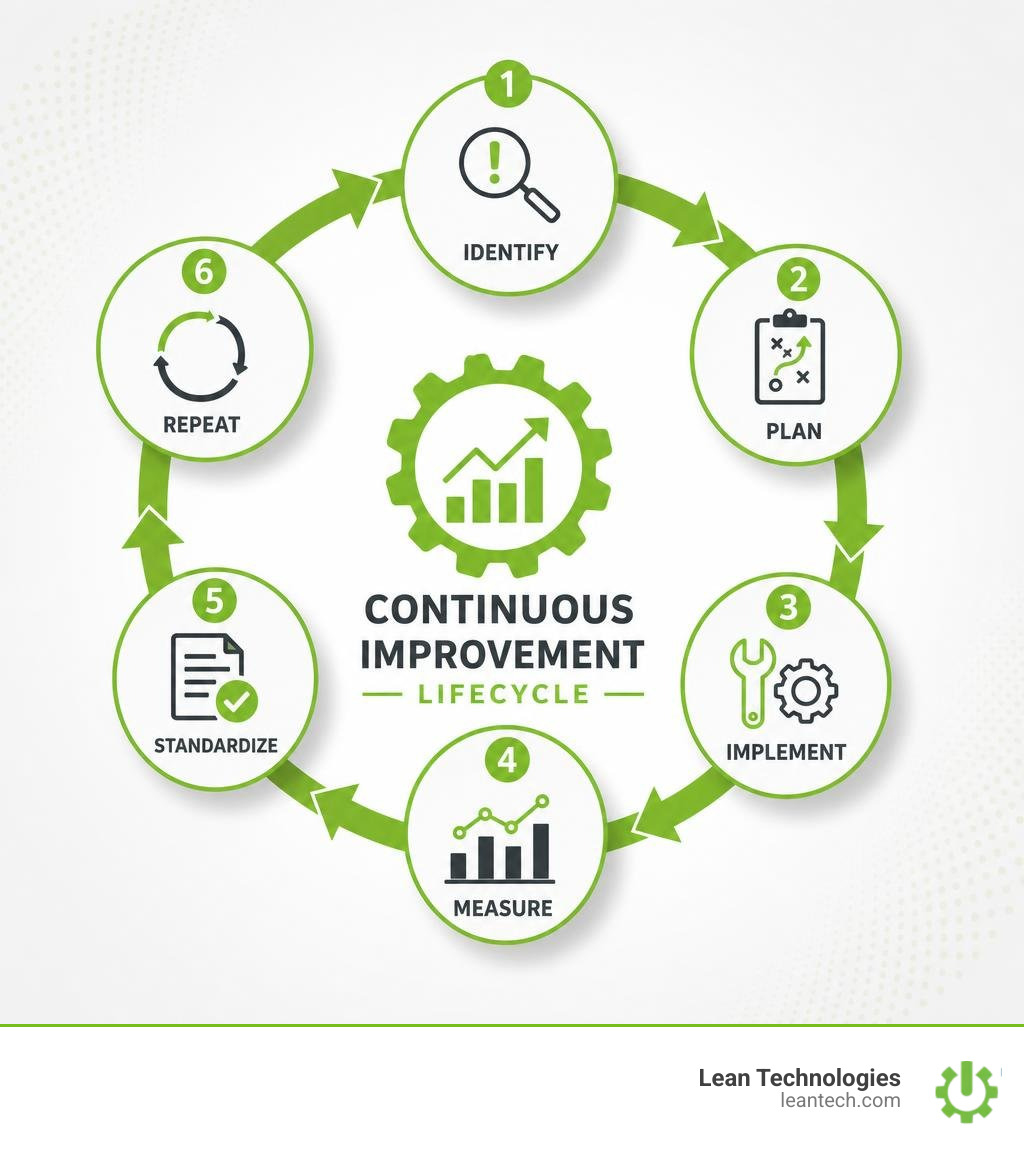
By using dedicated process improvement software, you shift your shop floor from reactive firefighting to proactive, structured problem-solving. It allows you to run a Lean Culture Assessment to see where your team stands, and then provides the digital framework to push those capabilities forward. This transition is the foundation of the Continuous Improvement Process, turning abstract goals into daily operational realities.
The Core Methodologies Driving Modern Operations
Good software doesn't invent your operational strategy; it digitizes and enforces it. The best digital platforms are designed to support established industrial methodologies like Lean, Six Sigma, the PDCA cycle, and Kaizen.
If you want to understand how to apply these on your shop floor, check out our comprehensive Guide to Digital Lean Manufacturing. Let's look at how these frameworks map directly to digital tools.
Lean and Six Sigma for Waste Reduction
Lean manufacturing focuses entirely on the relentless elimination of waste (Muda) — whether that waste is excess inventory, wasted motion, waiting times, or overproduction. Six Sigma, on the other hand, is a data-driven methodology aimed at reducing process variation and defect rates.
When combined into Lean Six Sigma, they utilize the structured DMAIC framework:
Define the problem and project goals.
Measure current process performance with real-time data.
Analyze the root causes of defects and waste.
Improve the process by eliminating root causes.
Control the improved process to prevent backsliding.
Process improvement software takes the administrative burden out of DMAIC. Instead of managing complex spreadsheets, slide decks, and disconnected files, a digital platform provides built-in templates (like SIPOC, FMEA, and 5 Whys) to guide your team through structured problem-solving. This keeps your quality engineers and continuous improvement managers aligned, reducing defects by up to 40% and saving hundreds of thousands of dollars annually in rework costs.
Kaizen and PDCA for Continuous Improvement
While Six Sigma often addresses large, complex projects, Kaizen and the Plan-Do-Check-Act (PDCA) cycle focus on small, daily improvements made by everyone in the organization.
Kaizen is a Japanese philosophy meaning "change for the better." On a smart shop floor, this isn't just a mindset; it's a daily ritual. Operators use process improvement software to instantly flag deviations, submit improvement ideas, and track them to completion.
This process is governed by the PDCA cycle:
Plan: Identify an opportunity and plan a change.
Do: Test the change on a small scale.
Check: Review the test, analyze the results, and identify what was learned.
Act: Implement the change on a wider scale, or refine it and repeat.
To make these improvements stick, managers must use Leader Standard Work. This ensures that leadership behaviors, daily huddles, and Gemba walks are standardized and tracked digitally, keeping the entire plant focused on the same operational goals.
A Step-by-Step Framework to Evaluate Your Options
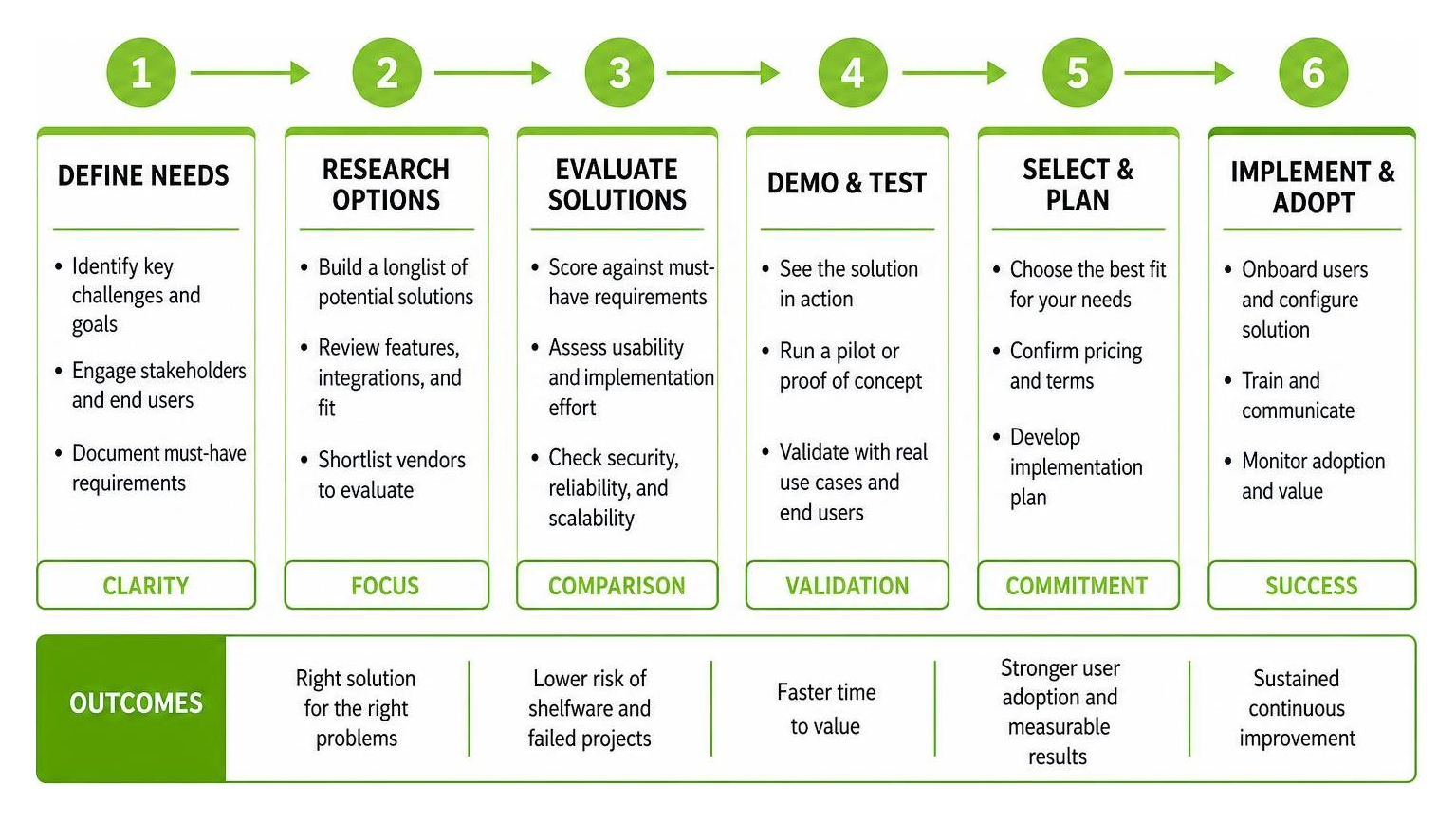
Choosing software is stressful. If you choose wrong, you end up with "shelfware" — expensive technology that your operators refuse to use, leaving you right back where you started with paper and spreadsheets.
Use this step-by-step framework to evaluate your options systematically:
Key Features to Look For in Process Improvement Software
When shopping for a platform, ignore the flashy marketing presentations and focus on the practical features your team will actually use every day:
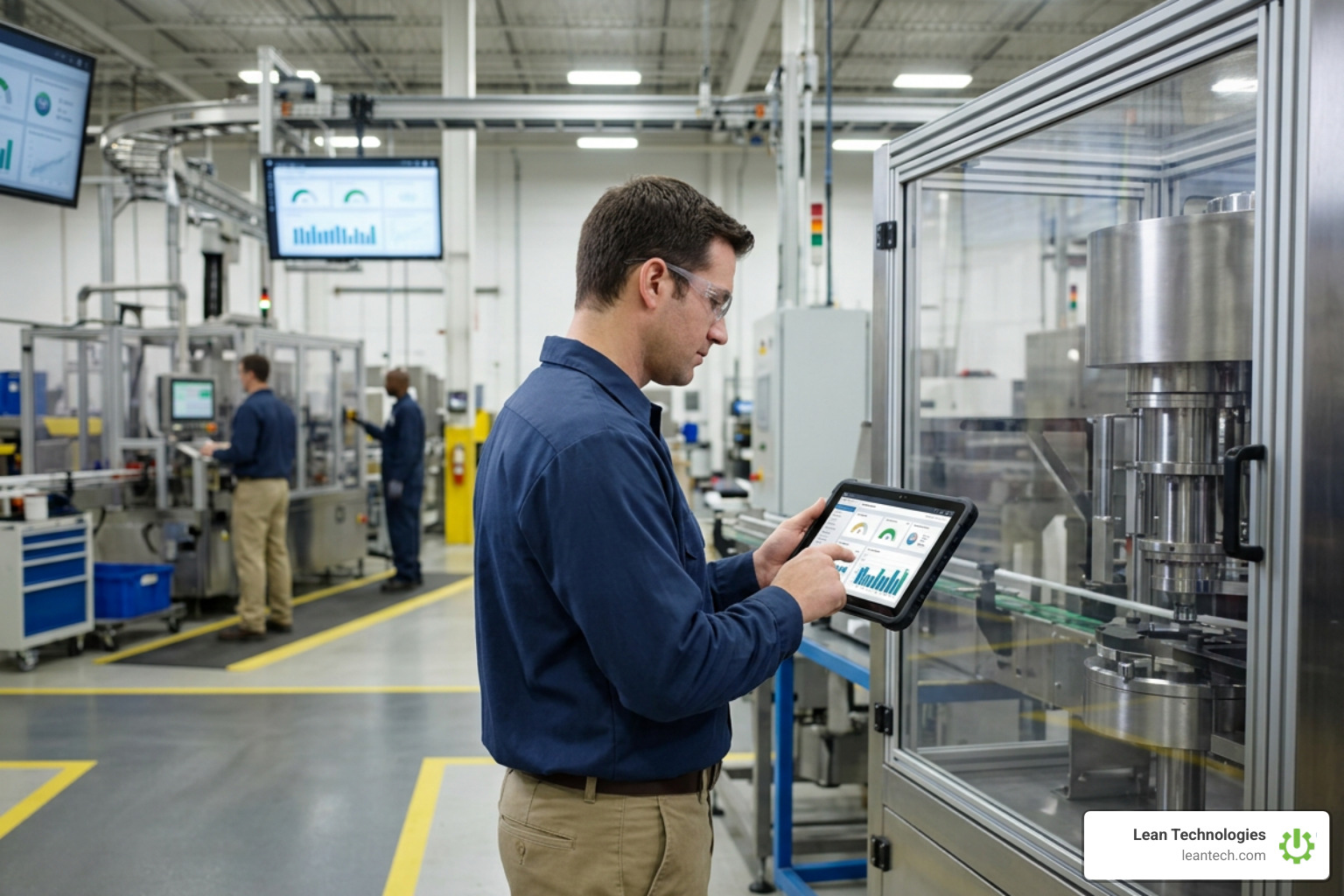
Real-Time KPI Dashboards: You can't manage what you don't measure. You need customizable Performance Goal Boards that display live operational data. If your team has to wait until the end of the shift to see performance, you are running real-late.
Digital Action Tracking: When an operator logs an issue, the software must automatically assign ownership, set a deadline, and track the progress of the corrective action.
Mobile and Tablet Accessibility: If your supervisors and operators have to walk back to a desktop computer in an office to log a problem, they won't do it. The software must be designed "frontline-first" for mobile devices and shopfloor tablets.
Root Cause Analysis Tools: Look for built-in, easy-to-use templates for Fishbone (Ishikawa) diagrams, 5 Whys, and Value Stream Mapping.
For a deeper look at the analytical tools that drive these features, review this guide on Top 15 Process Improvement Tools for Maximum Efficiency.
Evaluating Process Improvement Software for Small to Midsize Teams
If you run a small to midsize manufacturing business, you don't have a massive IT department to manage complex software deployments. You need a platform that is:
Low-Code or No-Code: You should be able to change workflows, add custom fields, and build new checklists yourself without paying a developer $150 an hour to write custom code.
Lightweight Integration Capabilities: The software should easily connect with your existing ERP or MES systems via modern APIs, pulling necessary data without requiring a massive, multi-month IT re-implementation.
Visual and Intuitive: A clean, visual Kanban Board Tool makes it easy for supervisors and operators to see the status of every active task, improvement project, and maintenance order at a single glance.
By focusing on these lightweight, user-friendly capabilities, small and midsize teams can drive continuous improvement without the overhead of traditional enterprise software.
Implementing and Sustaining Your Process Improvement Initiative
Buying the software is only 10% of the battle. The other 90% is getting your team to use it consistently. Successful implementation requires clear change management, standard operating procedures, and a relentless focus on showing value to the frontline workers.
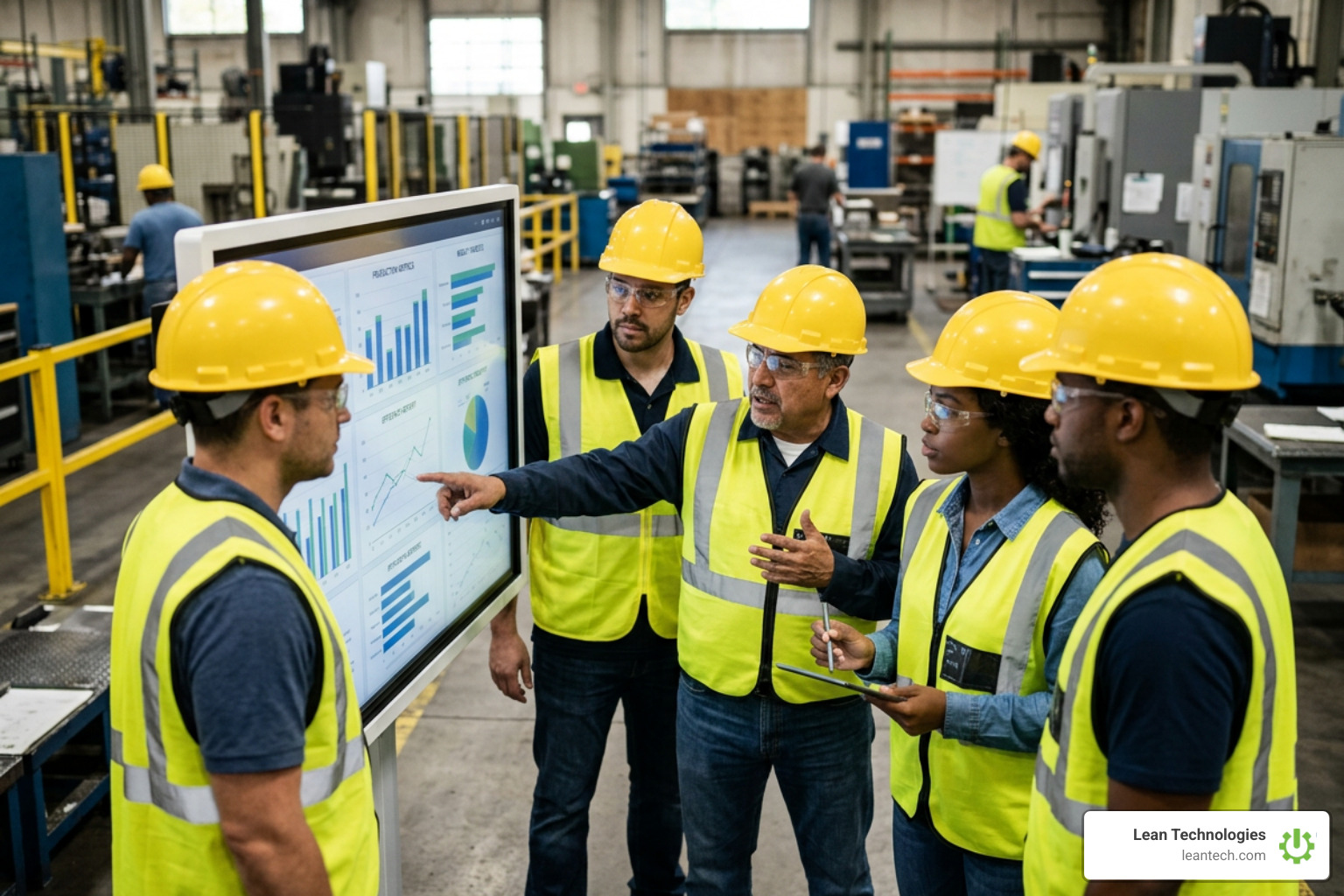
Overcoming Resistance and Building a Lean Culture
The biggest barrier to digital transformation is employee resistance. Operators are often skeptical of new software; they see it as "management's new flavor of the month" or a tool to micromanage them.
To build true engagement:
Involve Them Early: Don't hand down a completed system from the boardroom. Let your operators and supervisors test the software, configure the templates, and design the checklists.
Focus on Their Pain Points: Start by digitizing the processes that frustrate your team the most — like tedious paper logs, messy shift handovers, or slow maintenance response times.
Make It Actionable: Use Change Management best practices to communicate the "why" behind the change. Show them how digital Project Tracking makes their jobs easier by getting them the resources and support they need faster.
By using a dedicated continuous improvement module like Thrive CI, you create a transparent feedback loop. When an operator submits an idea, they can see its status change from "review" to "active" to "completed." When people see that their feedback actually leads to change, they take ownership of the data.
Measuring Success and Calculating ROI
To justify your software investment to your CFO, you must track hard metrics. Process improvement software makes this easy by automatically compiling data on your key performance indicators:
Cycle Time Reduction: Measure how much faster your team completes production runs, setups, or maintenance tasks. Users of process improvement software typically see a 25–40% reduction in cycle times.
Defect and Rework Rates: Track the drop in scrap material and customer complaints. Standardizing quality checks can reduce defects by 40%, saving thousands of dollars in material costs.
Task Closure Rate: Monitor how quickly action items, safety hazards, and continuous improvement ideas are closed out.
Using digital Project Management tools allows you to tie these operational improvements directly to your financial returns, proving the exact ROI of your lean initiatives.
The Role of AI and Automation in Modern Process Management
We are living in the age of intelligent manufacturing. In 2026, modern process improvement software is no longer just a digital filing cabinet for your SOPs; it is an active partner in your operations, powered by artificial intelligence and automated workflows.
Modern digital tools leverage AI and automation to streamline continuous improvement:
AI-Guided DMAIC: Generative AI helps teams generate project definitions, auto-fill complex DMAIC templates, and draft problem statements in seconds.
Automated Process Analysis: Advanced digital process tools map workflows faster and automatically separate value-adding activities from non-value-adding waste.
Enterprise Process Mining: Process mining and AI analyze operational data, instantly identifying bottlenecks and compliance deviations across workflows.
On the shop floor, this translates to real-world efficiency. For example, when a quality defect is logged, an AI advisor can instantly analyze historical data, suggest the most likely root causes, and draft a corrective and preventive action (CAPA) plan for the supervisor. This reduces the time spent on administrative paperwork and lets your team focus on what they do best: solving physical problems on the plant floor.
Frequently Asked Questions About Process Improvement
What is the difference between a process and a procedure?
A process is a high-level sequence of activities that transforms inputs into an output to achieve a strategic business goal (the "what" and "why"). A procedure is the detailed, step-by-step instruction that tells an operator exactly how to perform a specific task within that process (the "how"). Processes provide the strategic framework, while procedures serve as the tactical standard work.
How does process improvement software integrate with existing ERP or MES systems?
Modern process improvement software does not replace your ERP or MES; it sits on top of them as a flexible digital toolbox. It connects to your existing systems using secure, modern APIs. This allows the software to pull production schedules or inventory data, display it in real-time dashboards for the shop floor, and send action logs back to your core systems — eliminating data silos without requiring a massive, expensive IT overhaul.
How quickly can a team see ROI from process improvement software?
Many teams see significant "quick wins" within the first 30 days of deployment. By digitizing daily huddles, shift handovers, and downtime logs, plants often reduce meeting times by 50% and immediately identify simple bottlenecks that were previously hidden in paper logs. Major structural improvements, such as a 25% reduction in defects or a 40% reduction in lead times, are typically realized within the first quarter of consistent use.
What to Do Next: Run Your Shop Floor Lean
Stop managing your shop floor through spreadsheets, paper checklists, and wishful thinking. If your operational data is captured on paper and entered into Excel at the end of the shift or the end of the week, you are running real-late. And real-late is already too late to make a difference.
Thrive by Lean Technologies is the all-in-one, customizable shopfloor software built by manufacturing experts for manufacturing teams. It isn't a bloated ERP or a rigid MES. Instead, Thrive is a flexible digital toolbox that empowers your operators and supervisors to log issues, track actions, and drive continuous improvement in real time.
Whether you want to digitize your preventive maintenance, streamline your quality audits, or supercharge your continuous improvement program with Thrive CI, Thrive gives you the real-time visibility you need to eliminate waste and boost profitability.
Ready to let your team run lean? Explore Thrive today and see how easy it is to build a structured, accountable, paperless shop floor.





