

Project Management Software Solutions That Will Actually Save Your Sanity
When Spreadsheets Stop Working: The Case for Real Project Management Software Solutions
Project management software solutions aren't a luxury anymore — for manufacturing operations managers, they're the difference between a shop floor that runs and one that constantly reacts.
Here's a quick look at the main categories of tools and what they're best for:
Tool Category Best For Key Strengths Typical Starting Price Hierarchical Planners Complex task nesting, resource tracking Deep organization, custom fields $7 - $10/user/month Visual Boards Drag-and-drop simplicity, beginners Low learning curve, quick setup $5 - $9/user/month Document Databases SOPs, documentation-heavy teams Centralized knowledge, wiki integration $10/user/month Agile Engines Sprints, technical issue tracking Backlog management, developer focus $9/user/month
Picture this: it's end of shift, and a production manager is piecing together status updates from three different spreadsheets, a whiteboard photo someone texted, and a paper log that got coffee spilled on it. Sound familiar?
This is the daily reality for a huge number of manufacturing operations teams. And it's costing more than just time.
77% of high-performing projects use project management software. Teams that adopt these tools complete projects 25% faster on average and report a 28% higher project success rate. Yet many shop floors are still running on clipboards, Excel files, and end-of-shift memory dumps.
The problem isn't that people are lazy or disorganized. The problem is that the tools haven't matched the environment. Generic office-focused project management platforms weren't designed with a plant floor in mind — and choosing the wrong one can create more chaos than it solves.
This guide cuts through the noise. Whether you're managing a team of 5 or 500, you'll find out which types of tools are worth your time, which free plans have hidden catches, and how to pick the right fit for the way your operation actually works.
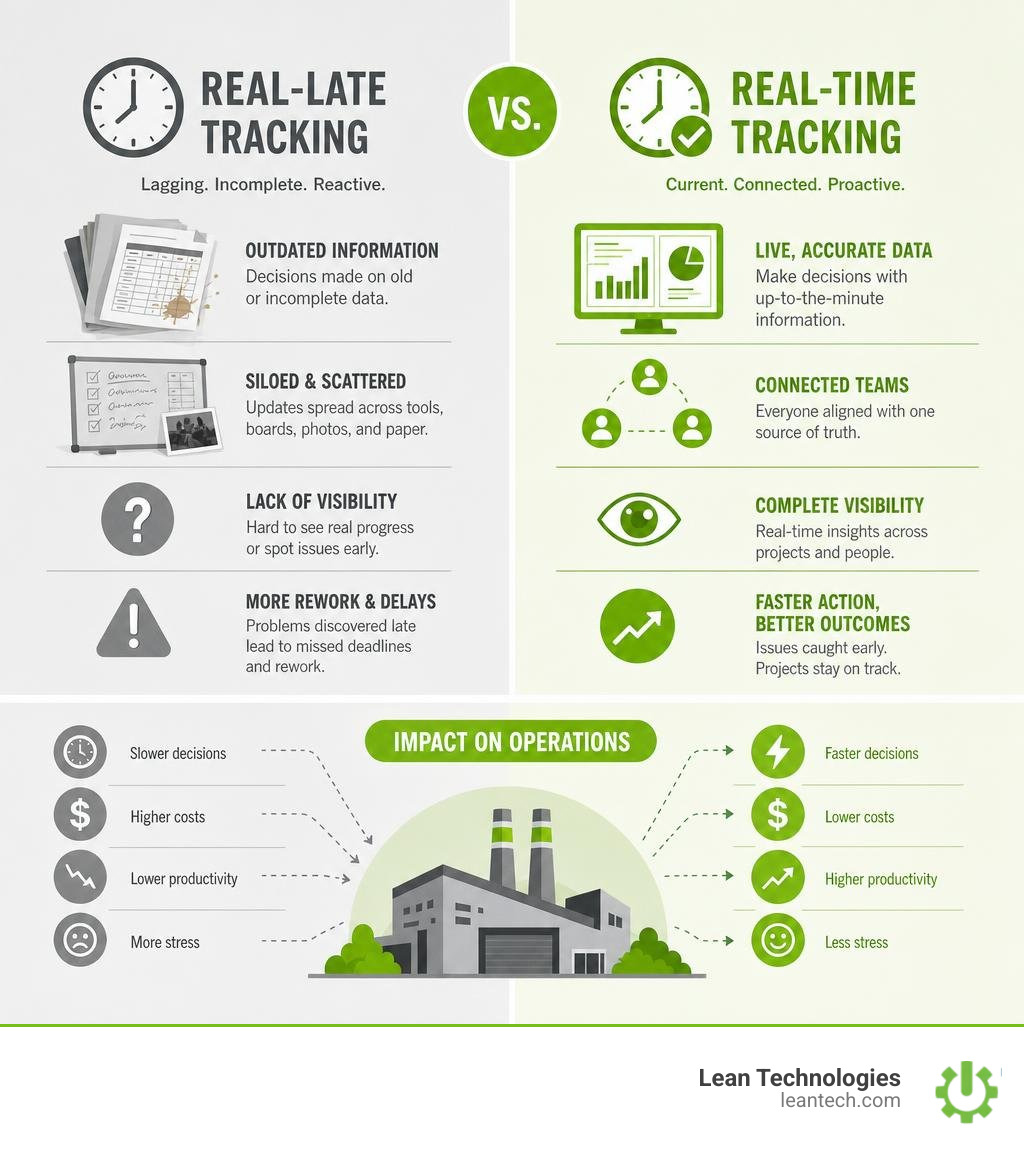
Why Traditional Tracking Fails and How Modern Software Saves Your Sanity
Using whiteboards, paper clipboards, and shared spreadsheets to run an operation feels cheap and easy at first. But when production volume scales, those traditional methods crumble under pressure.
Consider the classic spreadsheet. It is highly flexible, but it has zero accountability. Anyone can accidentally delete a cell, overwrite a status, or forget to hit "save." Worse, spreadsheets are inherently passive. They do not notify a maintenance technician when a critical machine goes down, nor do they alert a safety manager when an incident log is left incomplete. By the time someone notices a mistake, the shift has ended, the parts are delayed, and the data is already "real-late."
Modern project management software solutions eliminate this lag by acting as a single, dynamic source of truth. When teams transition from scattered tracking methods to a dedicated digital system, the operational impact is immediate:
28% Higher Project Success Rates: Standardizing processes means tasks do not fall through the cracks.
25% Faster Project Completion: Automated handoffs and instant alerts mean technicians and operators spend less time waiting for direction.
20% Improvement in Resource Utilization: Real-time visibility allows supervisors to allocate labor and materials exactly where they are needed most.
To achieve these results, modern tools rely heavily on structured frameworks like Agile and Kanban. In a manufacturing environment, Kanban boards translate physical production lines into digital cards and columns (such as "To Do," "In Progress," "Under QA," and "Done"). This visual interface makes bottlenecks instantly obvious.
If five tasks are piled up in the "Under QA" column, a continuous improvement manager can spot the constraint in seconds and reallocate resources before it stalls the entire shift. By implementing robust Project Tracking, teams move away from reactive fire-fighting and toward a predictable, streamlined workflow.
Choosing the Right Project Management Software Solutions for Your Team
With hundreds of options on the market in July 2026, picking a tool can feel overwhelming. The key is to start by assessing your team size, technical expertise, and operational workflows rather than just buying the most popular software.
A small team of five operators managing simple equipment upgrades does not need a hyper-complex enterprise platform. Conversely, a multi-site operation coordinating preventative maintenance schedules, quality control audits, and supply chain logistics will quickly outgrow basic task checklists.
Before committing to a platform, read an Honest Review of PM Tools to understand how different interfaces perform under daily pressure.
To help narrow down your search, it is helpful to categorize the leading tools based on their primary strengths:
Category Primary Focus Best Fit For Key Advantage Visual Boards Drag-and-drop simplicity Beginners, quick task tracking Instant visual status updates Hierarchical Planners Deep task nesting & lists Complex projects, resource tracking Handles multi-layered workflows Document Databases Knowledge bases + tasks SOPs, documentation-heavy teams Links instructions directly to tasks Agile Engines Sprints, backlog management Technical teams, software, engineering Excellent for structured sprint cycles
To learn more about how to set up these structures effectively, check out our dedicated guide on Project Management.
Key Features to Prioritize in Project Management Software Solutions
When evaluating different project management software solutions, do not get distracted by flashy features you will never use. Focus instead on the core capabilities that drive daily shop floor adoption:
Intuitive Kanban Views: If operators cannot understand the interface in five seconds, they will not use it. Visual card-based layouts are the gold standard for tracking physical workflows.
No-Code Automations: Look for tools that let you build simple "if-then" rules (e.g., If status changes to "Quality Hold," then assign to the QA Manager and send a high-priority alert).
Native Time Tracking: Accurate time tracking is essential for calculating labor efficiency and true operational costs.
Robust Integrations: Your PM tool must talk to your existing tech stack, whether that is your email, messaging apps, or document storage.
Mobile-First Design: Frontline workers and maintenance specialists do not work at desks. They need to update tasks, attach photos of broken parts, and log progress directly from tablets or mobile devices while standing at the machine.
Without these foundational features, your software will quickly become another abandoned IT project. For more on how to build consistent operational visibility, explore our breakdown of Workflow Tracking.
Matching Tool Categories to Your Specific Operational Needs
Every tool category on the market has a distinct "personality" designed for specific use cases. Matching your operational pain points to the right tool category is critical for long-term success.
Visual Planning Boards: Best for Beginners
Visual planning boards are highly visual, modern, and exceptionally easy to configure. Their colorful, spreadsheet-like boards are perfect for operations managers who want to build custom workflows without writing a single line of code. They make onboarding non-technical teams painless, though advanced features (like time tracking) are often locked behind higher-tier plans.
Hierarchical Planners: Best for Complex Customization
Hierarchical planners are incredibly powerful "all-in-one" platforms. They allow you to organize work into a strict hierarchy: Spaces, Folders, Lists, Tasks, and Subtasks. This makes them ideal for managing complex, multi-layered operations. They also boast generous free plans and extensive template libraries. However, their sheer volume of customization options can feel overwhelming to beginners.
Agile Engines: Best for Technical Issue Tracking
If your operations team works closely with product engineering or software development, agile engines are the industry standard. They feature deep agile planning tools like sprint backlogs, epics, story points, and burndown charts. While unmatched for technical issue tracking, their learning curve is steep, and they can feel overly rigid for general operational tasks.
Simple Kanban Tools: Best for Linear Workflows
Simple Kanban tools pioneered the digital Kanban board. They are lightweight, incredibly fast to set up, and highly intuitive. If you just need to track simple, linear processes (like a basic work request pipeline), these tools are an excellent, low-friction option. The downside is that they lack advanced features like native Gantt charts or detailed resource scheduling.
Enterprise Platforms: Best for Cross-Functional Scaling
Enterprise platforms are built for large, cross-functional teams that need robust proofing, document approvals, and resource allocation. They offer powerful Gantt charts and AI-driven risk predictions. However, their interfaces can be less intuitive, and their notification systems can become cluttered if not carefully configured.
Document Databases: Best for SOPs & Knowledge Management
Document databases excel at blending documents, wikis, and task databases into a single workspace. If your primary goal is to build a centralized library of Standard Operating Procedures (SOPs) linked directly to action items, this category is unmatched. It does, however, require significant manual setup to build out your ideal workspace from scratch.
To see how different platforms rank in comprehensive testing, you can review the Top PM Software Recommendations.
The Real Cost of "Free" Plans and Implementation Pitfalls
Most software providers lure teams in with "free-forever" plans. While these are great for testing basic interfaces, they come with tight limitations that can disrupt a growing operation.
Common limitations of free plans include:
User Caps: Many free tiers limit you to 2, 5, or 10 users. If you need to bring your entire shift online, you will hit a paywall immediately.
Hidden Minimum Purchases: Some platforms advertise low per-user pricing but require you to purchase licenses in blocks of 5 or 10. For instance, even if you only need 6 seats, you might be forced to pay for 10.
Automation Limits: Free plans often cap your monthly automated actions (like status updates or notifications) to a few hundred. On an active shop floor, you can burn through those limits in a single week.
Feature Gating: Crucial operational tools — like Gantt charts, advanced resource planning, and native time tracking — are almost always locked behind expensive premium tiers.
When teams hit these limits, they often resort to workarounds. They share logins, track tasks outside the system, or create fragmented "shadow IT" setups. This breaks the link between daily tasks and Leader Standard Work, creating data silos where supervisors have no real visibility into who is actually doing what.
Overcoming Adoption Hurdles for Project Management Software Solutions
Software is only useful if your team actually uses it. The biggest point of failure in any digital transition is not the technology — it is user adoption. Frontline operators and busy technicians are naturally skeptical of new tools, especially if they feel like "extra paperwork" mandated by management.
To ensure successful adoption, consider these strategies:
Involve the Frontline Early: Do not select a tool in a corporate vacuum. Run a hands-on pilot with your supervisors, operators, and maintenance technicians to get their feedback on ease of use.
Focus on Time-to-Value: Pick a platform that solves an immediate pain point for the user. If a technician sees that the tool helps them get parts approved faster or reduces tedious paperwork, they will adopt it eagerly.
Keep Training Simple: Do not overwhelm your team with a 40-page manual. Create short, visual, 2-minute videos showing exactly how to log a task, change a status, and attach a photo.
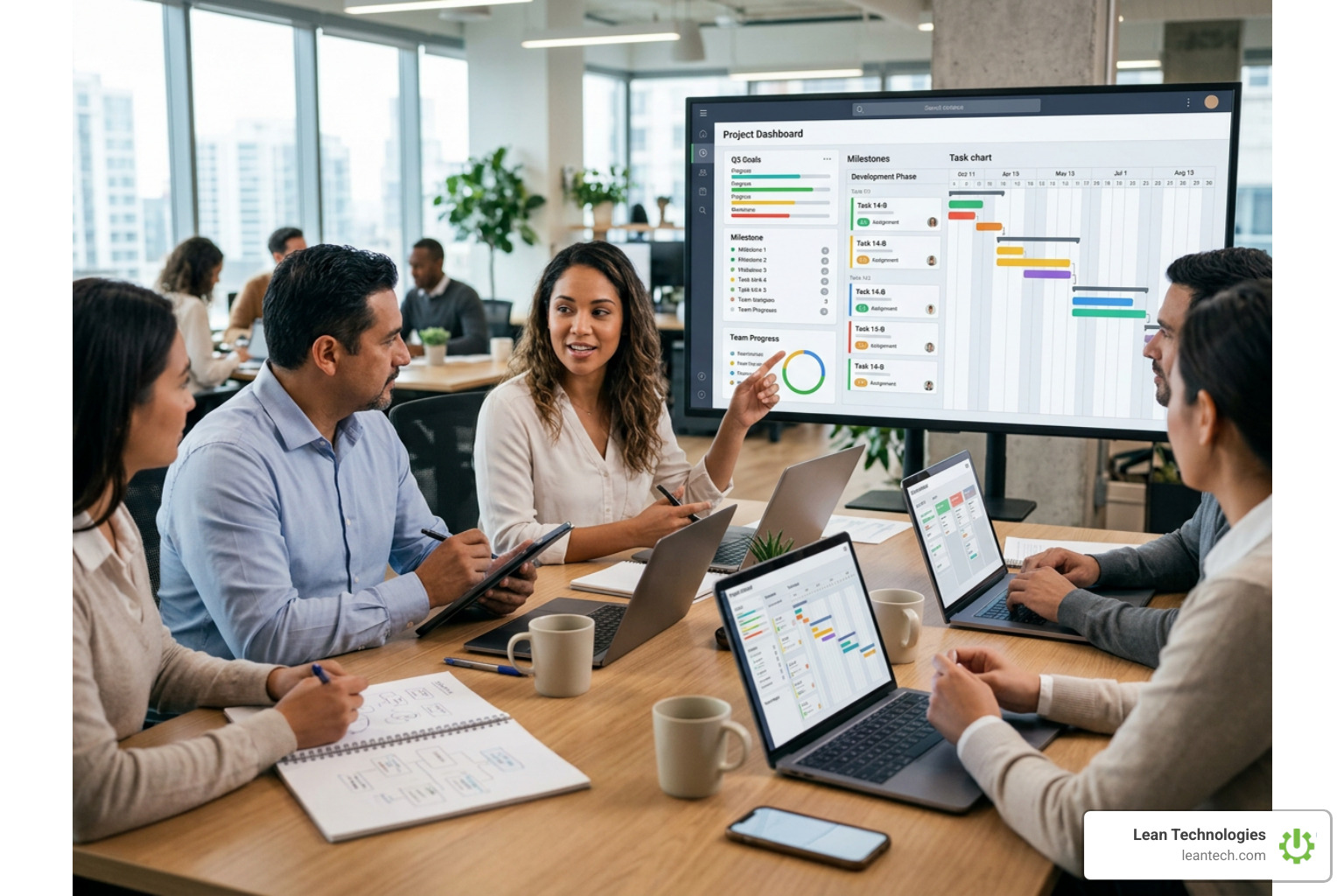
Leverage Modern AI Trends: The latest wave of project management tools focuses heavily on AI and "agentic" workflows. Modern platforms are introducing AI agents that can automatically draft project briefs, summarize shift handoffs, and predict potential delays based on historical data. This convergence of software, AI, and human teams helps maximize productivity and streamline collaboration across the entire organization.
The goal is to build a unified system where all team Projects are tracked transparently, ensuring accountability at every level of the organization.
Frequently Asked Questions About Work Tracking
How do project management tools fit into Agile or Kanban methodologies?
Project management tools digitize Agile and Kanban frameworks, replacing physical whiteboards with dynamic, collaborative screens. They allow teams to map out workflows into visual columns, drag and drop task cards to show real-time progress, and manage backlogs during sprint planning. This structure makes bottlenecks instantly visible and ensures tasks are prioritized based on actual demand.
What are the biggest hidden limitations of free project management plans?
The most common hidden limitations include strict user caps (often limiting collaboration to a handful of seats), forced purchasing blocks (requiring you to buy licenses in groups of 5 or 10), and monthly caps on automations. Additionally, advanced features like Gantt charts, time tracking, and custom access permissions are almost always locked behind premium, paid tiers.
Why is mobile-first access critical for frontline and maintenance teams?
Frontline workers, quality inspectors, and maintenance technicians do not work at desks. If they have to walk back to an office terminal to log an issue or update a task, they will either delay the entry (creating "real-late" data) or skip it entirely. Mobile-first access allows them to log updates, scan asset QR codes, and upload photos of machine issues directly from the shop floor in real time.
Stop Managing Your Shop Floor Through Spreadsheets and Wishful Thinking
Generic project management software solutions are fantastic for office projects, but they often fall short on a , physical shop floor. They do not connect directly to your operators, your safety protocols, or your machine statuses in a way that drives immediate, lean action.
That is where Lean Technologies comes in.
We developed Thrive — an all-in-one, highly customizable shopfloor software platform built specifically by manufacturing experts for manufacturing teams. Thrive does not try to replace your ERP or MES systems. Instead, it digitizes your lean work processes in real time, giving your operators and supervisors a flexible digital toolbox to log issues, track actions, and drive continuous improvement.
With Thrive, you get real-time operational visibility because data is entered directly at the source via mobile, tablet, or desktop. No more waiting for end-of-shift spreadsheets or guessing which machines are causing your biggest bottlenecks.
Want to streamline your maintenance workflows? Explore our Thrive Maintenance Module.
Need to digitize safety checks and compliance audits? Check out our Thrive Safety Module.
Ready to supercharge your lean initiatives? Learn about our Thrive Continuous Improvement Tool and our Thrive Quality Module.
Looking to optimize workforce tracking? See our Thrive HR Module.
Stop relying on wishful thinking and outdated paper logs. Let your team run lean, boost your productivity, and improve your shop floor profits with a platform designed for the physical world.
Get started with the Thrive Digital Lean Platform today or read our comprehensive Guide to Digital Lean Manufacturing to learn how to transform your operations.





