
The Ins and Outs of Comparing Shopfloor Software
Still Stuck in the Paper Trap?
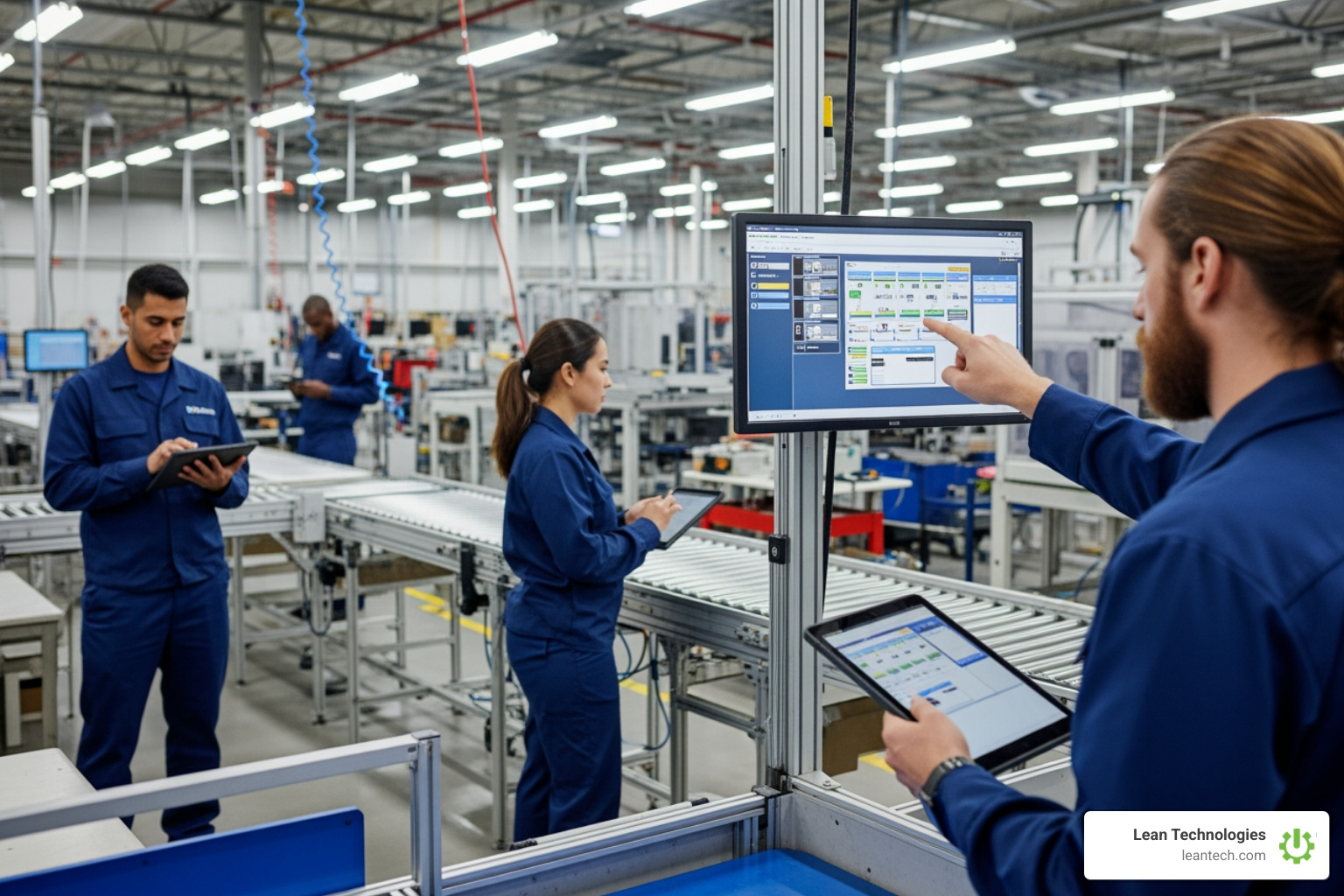
Shopfloor software, such as Thrive by Lean Technologies, is a digital platform that helps manufacturing teams manage production, track work orders, log quality issues, and capture real-time data without ripping out the ERP or MES already in place. Developed by manufacturing experts to streamline operations, Thrive acts like a control tower for daily operations, built to eliminate paper, cut downtime, and give supervisors the visibility needed to fix issues fast.
What shopfloor software does:
Real-time data capture - Operators log issues, production counts, and quality checks right at the machine on mobile, tablet, or desktop.
Work order and job tracking - See what is running, what is late, and who is working on which job.
Quality and compliance logging - Use digital checklists, defect tracking, and audit trails instead of paper binders.
Maintenance and downtime tracking - Log breakdowns, schedule preventive maintenance, and track repair history in one place.
Production scheduling and dispatch - Assign jobs, balance workload, and adjust on the fly when priorities change.
Analytics and reporting - Turn shop floor data into clear KPIs that drive better decisions.
Manual data entry and paper logs feel comfortable, but they are slow, incomplete, and usually out of date by the time anyone reviews them. A supervisor finds a problem at 3 p.m. that actually started at 7 a.m. An operator follows an outdated procedure because the update never made it to the board. Delays stack up, reject rates stay high, and the team spends more time chasing information than fixing problems.
Factories that move to digital, structured platforms like Thrive can see real impact: higher output, lower reject rates, and faster production ramp-up. Real-time beats real-late every time.
When data is captured at the source and logged as it happens, you get visibility that is actually useful. Problems are flagged sooner, teams take ownership, and decisions are based on facts instead of guesses.
What is Shopfloor Software? (And Why Spreadsheets Are Slowing You Down)
Managing the shop floor with clipboards, whiteboards, and spreadsheets is not just old-school, it is expensive. Thrive is the digital backbone for daily production, the control tower for your plant that gives Operations and Production Managers real-time visibility into machines, processes, and people.
As an all-in-one, customizable platform, Thrive connects to your workflows and existing systems, automating data collection on performance metrics, status, and production outcomes wherever possible. It replaces scattered Excel files and paper logs with a single, live view of what is actually happening.
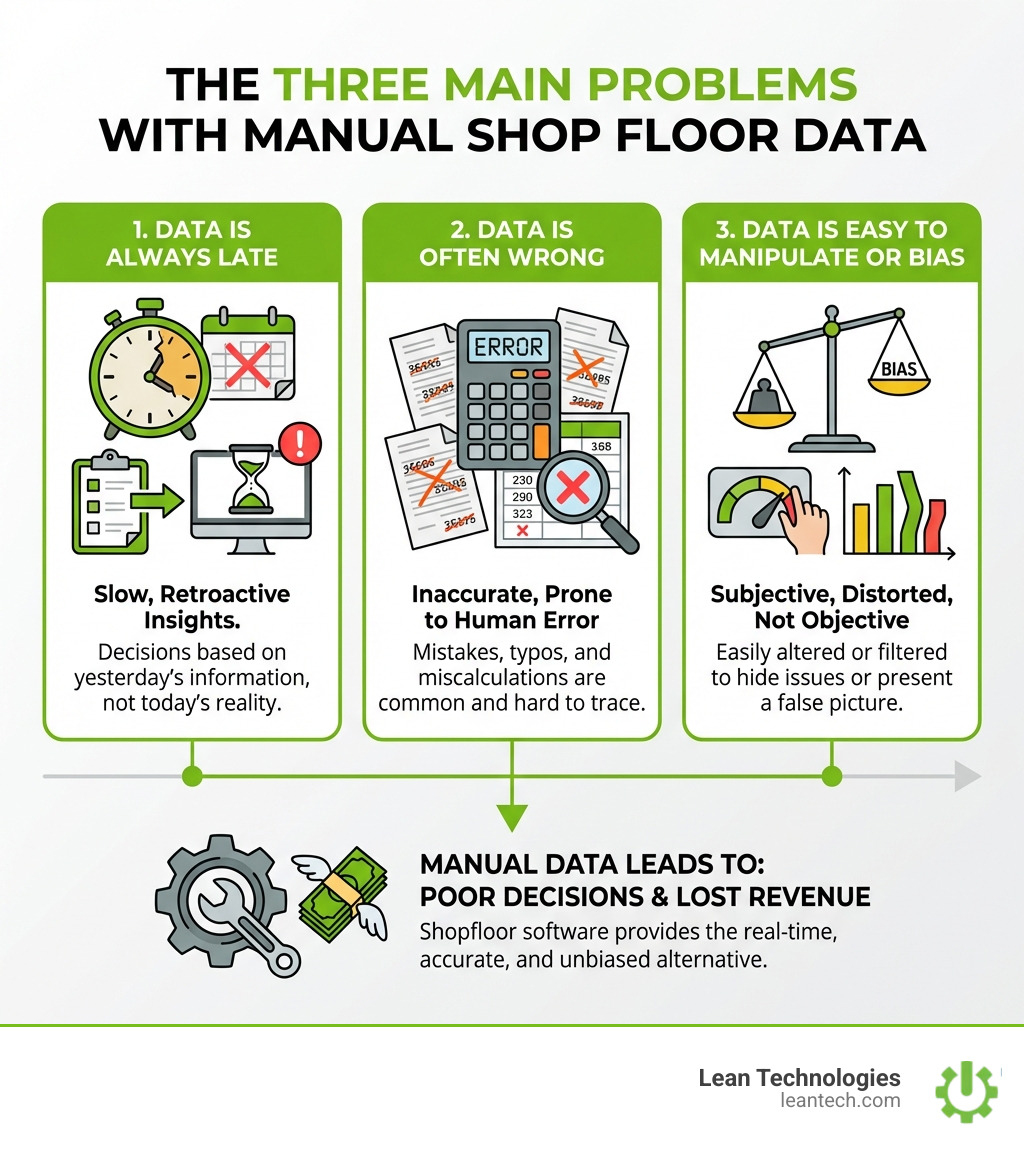
Manual data collection is untimely, inaccurate, and easy to bias. You cannot make smart decisions from bad or late data. Shopfloor software fixes this by delivering timely, accurate, and structured information that operators, supervisors, and CI leaders trust.
Core Functions That Actually Move the Needle
A powerful shopfloor software platform like Thrive is not just a bundle of features; it is a cohesive system aimed squarely at everyday production problems.
Job and labor tracking: Stop guessing who did what and for how long. Track time, cost, and labor performance by job, sequence, or machine. This helps HR Managers, Production Managers, and CI leaders understand where labor is really going.
Material and inventory management: Get a live pulse on materials. Scan, track usage, and manage stock levels to avoid shortages, overstock, and last-minute expediting.
Production scheduling: Move beyond static, once-a-day schedules. Drag-and-drop tools let planners prioritize, resequence, and communicate changes in real time.
Quality and compliance logging: Shift from reactive quality checks to built-in quality. Digital checklists, defect logging, and standard work ensure consistency and clean audit trails.
Maintenance and downtime tracking: Log breakdowns, categorize root causes, and track repair history so Maintenance Managers can target chronic issues instead of firefighting.
Real-time data capture at the source: Barcodes, tablets, and direct imports from other systems help capture data as work happens, not hours later.
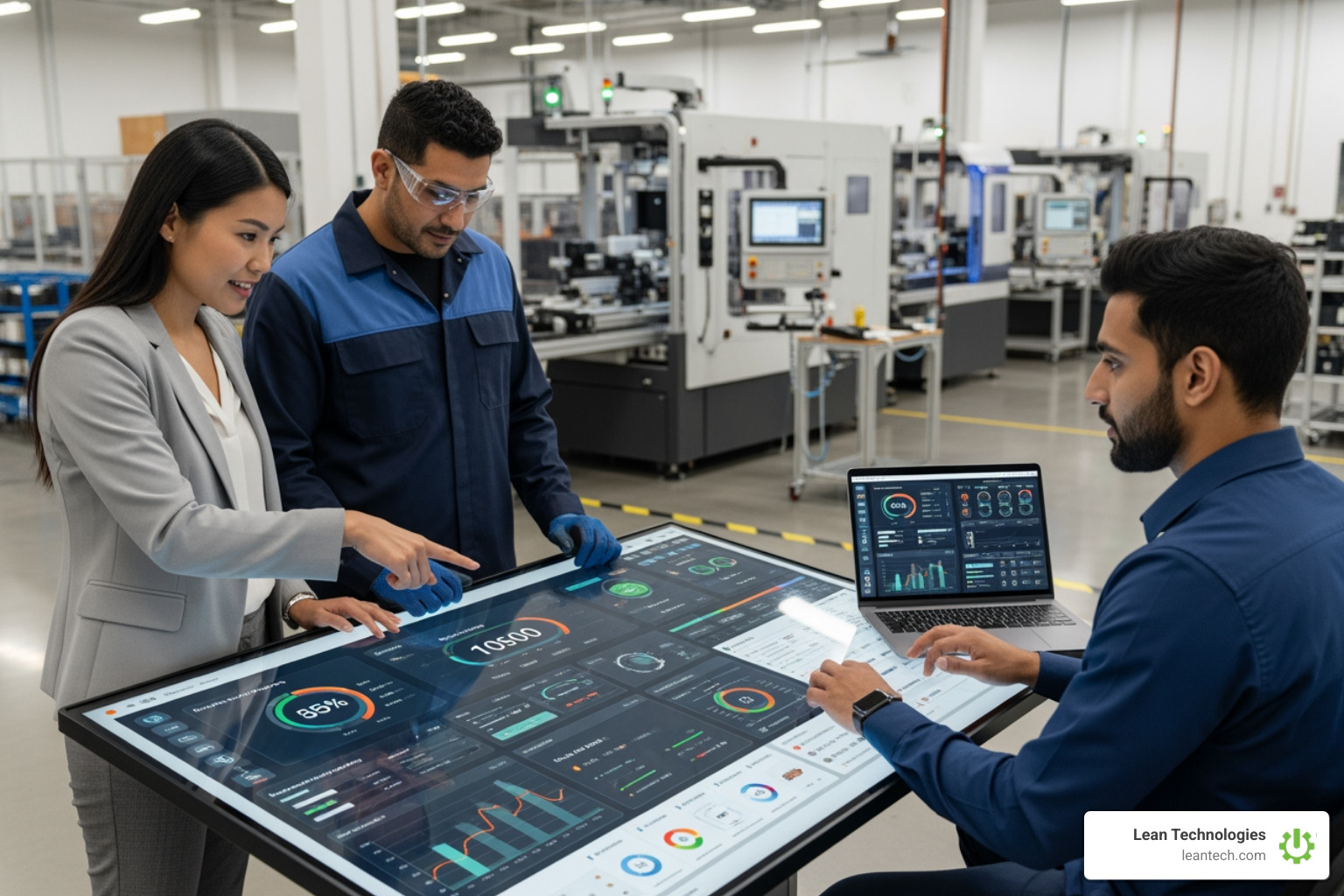
Actionable performance reporting: KPIs and dashboards turn raw data into clear signals so teams can spot issues early and confirm if fixes actually worked.
How Shopfloor Software Drives Productivity and Profit
Implementing the right shopfloor software is not just about "going digital"; it is about opening up capacity and margin.
Less downtime, more uptime: Real-time monitoring exposes issues as they start, not after the shift. That means faster response and less unplanned downtime.
Lower maintenance costs: Better visibility into failures and run patterns supports more targeted preventive work, fewer urgent call-outs, and longer asset life.
Better resource use: With a live view of labor, machines, and materials, teams can balance loads, avoid bottlenecks, and reduce waiting.
Data-driven decisions (not gut feel): Supervisors and managers can base decisions on current facts: actual cycle times, real scrap rates, true changeover durations.
Higher OEE: Automated or structured data collection makes it easier to see losses in availability, performance, and quality and to prioritize the biggest wins.
Happier customers, fewer complaints: Tighter control, fewer surprises, and better on-time delivery naturally reduce complaints and protect key accounts.
In many plants, Thrive pays for itself quickly by turning chaotic, reactive operations into disciplined, visible processes where every shift knows the score.
What to Look For in Shopfloor Software (Don't Settle for Less)
Choosing the right shopfloor software is a serious decision. The goal is not to collect more data; the goal is to make the work easier, faster, and more reliable for your team. Thrive is built with this philosophy in mind, offering a customizable interface that fits your specific needs.

Here are the must-have features to insist on:
Real-time monitoring: Instant visibility into machine status, production counts, and operator activity so supervisors can act before problems spiral.
Drag-and-drop scheduling: Easy, visual rescheduling when priorities change, jobs slip, or capacity shifts.
Quality and compliance tools: Digital checklists, automated checks, and built-in audit trails to keep standards tight without drowning in paperwork.
Inventory and material tracking: Clear, real-time status of materials and components to prevent line stoppages and last-minute scrambling.
Maintenance management: Tools to schedule preventive work, log breakdowns, and track repair history so maintenance time goes where it matters most.
Analytics and reporting: Dashboards and reports that highlight trends, bottlenecks, and chronic issues instead of forcing teams to build their own spreadsheets.
Easy integration (ERP, HR, and other systems): Seamless data exchange with ERP, HR, and other core systems so the shop floor is not an island.
User-friendly interface: Simple, fast screens that operators and supervisors can use with minimal training.
Full traceability and audit trails: A clear history of every part, process, and action, available in seconds when customers or auditors ask questions.
How to Level Up Quality and Traceability
For Quality Assurance Managers, Thrive turns quality from a side task into part of the flow of work.
Automated inspections and digital checklists: Standardized digital forms and prompts make it easy to follow every step and capture proof of checks.
Defect and issue tracking: Defects are logged at the source with type, cause, and impact, so teams can spot patterns and react faster.
Root cause analysis tools: Centralized data makes it easier to drill into recurring problems and close the loop on corrective actions. Many modern platforms follow established methodologies like 5 Whys or Fishbone diagrams to structure problem-solving.
Compliance management: Built-in records, approvals, and version control simplify compliance with industry and customer requirements.
Digital audit trails for every part and process: End-to-end traceability reduces the time and stress of customer complaints and regulatory audits.
Shopfloor Software's Role in Production and Maintenance
For Production and Maintenance teams, Thrive is the orchestrator that keeps everyone working from the same playbook.
Work order release and live dispatch: Release and prioritize work orders digitally so operators always know the next job and the correct sequence.
Capacity and resource planning: Use real-time load and availability data to balance work, avoid bottlenecks, and plan overtime or shifts based on facts.
Downtime and maintenance tracking: Capture every stop with clear reasons and timestamps to pinpoint chronic issues and justify improvement projects.
Preventive maintenance scheduling: Schedule work by time, usage, or condition so PMs are done at the right moment without surprise downtime.
Asset management: Maintain a clear history of each asset's performance, repairs, and usage to support smarter replacement and investment decisions.
How to Choose the Right Shopfloor Software: A No-Nonsense Checklist
Selecting the right shopfloor software is an investment in how every future shift will run. The right platform, like Thrive, fits your operation, your people, and your systems.
Use this checklist to cut through the noise:
Fits your production complexity: Supports your real routing, changeovers, approvals, and product mix without forcing awkward workarounds.
Integrates with your current systems: Connects cleanly with ERP, WMS, CRM, and automation so you do not have to re-enter data.
Scales as you grow: Handles more lines, more plants, and more products without needing a full reimplementation.
Handles compliance and audits: Maintains clean, searchable records that make internal and external audits faster and less painful.
Easy for teams to adopt: Operators, supervisors, and managers can learn it quickly and use it daily without frustration.
Responsive vendor support: Access to knowledgeable support during rollout and beyond so issues do not stall progress.
Transparent total cost of ownership: Clear pricing for licenses, implementation, training, and support so there are no surprises later.
Integrating with Your Existing Systems (ERP, HR, and Other Platforms)
No plant runs on a single system. Your shopfloor software has to plug into the stack you already have. Thrive is designed to integrate seamlessly across your operation:
ERP (Enterprise Resource Planning): Share production orders, routings, and inventory updates so planning and execution stay in sync.
HR (Human Resources): Connect labor tracking and training status with HR records to align skills, schedules, and performance.
Quality Management Systems (QMS): Feed on-the-floor quality data into QMS workflows to keep corrective and preventive actions linked to real events.
Maintenance Management Systems (MMS): Sync downtime and asset status with maintenance work orders so production and maintenance stay aligned.
API and automation tools for custom workflows: Use open APIs to connect niche tools, custom reports, or plant-specific workflows.
Bidirectional data flow, not data silos: Ensure data moves both ways so changes in ERP or other systems reflect on the floor and shop floor events update upstream systems.
Overcoming Implementation Roadblocks
Even good shopfloor software can stumble if the rollout is not managed well. Common pitfalls can be avoided with planning.
Resistance to change: Involve operators and supervisors early, show how the system removes headaches, and use quick wins to build trust.
Data security and access: Work with IT to set up roles, permissions, and security controls that protect sensitive information.
Training and onboarding: Provide focused, role-based training so each group learns only what they need to use every day.
Avoiding downtime during rollout: Use pilots, phased go-lives, or parallel runs so production keeps moving while the system is introduced.
Getting buy-in from leadership: Align the project with strategic goals like on-time delivery, scrap reduction, or capacity growth.
Measuring and proving ROI: Define KPIs up front, such as OEE, downtime, scrap, and labor efficiency, and track them as the system rolls out.
Beyond the Buzzwords: What "Smart" Tech Means for Your Shop Floor
The world of manufacturing is shifting fast, and modern shopfloor software like Thrive is one of the simplest ways to bring practical "smart" capabilities into daily operations without overcomplicating the plant.
Advanced analytics for real-time problem-solving: Historical and live data help expose recurring stops, chronic scrap issues, and slow changeovers so CI teams can target the biggest wins.
Actionable insights (not just more data): The focus is on clear direction, such as which lines underperform, which products cause the most rework, or which shift needs support.
Digital work instructions and visual aids: Operators access current procedures, standards, and visuals at the workstation, cutting training time and reducing errors.
Impact on labor costs and team performance: Clear instructions, simplified data entry, and real-time feedback help teams work more efficiently and reduce overtime driven by chaos.
Safety and compliance tracking made easy: Digital safety checks, incident logging, and documentation keep Safety Managers on top of risks and regulatory requirements without drowning in binders.
What to Do Next: Stop Managing by Spreadsheet
If the plant still runs on clipboards and Excel, Thrive by Lean Technologies is the fastest path to real-time visibility and accountability. Paper and spreadsheets slow teams down, hide problems until it is too late, and make improvement projects guesswork.
Real-time shopfloor software gives operators simple tools to log issues, helps supervisors see what is really happening, and gives managers the data needed to drive continuous improvement.
Stop managing your shop floor through spreadsheets and wishful thinking. Let your team run lean with Thrive, the all-in-one platform built by manufacturing experts to boost productivity and profit.
Frequently Asked Questions about Shopfloor Software
How fast can you see ROI from shopfloor software?
Most teams using Thrive see meaningful gains in 3 to 6 months as downtime drops, scrap is reduced, and labor productivity improves. Faster, cleaner information flow helps remove waste and frees up capacity.
Can shopfloor software work with older machines?
Yes. Thrive's flexible setup does not require every machine to have sensors. Operators can log data at a tablet or desktop near the machine, or data can be imported from existing systems, so even legacy assets can be part of a real-time view.
Does shopfloor software replace our ERP?
No. Thrive works alongside ERP systems, handling real-time execution, tracking, and improvement on the plant floor while feeding structured data back to business systems.





