
A Complete Guide to Manual Data Processing for Modern Teams
Your Shop Floor Is Drowning in Paper — Here's Why It Matters
What is manual data processing is one of the most searched questions by operations managers who are starting to feel the weight of clipboards, spreadsheets, and end-of-shift data dumps slowing everything down.
Manual data processing is the collection, organization, and transformation of raw data entirely through human effort — using physical tools like paper forms, handwritten logs, ledgers, and spreadsheets — without automated or electronic systems doing the heavy lifting.
Here's the short version:
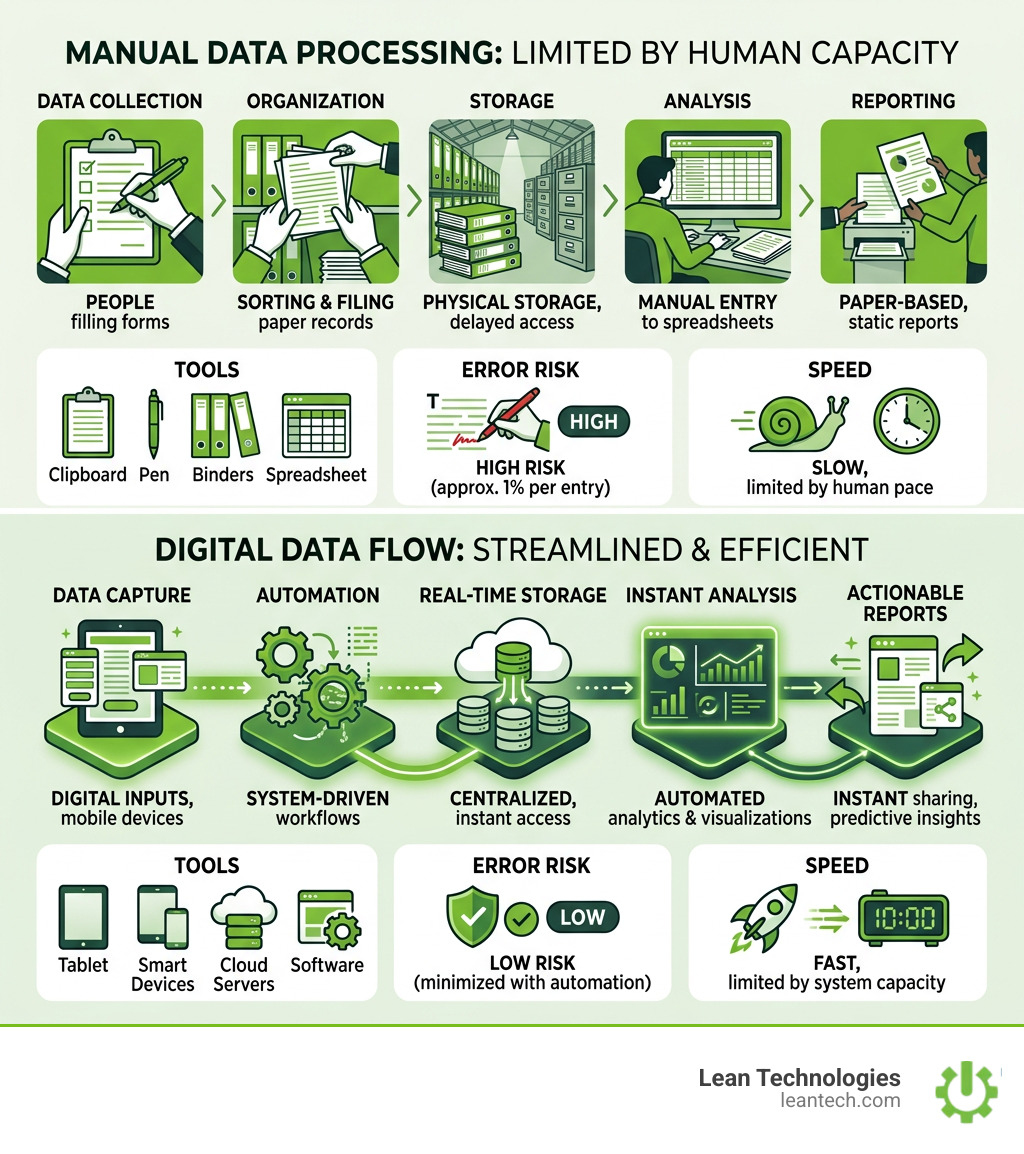
Feature Manual Data Processing Who does the work People, not machines Tools used Paper, pens, binders, spreadsheets Speed Slow — limited by human capacity Error risk High — avg. 1% error rate per entry Cost Low upfront, high long-term Best for Small-scale, qualitative, or low-tech needs
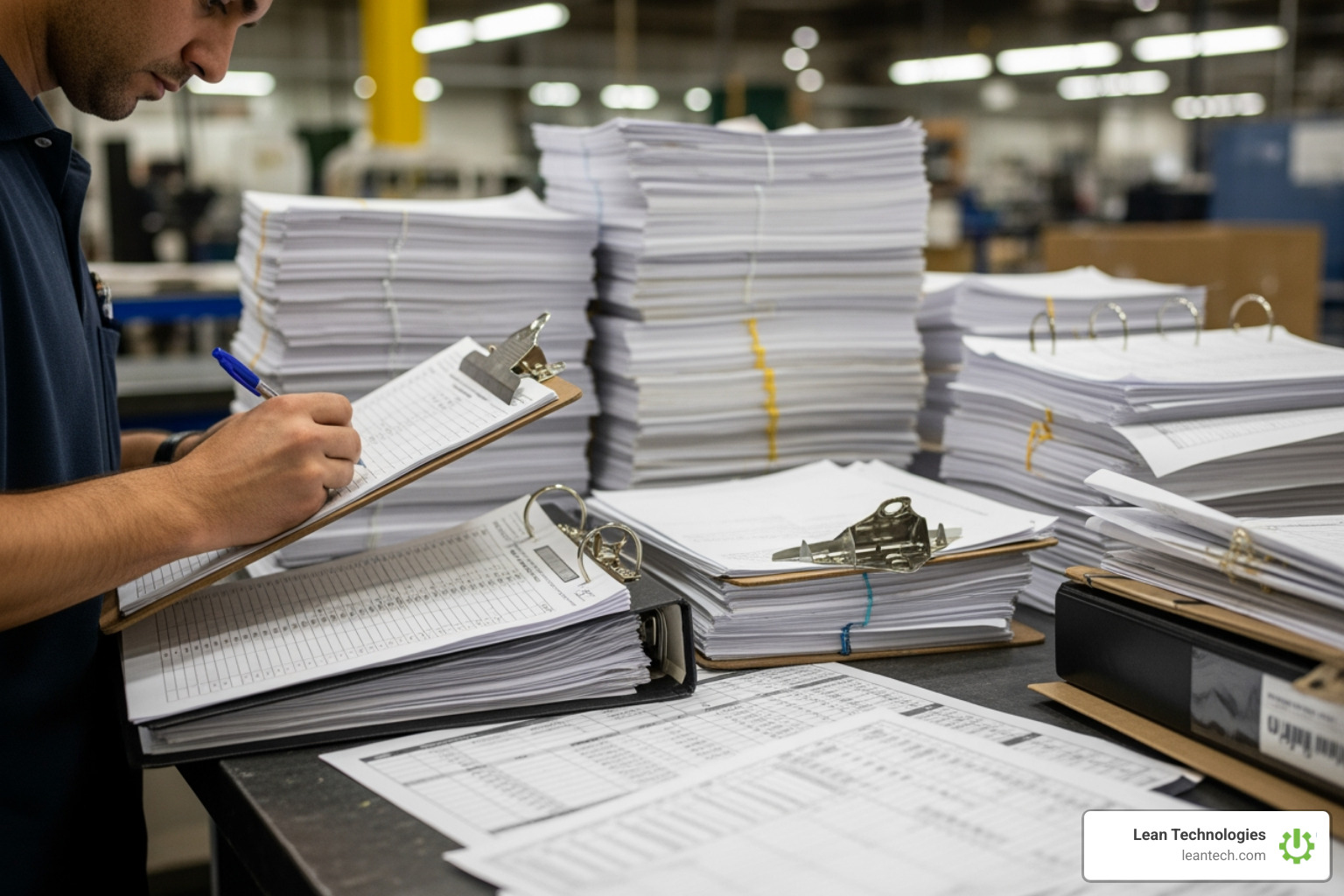
It's the guy writing downtime reasons on a whiteboard. It's the maintenance tech filling out a paper work order. It's the quality inspector checking boxes on a printed form and handing it to a supervisor at the end of the day.
Sound familiar?
The problem isn't that manual processing exists — it's that most manufacturing teams have outgrown it without realizing it. Employees currently spend over 40% of their working hours on manual digital administrative tasks, including data entry. That's nearly half a workday going into work that doesn't move the needle.
And the cost isn't just time. It's visibility. When data lives on paper, it can't tell you anything until someone transcribes it, compiles it, and sends it up the chain — by which point the moment to act has already passed.
This guide breaks down exactly what manual data processing is, how it works, where it still makes sense, and — most importantly — what it's quietly costing your operation.
What is Manual Data Processing?
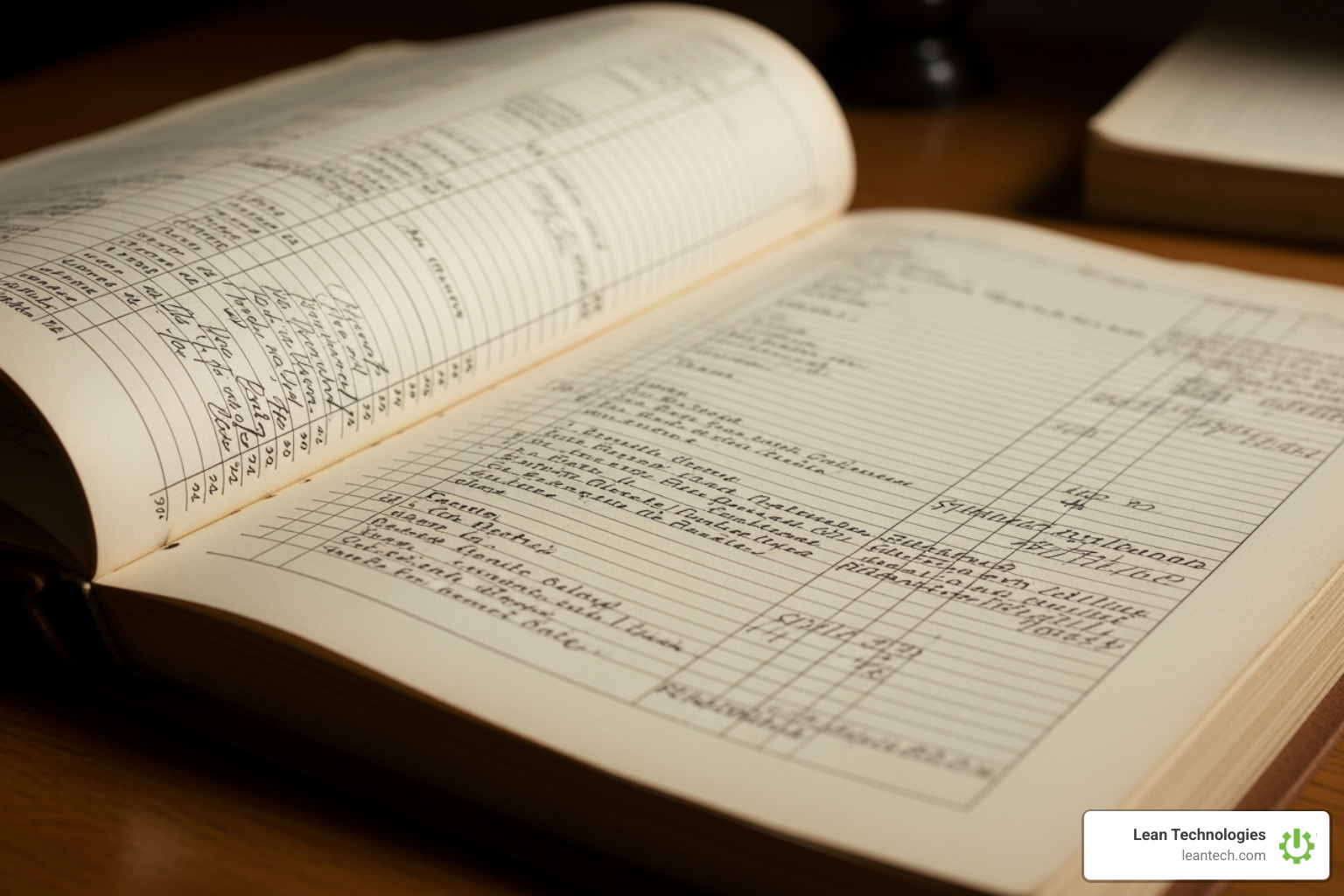
At its core, what is manual data processing comes down to human intervention. Before we had high-speed servers and AI, data was managed by "human computers." This isn't a metaphor—it was a literal job title of “computer” given to people who performed complex mathematical calculations by hand. These individuals relied on physical tools like ledgers, paper forms, and mechanical calculators to collect, store, and analyze information.
In a modern manufacturing context, manual data processing refers to any workflow where a person is the primary engine for moving data through its lifecycle. This includes:
Non-technological tools: Using paper logs, pens, and physical filing cabinets.
Human-managed recording: An operator noticing a machine jam and writing the duration on a paper scrap.
Physical movement: Carrying a stack of quality reports from the shop floor to the front office.
Manual calculation: A supervisor using a handheld calculator to determine the shift's OEE (Overall Equipment Effectiveness) based on those paper notes.
While Electronic data processing (EDP) uses computers and automation to handle massive amounts of data in real time, manual methods rely on the speed and accuracy of the person holding the pen. It is a laborious, time-consuming process that often results in "stale" data—information that is only available hours or days after the event occurred.
The 6 Stages of the Manual Data Processing Cycle
Even without a computer, data follows a specific lifecycle. In a manual system, every one of these steps requires a human touchpoint.
Stage Manual Action Automated Equivalent 1. Collection Hand-writing observations on a clipboard. Sensors or mobile apps capturing data at the source. 2. Preparation Sorting through paper scraps to find relevant notes. Data enrichment and automated cleaning. 3. Input Typing handwritten notes into an Excel sheet. Direct digital entry or API integration. 4. Processing Calculating totals or averages with a calculator. Algorithms and tools like Apache Spark. 5. Output Drawing a graph on a whiteboard or printing a report. Real-time dashboards and automated alerts. 6. Storage Placing paper forms in a physical filing cabinet. Secure data warehouses or databases.
Throughout this cycle, specific protective measures like data masking or encryption are much harder to enforce. In a manual world, "security" often just means a lock on a filing cabinet drawer.
Understanding the flexibility of manual data processing
If manual processing is so slow, why is it still around? For very small-scale operations or highly specific scenarios, it offers a few unique benefits:
Human Judgment: Humans are better than basic software at interpreting nuanced, qualitative insights (e.g., "The machine sounds ‘tinny’ today").
Low Upfront Investment: You don't need a server or a software license to buy a box of pens and a stack of paper.
Adaptability: If a process changes mid-shift, you can just cross out a line on a form. You don't need to wait for IT to update a database schema.
Low-Tech Environments: In areas without Wi-Fi or where tablets might get damaged, paper is resilient.
Real-world examples of manual data processing
We see manual processing every day, even in "high-tech" eras. Historically, it took the United States seven years to publish the results of the 1880 census because of slow manual tallying.
In modern plants, you’ll see it when:
A visitor signs a physical ledger at the front desk.
A teacher records student marks on a printed spreadsheet before entering them into a portal.
A maintenance tech fills out paper-based maintenance logs for a 30-year-old hydraulic press.
The Hidden Costs of Staying Manual
The "low cost" of paper is a myth. When you look at the big picture, what is manual data processing doing to your bottom line? It’s draining it.
1. The 1% Error Rate: Research shows that the average error rate of manual entry is approximately 1%. While that sounds small, consider a plant processing 10,000 data points a week. That’s 100 errors—mistyped part numbers, misplaced decimals, or unreadable handwriting—that could lead to a massive quality "reject" or a missed maintenance window.
2. Trillions in Global Costs: Manual data entry is estimated to cost organizations trillions of dollars globally. A Goldman Sachs report highlighted that B2B administrative costs, largely tied to manual paper-based systems like checks, reach $2.7 trillion annually.
3. Employee Disengagement: Let’s be honest: nobody went to school to spend four hours a day transcribing scribbles into a spreadsheet. When tasks are repetitive and unengaging, job satisfaction plummets. This disengagement doesn't just hurt morale; it impacts your company culture and revenue.
4. Compliance and Audit Risks: If an auditor walks in today, can you find the safety inspection for Machine 4 from three months ago? If it’s in a binder in a supervisor's trunk, you’re in trouble. Falling out of compliance can lead to heavy fines in the event of an audit. Even minor OSHA violations can start at over $1,000 per penalty. Using a digital CMMS ensures that data is timestamped, searchable, and audit-ready.
Moving Beyond the Paper Trail
Transitioning away from manual processing doesn't mean you have to replace your entire ERP or install millions of dollars in sensors. It starts with digitizing the work process itself.
By moving to a Guide to Digital Lean Manufacturing, you give operators the ability to enter data at the source. This shifts your timeline from days to minutes. Instead of waiting for a weekly report, a plant manager can see a downtime spike in real-time and address it before the shift ends.
According to a McKinsey survey, 46% of businesses have prioritized automation since the pandemic. They realize that manual systems, while comfortable, are a bottleneck to growth. Modern tools like intelligent document processing (IDP) can even help bridge the gap by converting unstructured paper data into formats that a machine can read.
Best practices for transitioning from manual data processing
If you're ready to stop the paper trail, follow these steps to ensure the transition sticks:
Standardized Protocols: Before you digitize, make sure the manual process actually works. You can't automate a mess.
Personnel Training: Get the "buy-in" from the shop floor. Show them how a tablet saves them from the "hated" task of end-of-shift paperwork.
Pilot Testing: Don't flip the switch on the whole plant at once. Start with one line or one department (like maintenance or quality).
Regular Monitoring: Check the digital data against the old manual logs for the first few weeks to ensure accuracy.
Data Backups: Ensure your digital system has a "fail-safe" so work doesn't stop if the Wi-Fi blips.
Why organizations continue to rely on manual data processing
Despite the risks, many teams stay manual because of:
Budget Constraints: The perceived high cost of software.
Legacy Systems: Old machines that don't "talk" to modern software.
Transition Time: The fear that learning a new system will slow down production.
Human Context: The belief that a computer can't capture the "feel" of the shop floor.
However, Bain estimates that "automation leaders"—those who invest at least 20% of their IT budget into automation—save 17% on costs, nearly triple the savings of those who stay manual.
Frequently Asked Questions about Manual Data Processing
Is manual data processing still relevant in modern manufacturing?
Yes, but its role is shrinking. It’s useful for one-off pilot projects or capturing highly qualitative "human" observations. However, for scaling production or maintaining safety compliance, it’s increasingly seen as a liability.
What is the biggest risk of relying on manual data entry?
The biggest risk is real-late data. By the time a manual error is caught or a paper report is read, the financial damage (scrap, downtime, or safety incident) has already happened. You can't fix a problem you didn't know you had until Tuesday of next week.
How do I start the transition from manual to automated data processing?
Start by identifying your "paper-heavy" processes. Is it your downtime logs? Your safety checklists? Your maintenance work orders? Pick the one that causes the most frustration and move it into a flexible digital tool like Thrive.
Stop Managing Your Shop Floor Through Spreadsheets
If your team is still chasing paper or spending hours every Friday "cleaning up" Excel files, you aren't running lean. You're running tired.
Lean Technologies built Thrive to solve this exact problem. Thrive isn't a bloated ERP that takes two years to implement. It’s a customizable shopfloor platform developed by manufacturing experts to give you real-time visibility into what’s actually happening at the machine level.
Whether you need to track CMMS tasks, log quality checks, or drive continuous improvement, Thrive moves the data entry to the source. No more end-of-shift data dumps. No more 1% error rates from unreadable handwriting. Just structured, accountable work processes that help your team run faster and smarter.
Want to see what your shop floor looks like without the paper? Let your team run lean — with real-time visibility and fewer workarounds.





