
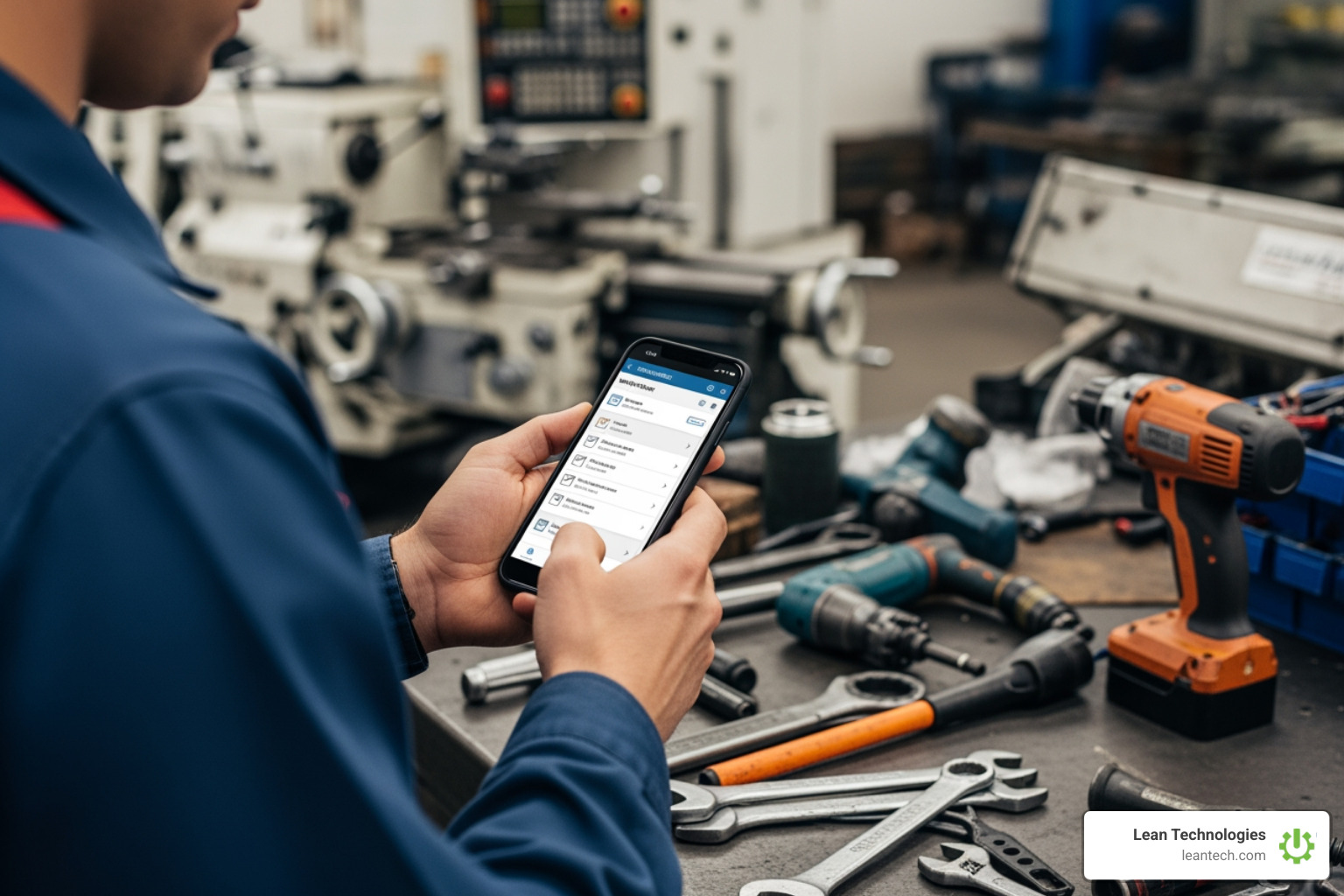
The Best Work Order Application for Mobile Teams
Your Shop Floor Is Drowning in Paper — Here's How a Work Order App Fixes That
A work order app is a mobile tool that lets maintenance teams create, assign, track, and close work orders directly from their phones or tablets — replacing paper forms, sticky notes, and radio calls with a single digital system.
The top work order apps for mobile teams provide:
Thrive — real-time visibility built for small to midsize manufacturers
Mobile-first design — simple usability for teams shifting from paper
Third-party integrations — seamless connection with existing software
QR code scanning — instant access to asset history and manuals
Asset lifecycle tracking — comprehensive maintenance logs
Multi-location management — centralized control for complex operations
Picture this: it's 7 AM on the plant floor. A conveyor belt starts making a noise it shouldn't. One technician tells another. That person tells a supervisor — maybe. A sticky note gets written. It lands on a desk. By Thursday, nobody remembers who was supposed to fix it, and now you've got unplanned downtime eating into your margins.
That's not a people problem. That's a process problem.
Manual work order systems — paper logs, whiteboards, email chains — create gaps. Tasks fall through the cracks. Priorities get missed. And when something breaks, there's no trail to follow, no history to learn from, and no accountability built in.
The research backs this up: mobile app design alone accounts for 71% of the variation in employee performance. The tool your team uses to manage work isn't just a convenience — it directly shapes how well they execute.
Work order apps solve this by putting the entire maintenance workflow in one place, accessible from any mobile device, on or off the Wi-Fi network. Your team logs the issue, gets the assignment, completes the task, and closes the loop — all without setting foot in the office.
This article breaks down the best work order apps for mobile maintenance teams in 2026, what features actually matter, and how to choose the right one for your shop floor.
Why Every Modern Shop Floor Needs a Work Order App
If you are still using a "shout-and-hope" method for maintenance, you’re losing money every time a machine idles. A work order app moves your team from reactive chaos to structured execution.
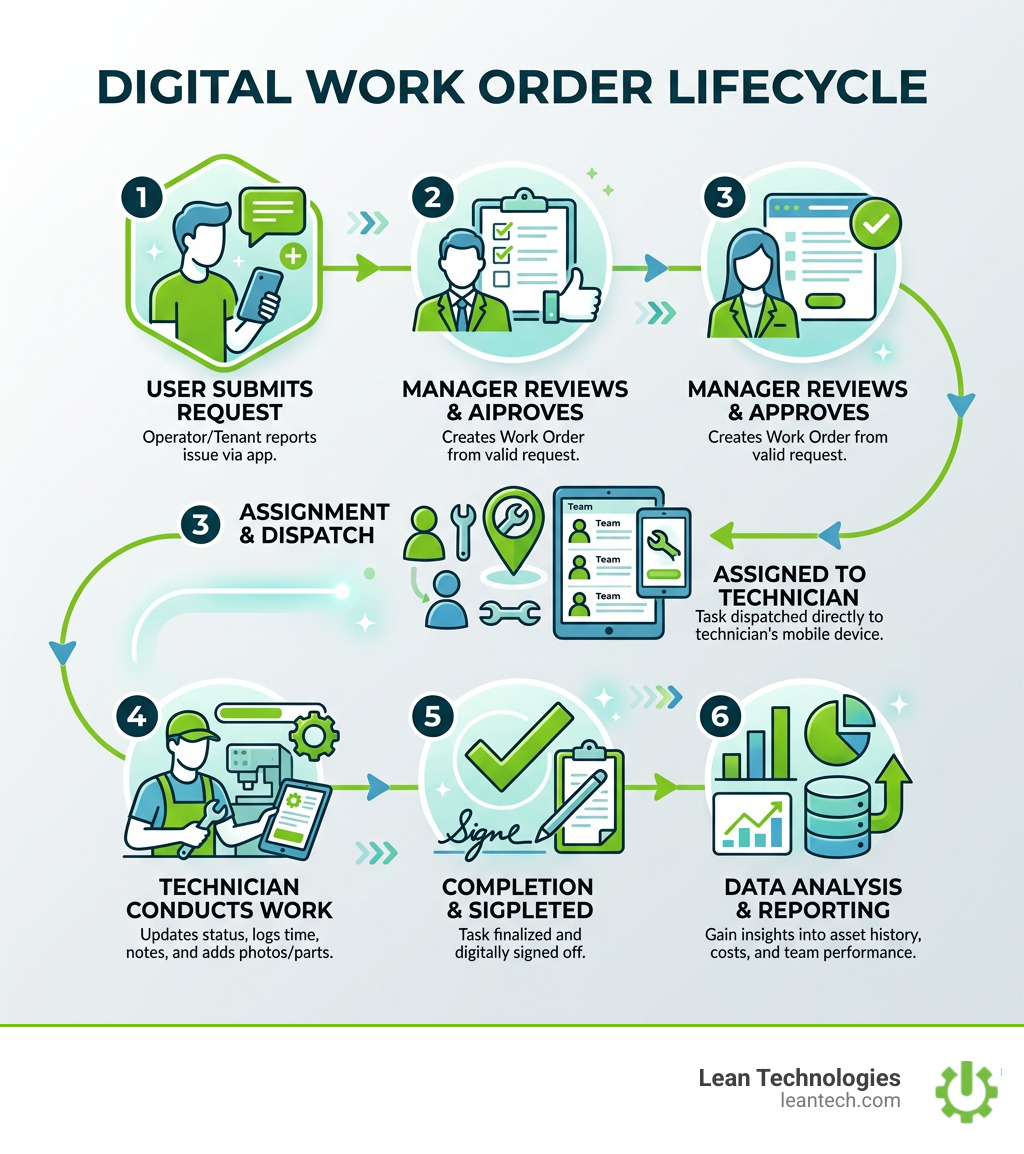
The first thing to understand is the difference between a work request and a work order. A work request is the initial "hey, this is broken" notification. It might come from an operator on Line 4 or a tenant in a managed building. Once that request is approved by a manager, it becomes a work order—a formal document with specific instructions, parts required, and a deadline.
Without a digital work-request-queue, requests get lost in "hallway conversations" or buried under coffee mugs. A digital system ensures every request is captured and prioritized. Once the job is done, the app stores a work-order-history, which is gold for audit trails and troubleshooting recurring issues.
The impact of moving to mobile is massive. Scientific research on how mobile app design impacts employee performance shows that the right digital tools significantly boost execution. Statistics show that companies using mobile-first systems see a 32% reduction in unplanned downtime and a 53% improvement in work order completion rates. When technicians can see exactly what needs to be done on their mobile device, they spend less time walking back to the office and more time turning wrenches.
Choosing the Right Work Order App for Small Businesses
Small to midsize manufacturers don't have the IT budget for a three-year enterprise software rollout. You need something that works now. When evaluating a cmms (Computerized Maintenance Management System), look for these three things:
User-Friendly Interface: If it’s harder to use than Facebook, your team won't use it. High adoption rates come from "technician-loved" designs.
Scalability: You might start with five users, but can the app handle 50? Look for modular pricing that grows with you.
Transparent Pricing: Models vary wildly. Some offer free tiers for small teams, while others charge per user per month, ranging from $16 to $75.
Don't get blinded by "enterprise" features you'll never use. Focus on the tools that help your team close tickets faster.
Essential Features for Mobile Maintenance Teams
A great work order app isn't just a digital version of a paper form; it’s a tool that adds capabilities paper can't touch.
QR Code Scanning is a game-changer. Imagine a technician walking up to a pump, scanning a QR code with their phone, and instantly seeing the full manual, safety SOPs, and the last three times it was repaired. No more digging through filing cabinets.

Offline Functionality is the next non-negotiable. Many plants have "dead zones" where Wi-Fi doesn't reach. A quality app lets the tech log their hours and parts used while offline, then automatically syncs everything once they hit a signal.
Finally, Real-Time Updates and Custom Workflows allow you to tailor the app to your specific maintenance processes. Whether it's a routine planned-maintenance check or an emergency repair, the app should guide the technician through the exact steps required for compliance and safety.
Maximizing Efficiency with a Mobile Work Order App
Efficiency on the shop floor isn't just about working faster; it's about reducing "non-value-added" time. Mobile apps cut the fat in several ways:
Photo Attachments: A picture is worth a thousand words. Instead of trying to describe a "weirdly bent bracket," the tech snaps a photo. Managers can see exactly what’s wrong before they even leave their desk.
Voice Notes: Typing on a greasy phone screen is a pain. Voice-to-text allows techs to leave detailed notes about a repair while their hands are still dirty.
Instant Notifications: When a high-priority machine goes down, the right person gets a "ping" immediately. No radio tag required.
Integrated parts-management: When a tech uses a bearing, they log it in the app. This triggers an inventory update, so you never run out of critical spares.
Integrating Digital Tools with Existing Systems
Your work order app shouldn't be an island. To get the most ROI, it needs to talk to the other tools you use.
Integration with ERP systems (like SAP or Oracle) or accounting software like QuickBooks ensures that maintenance costs are reflected in your overall business financials. Some advanced setups even use IoT (Internet of Things) triggers—where a machine sensor detects a high temperature and automatically fires off a work order before the motor burns out.
Feature Manual Entry System Automated/Integrated System Data Accuracy High risk of human error Data pulled directly from source Speed Logged at end of shift/week Logged in real-time Visibility "Real-late" reporting Real-time dashboards Accountability Hard to track who did what Full project-tracking logs
By connecting your maintenance data to broader project-management tools, you gain a high-level view of how equipment health impacts your production timelines.
Frequently Asked Questions about Work Order Apps
What is the difference between a work request and a work order?
Think of a work request as the "ask" and the work order as the "task." A request is a submission from someone noticing a problem (like a leaky pipe). Once a manager reviews it, assigns a technician, and authorizes the work, it officially becomes a work order.
Can technicians use the app without a Wi-Fi connection?
The best apps have an "offline mode." Technicians can continue to fill out checklists and attach photos in basements or remote areas. The app caches the data and syncs it to the cloud the moment the device reconnects to Wi-Fi or cellular data.
How difficult is it to transition from a paper-based system?
It’s easier than you think, but it requires a "mobile-first" mindset. Most modern apps are designed to be as intuitive as a smartphone weather app. Teams that provide a three-week "pilot" period typically see full adoption because technicians quickly realize the app saves them from the paperwork they already hate.
Stop Managing Your Shop Floor Through Spreadsheets
If you are still trying to run a lean operation using Excel and wishful thinking, you are leaving profit on the table. Paper doesn't give you real-time visibility. Spreadsheets don't send notifications when a critical asset is failing.
At Lean Technologies, we built Thrive because we are manufacturing experts who were tired of seeing shop floors slowed down by clunky, "real-late" data. Thrive is a customizable shop floor platform designed specifically for small to midsize manufacturers who need to digitize their processes without the headache of a full ERP overhaul.
Whether you need to track downtime, manage safety audits, or streamline your maintenance schedules, Thrive gives your team the digital tools they need to own their data and drive continuous improvement.
Stop managing your shop floor through spreadsheets and wishful thinking. Let your team run lean with real-time visibility and a process that actually works. Want faster problem-solving? It starts with getting the right work order app in your team's hands today.





